


Participant
August 1, 2025
Answered

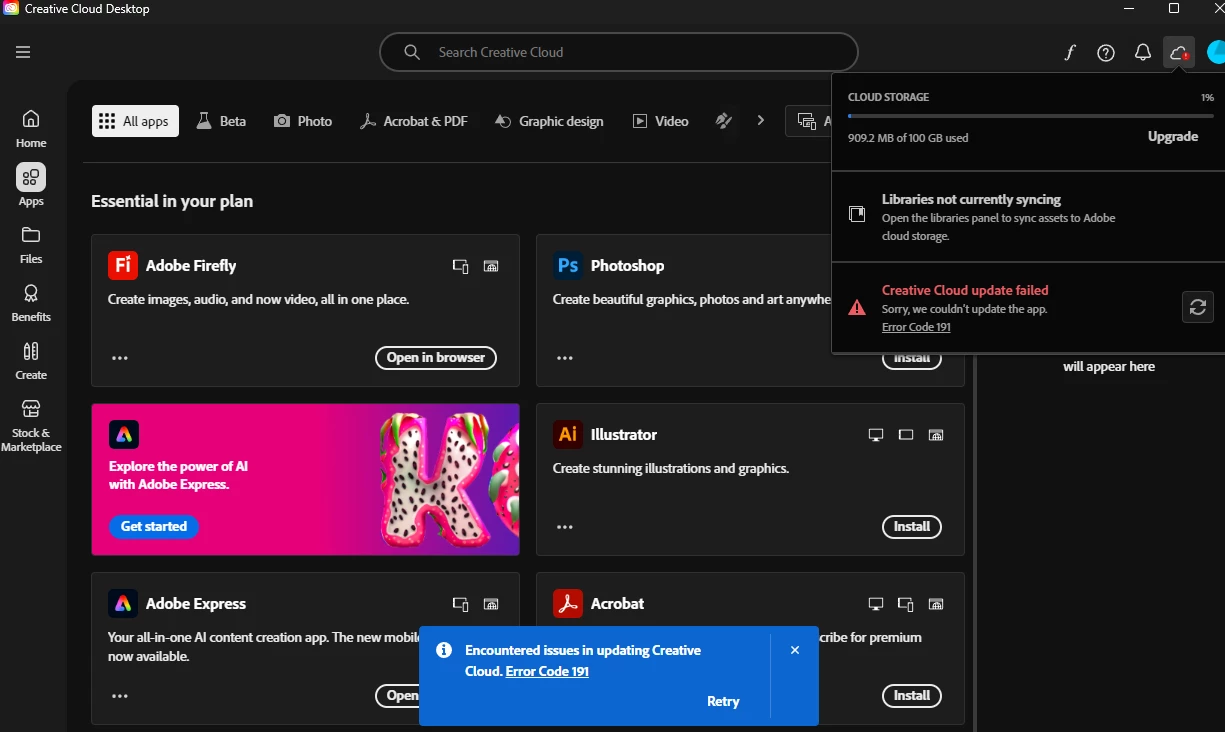
Continue to get errors when trying to update the creative cloud desktop app...

  • August 1, 2025
  • 2 replies
  • 244 views

Consistently getting these same errors when trying to update the creative cloud app (see screen shot - Error code: 191). Been happening for over a month now... unsure what's up. Tried completely uninstalling all adobe apps as well as creative cloud today... Reinstalled - and still getting the same issue. Any ideas on how to resolve would be appreciated. Thanks!

 

Correct answer kglad

with win 11, this is from @Jeff_A_Wright :


  1. Open Settings: Press Windows + I or click the Start menu and select Settings.
  2. Go to System → then click Storage.
  3. Scroll down and select Advanced storage settings.
  4. Click Where new content is saved.
  5. Use the dropdown menus to choose the C: drive for:
    • New apps
    • New documents
    • New music
    • New photos and videos
    • New movies and TV shows
  6. Click Apply after making your selections.


and you may need to restart your computer for any changes to take effect.  then install or update (whichever is triggering the  191 error) your cc desktop app.

2 replies

kglad
Community Expert
kgladCommunity ExpertCorrect answer
Community Expert
August 1, 2025

with win 11, this is from @Jeff_A_Wright :


  1. Open Settings: Press Windows + I or click the Start menu and select Settings.
  2. Go to System → then click Storage.
  3. Scroll down and select Advanced storage settings.
  4. Click Where new content is saved.
  5. Use the dropdown menus to choose the C: drive for:
    • New apps
    • New documents
    • New music
    • New photos and videos
    • New movies and TV shows
  6. Click Apply after making your selections.


and you may need to restart your computer for any changes to take effect.  then install or update (whichever is triggering the  191 error) your cc desktop app.

BurrFamAuthor
Participant
August 4, 2025

Thank you! That worked! 🙂

kglad
Community Expert
Community Expert
August 4, 2025

@BurrFam 


you're welcome.

John T Smith
Community Expert
Community Expert
August 1, 2025