
Participant
November 28, 2019
Question

Converting jpg to editable format

  • November 28, 2019
  • 2 replies
  • 2268 views

Hi All,


My first post here and hoping someone can help me with my problem:

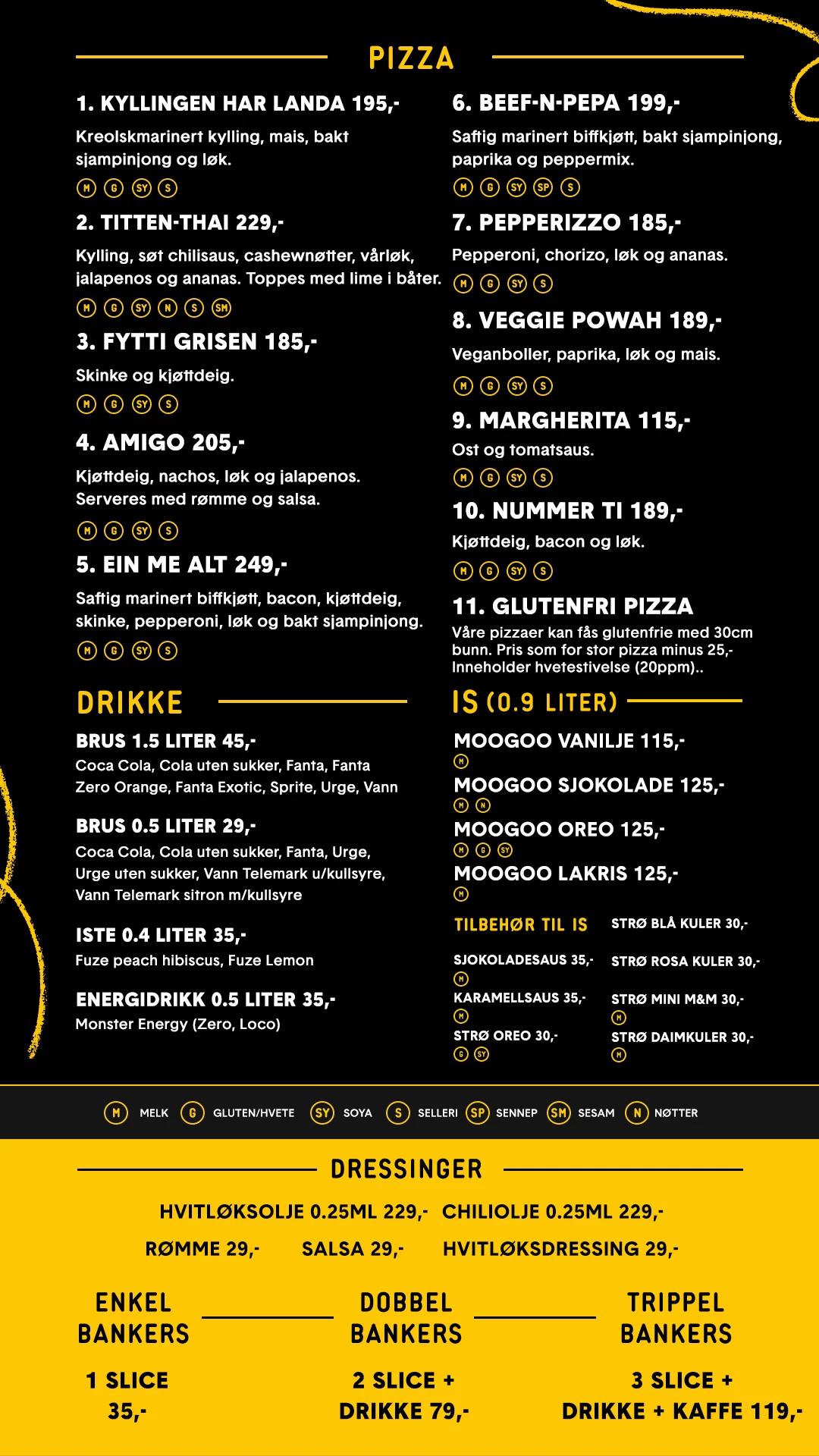
We have a menu in JPG. we would like to do changes on. Feks change menu name, prices and other small revisions.


However when i convert from JPG to PDF, the quality drops, the font gets wrong and design elements is not correct.


Do you have som tips on how i can do small changes to the menu, which i only have in JPG?


This topic has been closed for replies.

2 replies

Legend
November 28, 2019

1. Open the JPEG and save PSD. NEVER EDIT JPEG AGAIN. Always return to this PSD, because every edit of JPEG makes the quality worse.

2. Experiment to find the fonts used.

3. To change an item in the menu, cover the line or the price with black, then make new text.

4. Finally, export as PNG for web use (Never JPEG for text).


This is a small and very simple design, it would almost certainly be better to make it again in a better choice of software, such as InDesign. 

Jakeyboy
Participating Frequently
November 28, 2019

I have used Photoshop for similar editing of JPG's.  Try using the "Spot Healing Brush" tool and "Patch" on a layer copy to delete the parts you wish to change and then use the "Text" tool to match font & colour etc.  Hope this helps?