Participant
October 27, 2017
Answered

Creative Cloud 2018 Crashing/Freezing Programs...Can't Open Lightroom

  • October 27, 2017
  • 1 reply
  • 5580 views

Even before I went to update my apps to 2018, the Creative Cloud desktop app suddenly started using 100% of my CPU. I thought I was having an issue with my Macbook's fans until I realized the Creative Cloud desktop app was consuming so much CPU (fans stopped running when I closed/quit the Creative Cloud desktop app).

Now, I can't quit any Creative Cloud programs unless I "Force Quit" them. When I do choose to "Quit," the windows disappear, but it remains stuck while quitting the programs and then I have "Application not responding." Furthermore, the update to Lightroom deleted all of the presets/.lrtemplate files from my computer AND I can't even OPEN Lightroom. It, too, returns a "Application not responding."

Some have said to simply "Sign out" of the desktop app and then log back in, however the option to "Sign out" is grayed out and won't allow me to click on it. I have done everything I can think of, including uninstalling and reinstalling the Creative Cloud desktop app.
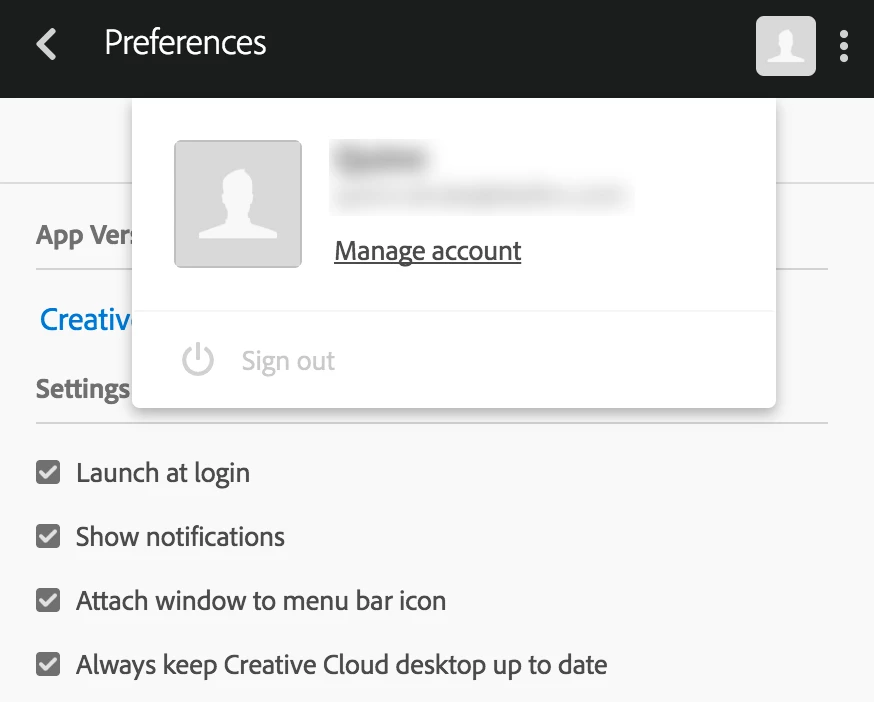
Help! Operating on Mac OS El Capitan 10.11.5.

This topic has been closed for replies.
Correct answer kglad

uninstall everything cc including preferences, https://helpx.adobe.com/creative-cloud/help/uninstall-remove-app.html

then uninstall the cc desktop app, https://helpx.adobe.com/creative-cloud/help/uninstall-creative-cloud-desktop-app.html

clean your computer of cc files per http://www.adobe.com/support/contact/cscleanertool.html

restart your computer (don't skip this)

reinstall the cc desktop app, https://creative.adobe.com/products/creative-cloud.

if you're unable to install the cc desktop app at this stage, use an administrator account (solution 3 here, https://helpx.adobe.com/creative-cloud/kb/creative-cloud-missing-damaged.html)

use the desktop app to install your cc programs/trials

1 reply

kglad
Community Expert
kgladCommunity ExpertCorrect answer
Community Expert
October 27, 2017

uninstall everything cc including preferences, https://helpx.adobe.com/creative-cloud/help/uninstall-remove-app.html

then uninstall the cc desktop app, https://helpx.adobe.com/creative-cloud/help/uninstall-creative-cloud-desktop-app.html

clean your computer of cc files per http://www.adobe.com/support/contact/cscleanertool.html

restart your computer (don't skip this)

reinstall the cc desktop app, https://creative.adobe.com/products/creative-cloud.

if you're unable to install the cc desktop app at this stage, use an administrator account (solution 3 here, https://helpx.adobe.com/creative-cloud/kb/creative-cloud-missing-damaged.html)

use the desktop app to install your cc programs/trials

Participant
October 27, 2017

Thanks! Will try. But before I do, what effect does this have on any plugins or saved presets? I'm assuming this will erase any of that data and this will require me to start from scratch?

kglad
Community Expert
Community Expert
October 27, 2017

it will reset your preferences and you should be prepared to restore your plugins (but that usually is not needed).  you can copy your preferences for quick restoration, if you want.