


Inspiring
April 10, 2017
Answered

Creative Cloud App is NOT working

  • April 10, 2017
  • 3 replies
  • 2772 views

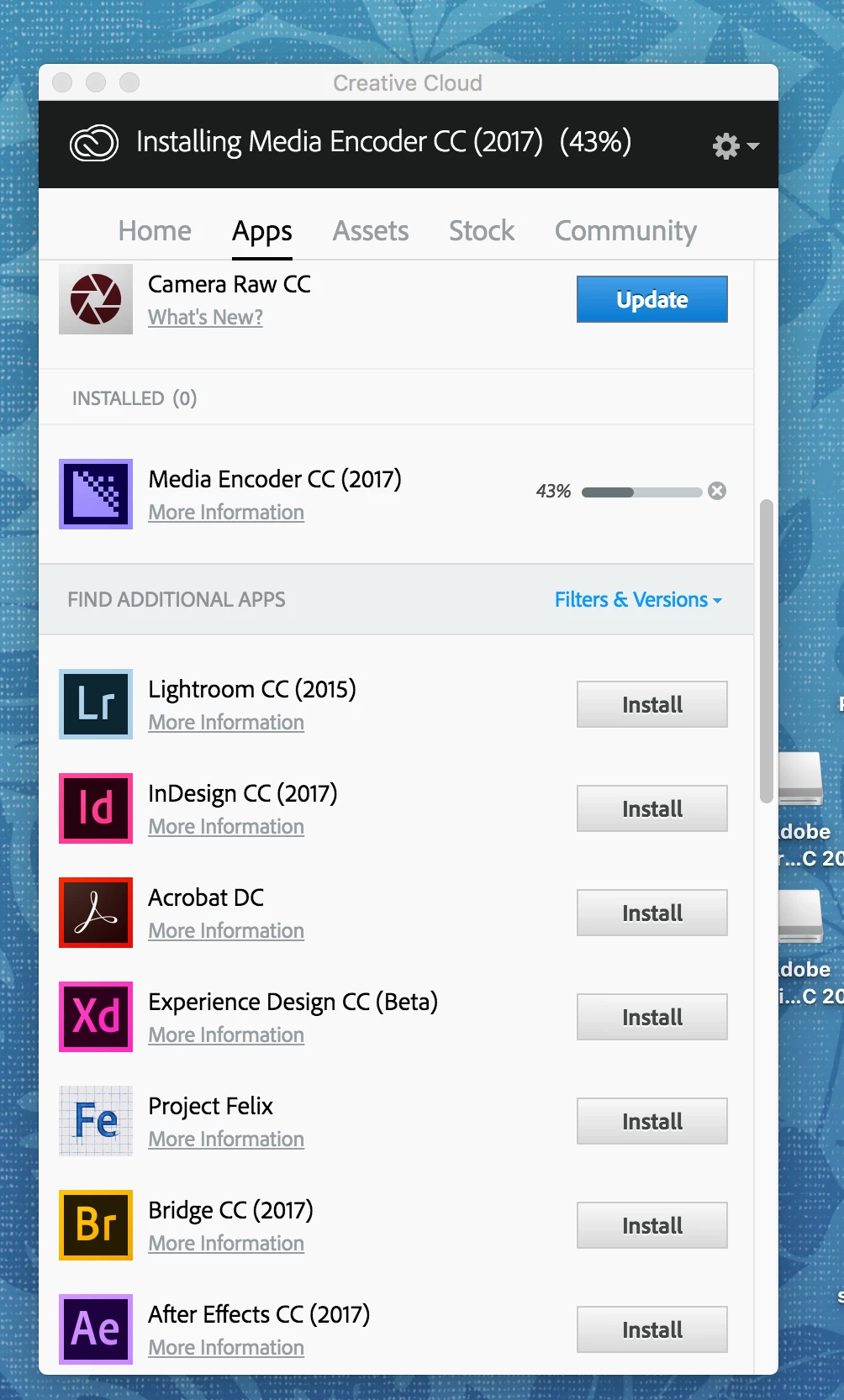
After having two Adobe support technicians spend 2 hours each on two different days they finally elevated me to some overseas upper tier support (who called me from a "10000000" number which my phone blocks. In any event, I am on a newer mac running 10.12.4. I have started, out of the blue, having issues with Adobe CC updating and installing. It hangs on 43% most of the time unless itis Adobe Acrobat which tells me I have a previous "higher" version installed and cannot install. Which I do not have another version. Here's a photo of the unsolved recurring, frustrating, losing money every hour this continues, problem:

This topic has been closed for replies.
Correct answer kglad

uninstall everything cc including preferences, https://helpx.adobe.com/creative-cloud/help/uninstall-remove-app.html

then uninstall the cc desktop app, https://helpx.adobe.com/creative-cloud/help/uninstall-creative-cloud-desktop-app.html

clean your computer of cc files per http://www.adobe.com/support/contact/cscleanertool.html

empty your temp folder and make sure you have read/write permissions for your temp folder

restart your computer (don't skip this)

reinstall the cc desktop app, https://creative.adobe.com/products/creative-cloud. (if you have a win os, right click the exe > click 'run as administrator'.

use the desktop app to install your cc programs/trials

3 replies

Inspiring
April 11, 2017

I am running the latest version of OS on my Mac 10.12.4

happie_97
Community Expert
Community Expert
April 11, 2017

Hi DrMontague,

I was having a similar issue with my new install. The fix for me was to update my operating system. Once it updated and restarted, the programs installed without issue. Mine was on a Mac OS computer.

kglad
Community Expert
kgladCommunity ExpertCorrect answer
Community Expert
April 10, 2017

uninstall everything cc including preferences, https://helpx.adobe.com/creative-cloud/help/uninstall-remove-app.html

then uninstall the cc desktop app, https://helpx.adobe.com/creative-cloud/help/uninstall-creative-cloud-desktop-app.html

clean your computer of cc files per http://www.adobe.com/support/contact/cscleanertool.html

empty your temp folder and make sure you have read/write permissions for your temp folder

restart your computer (don't skip this)

reinstall the cc desktop app, https://creative.adobe.com/products/creative-cloud. (if you have a win os, right click the exe > click 'run as administrator'.

use the desktop app to install your cc programs/trials

Inspiring
July 10, 2018

This is ridiculous.

Participant
May 10, 2022

I agree - totally ridiculous!