
Participant
November 13, 2013
Answered

Creative Cloud app opening blank

  • November 13, 2013
  • 6 replies
  • 17701 views

I'm trying to open the creative cloud app to download Bridge, but this is how the app opens:
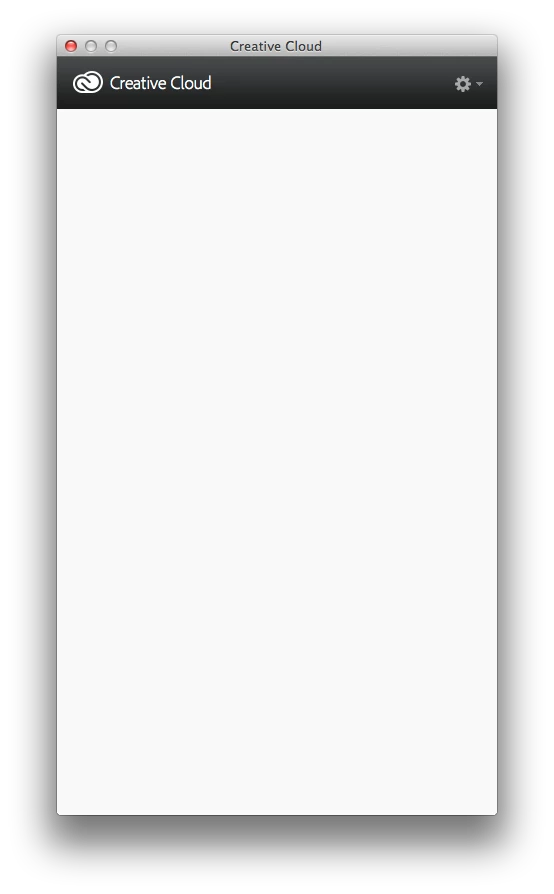
Nothing ever loads into the window. I've tried unistalling and reinstalling numerous times. I tried reading through other comments that sounded similar, they suggested restarting the computer and reinstalling, or using the creative cloud cleaner app. Nothing has worked. I'm running Mac OS 10.7.5

This topic has been closed for replies.
Correct answer Romsinha-9KMEUt

Hi bobbyo2005,

Please navigate to ~/Library/Application Support/Adobe/OOBE/opm.db and trash it. Launch CC desktop and try to sign in.

Regards,

Romit Sinha

6 replies

Participant
December 27, 2019

When I did this it fixed it temporarily but kept regenerating a bad opm.db on reboot. If this happens try this...

AS OF 12/26/19 Adobe's Creative Cloud Desktop app is still loading blank and loading system processes in a very unclean way when loading on start. There are multiple threads regarding this and adobe has yet to own up to the bug. IF YOU ARE READING THIS than you most likely attempted the level 1 troubleshooting (likely multiple times). If this has not perminently resolved the issue here is the fix:


If you DON'T REQUIRE it to load on start follow METHOD 1:

1. install creative cloud, repair if necessary to get the desktop app to load content (at least once) and go to preferences and disable load on start.

 2. Go to task manager, startup tab and disable all other adobe programs loading on start.

3. Reboot, upon launching desktop app it should load content consistently.


METHOD 2:

USE THIS IF YOU REQUIRE TO LOAD ON START.

1. Go to C:\Program Files (x86)\Adobe\Adobe Creative Cloud\Utils\ and pin a shortcut from cctroubleshooter.exe to start

2. Open desktop app and let it render blank screen.

3. Run the pinned shortcut as administrator and select close all adobe processes.

4. Upon success re open desktop app and the issue should be resolved

NOTE: this is required every time windows starts.


FYI running Windows 10 Pro version 1909 as of 12/26/19


Hope it helps...

Inspiring
February 3, 2016

This is so ANNOYING!  It seems that every time I try to use the app there is something wrong with it.  It is beyond frustrating, especially considering how much we pay for this service!  Adobe needs to really get it's shit together and start working HARDER to develop programs that actually work as users expect them to.  The quality of their products seems to be declining by the minute.  I appreciate the solution to this issue but we, as users shouldn't even have to be dealing with things like this.  It's ridiculous!

esanoche
Known Participant
August 4, 2015

This is NOT a correct answer. It is only Temporary. See my comments below for a way I find easier, but still not permanent.

Inspiring
August 11, 2015

It may be your Network Card Driver is incompatible with the Creative Cloud App. In My case the Creative Cloud App would log in but then only show a blank rectangle labeled "Creative Cloud. I had two multiple hour sessions with Adobe Tech Support trying all the stuff above while controlling my computer remotely to no avail.  

My solution:

I uninstalled my Windows 7 PCIe Realtek GBE Driver and installed the Realtek Windows 8.1 PCIe GBE Family Driver fixed everything, the flashing hourglass -gone, the Libraries module flashing -gone, Creative Cloud blank -now working. I was running Windows 7 Pro (64 bit) when this problem started month ago when I upgraded to Photoshop CC 2015 and the most recent version of CC app, I upgraded to Windows 10 pro (64 bit). The Windows 10 installed a NIC driver that slowed my Gigabit Ethernet card to 100mbs, so I downgraded to Windows 7 driver so problem persisted until I installed the Windows 8.1 drivers.

I don't know if this only applies to just the Windows 7 RealteK PCIe GBE Driver or if it applies to other operating systems and different ethernet chip manufacturers, but it does give you another avenue to explore.

October 6, 2015

Don't disable your graphics or network drivers or do anything terribly off. Yes there's a compatibility issue with "Creative Cloud desktop" and some video functions in Windows.

Stop Creative Cloud from running by right-clicking on the Notification (old System Tray) and selecting Quit.

Navigate to: "C:\Program Files (x86)\Adobe\Adobe Creative Cloud\ACC\Creative Cloud.exe," right-click on it, go to Compatibility, and select "Disable display scaling on high DPI settings."

Click OK and then run it. Should work just fine.

esanoche
Known Participant
July 24, 2015

The blank screen returns almost weekly.  I have done all these steps. What works for me is opening the Activity Monitor ( Mac) and quitting all Adobe processes. Then I re-launch Creative Cloud. Then it is fine, but next week it wont be.

Participating Frequently
August 2, 2015

Quitting the Adobe processes in the activity Monitor worked for me. Thank you!

timmay2010
Participant
August 3, 2015

Should I quit just "Adobe Desktop Service" or the other two processes running as well?

Participating Frequently
February 4, 2014

I have Windows 7 Premium.

I've tried all the following in the previous posts to no avail, except KarlRempel's solution worked. Having a new account was the only way for it to work and I did not want that.

I finally figured out the root of all evil. The ampersand in Windows user folder name (not the Windows displayed user name).

If you have ampersand (&) or other non-alphabet characters in windows user folder name (Example: C:\Users\Bob & Mary), then Flash Builder will fail to install (happened to me), Creative Cloud will display white screen, and/or other miscellaneous problems.

I confirmed this to be true and works:

1) I had blank Creative Cloud window as shown in the first post.

2) I renamed the display username and window user folder name by doing the instructions here:

   http://www.ghacks.net/2011/03/28/how-to-change-a-windows-account-name-and-user-profile-folder-name/

   (Example: Change from "Bob & Mary" to "Bob n Mary" - without the quotes)

3) After logging back in my newly renamed account, I opened Creative Cloud and login interface shows up! :-)

Romsinha-9KMEUt
Adobe Employee
Romsinha-9KMEUtCorrect answer
Adobe Employee
November 14, 2013

Hi bobbyo2005,

Please navigate to ~/Library/Application Support/Adobe/OOBE/opm.db and trash it. Launch CC desktop and try to sign in.

Regards,

Romit Sinha

Participant
November 14, 2013

I'm in the folder, but I'm not seeing any opm.db file

I tried doing a search for it too, and nothing came up

Romsinha-9KMEUt
Adobe Employee
Adobe Employee
November 14, 2013