Participant
March 10, 2016
Answered

Creative Cloud apps not downloading or syncing.

  • March 10, 2016
  • 2 replies
  • 1613 views

For a long time now, i can't download any of the creative cloud programs and creative cloud is not syncing either.  I have cleaned out all possible junk on my computer thinking it might be that but it still does not download apps properly, the downloading only goes up to 42%  and just stays there.  with syncing it is the same thing it just says its syncing all the time and does not actually sync any if the files i have worked on in school.  i really would like to get this resolved somehow since its really not fair i have to pay for a service that is not completely meeting my needs.
This topic has been closed for replies.
Correct answer Shellz

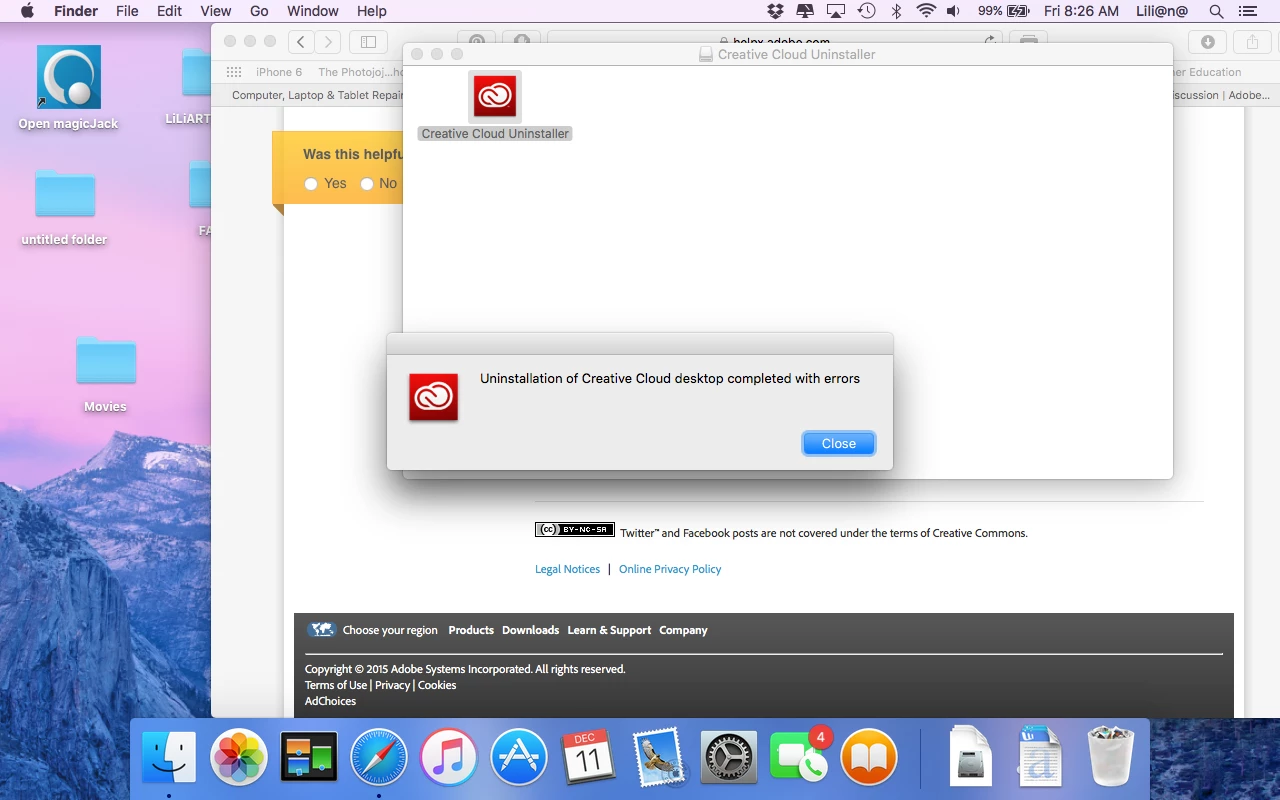
I did all the instructions you gave me but when i uninstalled it it said that it uninstalled with errors. and i can't run the cleaner too because it says its not responding.


Hi,

Please Contact Customer Care and our support team will help you with it.

Regards,

Shelly

2 replies

Sheena Kaul
Legend
March 16, 2016
Shellz
Adobe Employee
Adobe Employee
March 10, 2016
Participant
March 11, 2016

I've tried the various methods you posted but it still is not syncing my files properly or photoshop or indesign....the creative cloud desktop also keeps me with the revolving clock sign (sync) and will stay like that until i have to quit the program.  I also tried the cleaner too thing and it ends up saying not responding or that it cannot perform that action.

Shellz
Adobe Employee
Adobe Employee
March 14, 2016

Hi,

We really apologize for the inconvenience caused to you. Please refer Uninstall the Adobe Creative Cloud desktop application

Please refer https://creative.adobe.com/products/creative-cloud to install Creative Cloud again.

Also please refer Adobe CC Sync issues to rename / delete Coresync folder for sync issue.


Please write us if you face any further issues.


Regards,

Shelly