
Answered
Creative Cloud Desktop App doesn't show apps as installed
I have paid subs for Photoshop 2018, Lightroom Classic and Premier Pro 2018. Installed and managed/updated by Creative Cloud Desktop App on macOS. All was well and working fine on macOS Sierra. Then a few weeks ago I did an macOS upgrade to High Sierra. All my Adobe apps are working just fine.
The problem I have is that Creative Cloud Desktop app doesn't recognise my existing installed Photoshop and Lightroom. It shows them as "Install" as apposed to "Open" or "Upgrade". Premier Pro is listed as expected.
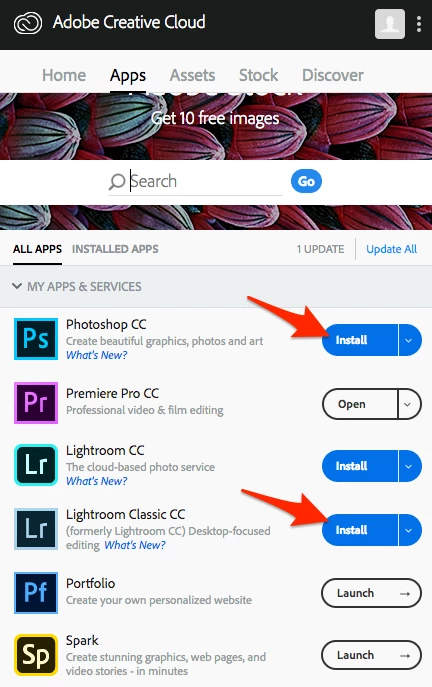
Any suggestions how to get CC to recognise all my installed apps and managed them?
 AdChoices