


Answered
Creative Cloud desktop App not appearing after download
Hi Adobe Support Community,
I am running macOS Monterey version 12.5.1 on a MacBook Air. I am attempting to download the Creative Cloud app.
At first the download failed due to an Error 702. I used the fix: sudo chmod 1777 /tmp/. Now, the app appears to download to completion but it does not open automatically as it says it will in the download window. Then I go to the applications section in the finder window and I do not see the Creative Cloud app icon.
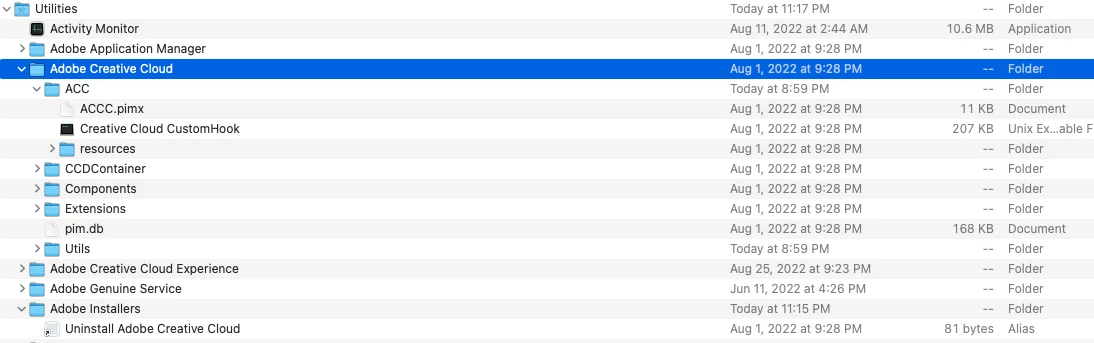
The only mention of the Creative Cloud is in the Utilities folder under Applications (screen cap below)
Thank you,
Jason
 AdChoices