

Creative Cloud Desktop app not working
Creative Cloud Desktop app has not been working properly for several weeks.
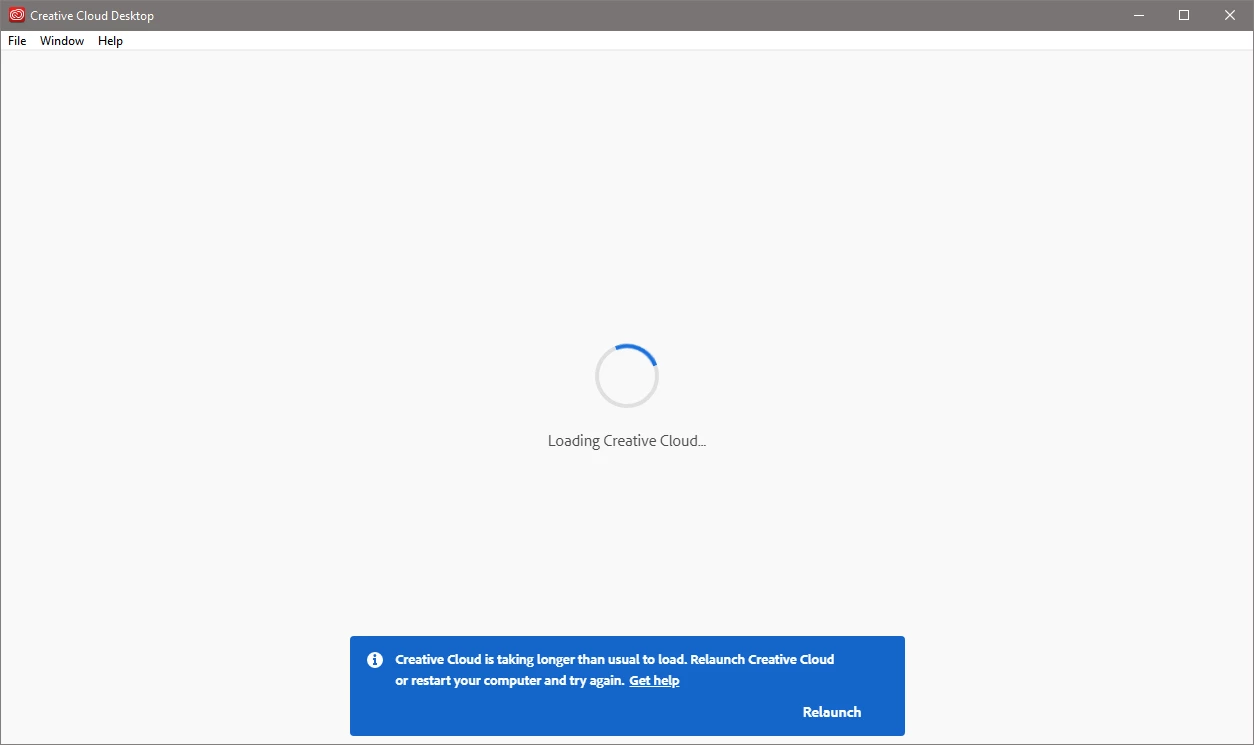
The CC Desktop app window is empty except for spinning wheel, plus message "Creative Cloud is taking longer than usual to load. Relaunch Creative Cloud or restart your computer and try again" with options to "Get help" or "Relaunch".
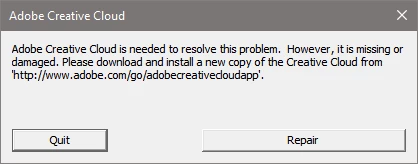
I also get a persistent repeating message saying, "Adobe Creative Cloud is needed to solve this problem. However, it is missing or damaged. Please download and install a new copy of the Creative Cloud from 'http://www.adobe.com/go/adobecreativecloudapp'." with options to either "Quit" or "Repair"
I have twice managed to uninstall CC Desktop (using Adobe uninstaller download) and reinstall a fresh CC Desktop download, but the problem was back again on the following day. On the first successful reinstall, CC Desktop was able to complete updates of Lightroom Classic and Photoshop. (I should add that both Lightroom Classic (9.2.1) and Photoshop (21.1.2) have both been working OK throughout the period of this problem.)
My efforts to fix the problem with the CC Desktop app have followed options to "Quit", "Repair", "Get help" and "Relaunch". I have also followed Adobe's other online suggestion, but the Creative Cloud Cleaner Tool option has not been followed through because the online instructions don't work; if I try to uninstall CC Desktop using method in online instruction I get message saying it can't be uninstalled because CC applications need it. If I try to uninstall Photoshop or Lightroom, I get message saying that I need to use CC Desktop for uninstall, but of course I can't do this because CC Desktop isn't working.
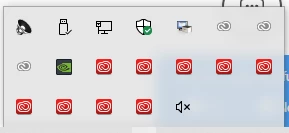
A strange feature of this problem - there are often multiple icons for Adobe Creative Cloud in System Tray / Notification Area. A click these icons causes them to dissappear without any message.
Practical suggestions on solving the problem will be very welcome.
Thanks
Andy Bolsover
 AdChoices