


Inspiring
April 12, 2020
Answered

Creative Cloud Desktop app won't load

  • April 12, 2020
  • 4 replies
  • 11927 views

Today I launched the Creative Cloud desktop app (on Windows 10) for the first time in several months.  The window came up quickly, but it was empty except for a spinning wheel at the center of the window

 

The Help menu was active, and I was able to get the "About Creative Cloud" info
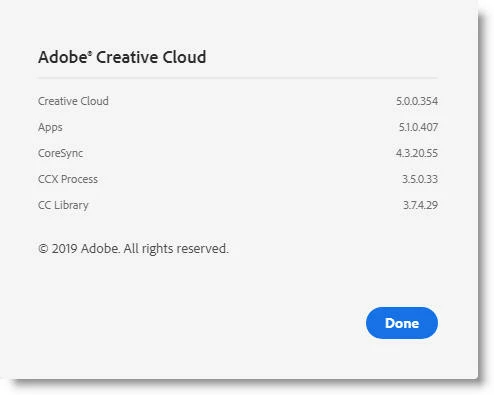
 

After 3 minutes of spinning, a blue notice appeared at the bottom of the window

 

but the wheel continued to spin.  After waiting a whle longer, I relaunched.  The entire scenario above repeated.


I have not restarted my PC.  I'll wait to see if anyone has a fix, and if not, I'll try doing that.

This topic has been closed for replies.

4 replies

Inspiring
May 31, 2022

There seem to be too many people on the forum complaining about Adobe creative cloud not opening up properly, and these problems starting around a week or so ago. I managed to solve my problem after a week of investigation by Adobe and my ISP provider which relates to DNS settings. Maybe it's not a problem specific to my ISP provider (Plusnet/BT). Anyway, for what it's worth my solution is here:

https://community.adobe.com/t5/download-install-discussions/plusnet-authentication-problem/m-p/12976730#M553377

Participating Frequently
September 16, 2020

I HAVE THE SAME ISSUE NOW. DID YOU EVER GET AN ANSWER?

Participant
September 29, 2020

I am also having the same issue, I have tried all the items in the 'https://helpx.adobe.com/au/creative-cloud/kb/creative-cloud-app-doesnt-open.html' multiple times.


This started last week(25/9/2020), I did get in once yesturday(28/9/2020) but only lasted for about an hour. My back to not working.  


Participant
October 15, 2020

Same problem.  Any updates?

Participant
May 5, 2020

I have try everything suggested to this link am having the same problem it doesn't lunch even after the re-install 

what can I do ? It's been to days now I still can't fix it

John Waller
Community Expert
John WallerCommunity ExpertCorrect answer
Community Expert
April 12, 2020
J IsnerAuthor
Inspiring
April 12, 2020

Thank you for the link.  I needed to reinstall it.  But after it launched, I got Error Code 184.  


Almost exactly one year ago I began getting this error every time the desktop app tried to update itself.   Originally, the 184 error had a nasty side effect: it killed Windows Explorer and caused all sorts of havoc on my computer.  Adobe engineers seem to have fixed that problem, but not the 184 error itself.   The fix I was given was to delete or rename one or two dll's in 

C:\Program Files (x86)\Common Files\Adobe\CoreSyncExtension

but I don't remember the filenames.  I also had to kill a running process, possibly CoreSync.exe.  Is this the current state of the art?  Or is there a simpler, more elegant workaround for Error 184?