Participant
October 28, 2020
Question

Creative Cloud Desktop ne se lance pas

  • October 28, 2020
  • 2 replies
  • 460 views

Sur PC en Windows 7, depuis la semaine dernière, CC ne parvient pas à se charger.
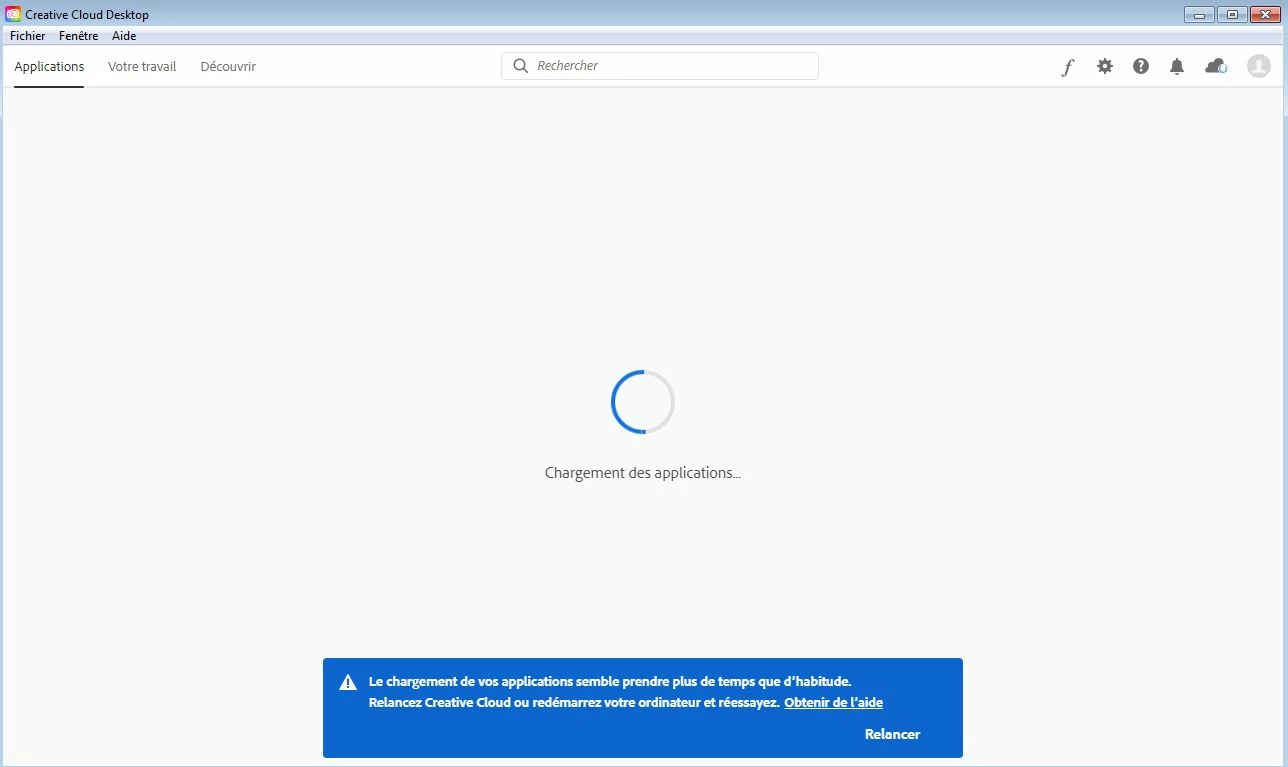

Puis :
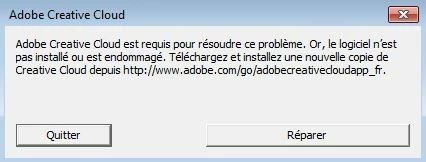
J'ai déjà tenté de réinstaller (la réinstall ne se termine pas), de supprimer les fichiers dans le dossier OOBE, ça n'a rien changé.
Cela date des mises à jour de la semaine dernière, avec notamment Photoshop 2021. Impossible d'obtenir la moindre mise à jour sur le PC (qui jusque-là n'avait aucun problème), alors que ça marche sur le Mac juste à côté.

This topic has been closed for replies.

2 replies

LinSims
Community Expert
Community Expert
October 28, 2020

The current Creative Cloud apps require Windows 10. 


https://helpx.adobe.com/creative-cloud/system-requirements.html

Participant
October 29, 2020

I don't want to use Windows 10 just because of Adobe. CC auto-upgrades without asking me anything, without warning about that. Tuesday, it works, friday, it doesn't work. If windows 10 is required, Adobe must ask before upgrade.
And a lot of people seem to have the same problem, on windows 10 or Mac, so...

LinSims
Community Expert
Community Expert
October 29, 2020

You can turn off autoupgrades in the preferences.


  1. Open the Creative Cloud desktop app.
  2. Click your avatar in the upper right corner, then click Preferences.
  3. Click General in the left panel.
  4. Scroll to Settings > Always keep Creative Cloud up to date and move the toggle to the left.