
Question
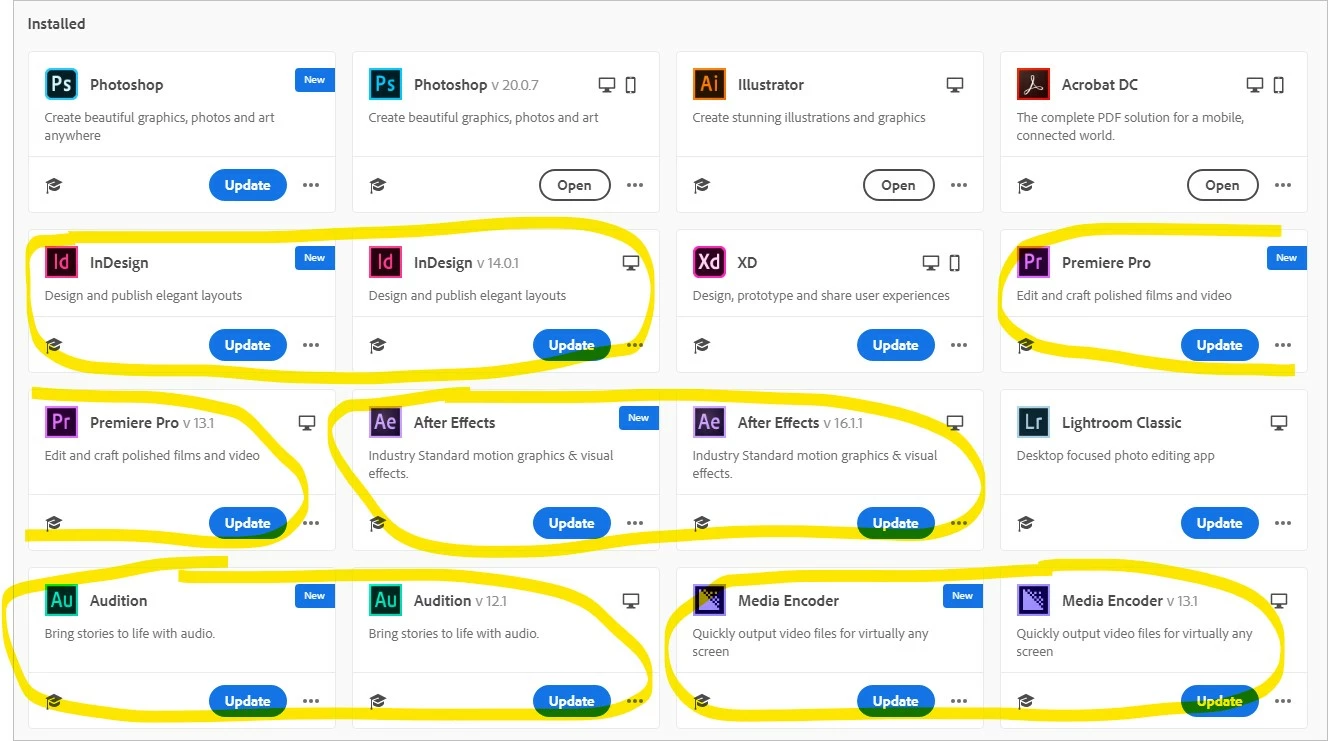
Creative Cloud Desktop showing duplicate applications
Earlier this week I went into the Creative Cloud installer to update my apps. It's listing most of the apps I have installed twice; once with a version number and once without. I have verified that I don't have multiple versions of the apps installed and I have restarted since then. Why is it doing this? Which item of the pair should I click Update on? Can I get rid of the duplicates?
Also, in the case of Photoshop, even the icon is different. (I did update Photoshop, but before I did it it was identical to the others.)


 AdChoices