Participant
July 4, 2015
Answered

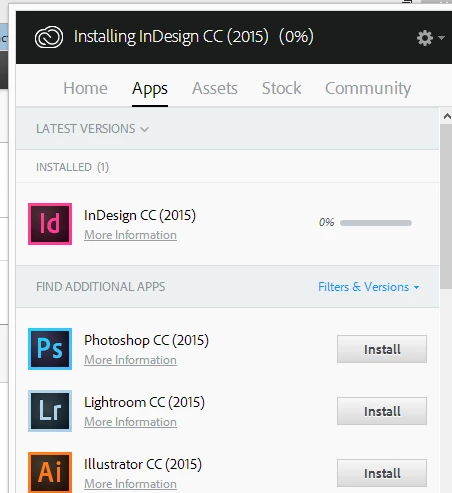
Creative Cloud download button hit but download indicator sits on 0%
  • July 4, 2015
  • 2 replies
  • 232 views

Hello all,

I'm setting up Creative cloud on a new PC laptop and Creative Cloud has loaded OK but when I try and install applications they just sit on 0%. I've successfully downloaded apps in my Mac on the same network but the PC just sits there. Using Windows 8.1 on a new PC.

This topic has been closed for replies.
Correct answer stephenwho

‌Yes, tried that. My problem is this was the first application I was loading onto a Windows8 PC, so I wasn't sure how to handle diagnostics on the PC since they have moved an renamed some of the tools I normally use.

IN the end it was solved by removing and reinstalling the application. Something in the original install obviously didn't work but there was no way of finding out what!

2 replies

Pattie-F
Legend
July 18, 2015
kglad
Community Expert
Community Expert
July 4, 2015

restart your computer and retry.

stephenwhoAuthorCorrect answer
Participant
July 5, 2015

‌Yes, tried that. My problem is this was the first application I was loading onto a Windows8 PC, so I wasn't sure how to handle diagnostics on the PC since they have moved an renamed some of the tools I normally use.

IN the end it was solved by removing and reinstalling the application. Something in the original install obviously didn't work but there was no way of finding out what!