
Participant
July 1, 2013
Answered

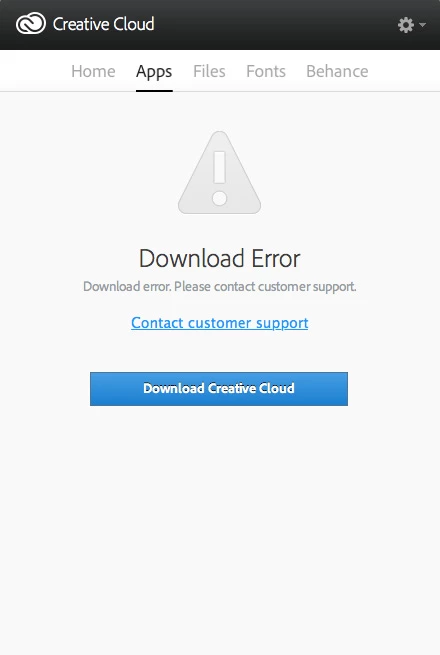
Creative Cloud "Download Error" message

  • July 1, 2013
  • 22 replies
  • 87965 views

When I go to the App section on the creative cloud manager I get the message "Download Error. Please Contact Customer Support."

Could somebody please help me fix this?

I have tried restarting my computer, signing in and out of creative cloud, and clearing the cache.

Thanks
This topic has been closed for replies.
Correct answer Sumit Singh7733893
  • Try to delete AAMupdater folder from

         ~/Library/Application Support/Adobe/

If above doesn't worked then perform below steps

  • Rename the opm.db file under

        ~/Library/Application Support/Adobe/OOBE

22 replies

Sumit Singh7733893
Community Manager
Community Manager
July 1, 2013

This issue has been fixed in Creative Cloud version 1.0.0.183.

However, if you don't have updated then please quit creative cloud and relaunch it.

it will prompt an update for Cretaive Cloud.

Or you can follow the steps given in the following article.

http://helpx.adobe.com/creative-cloud/kb/unknown-server-error-launching-cc.html

MemrnzAuthor
Participant
July 2, 2013

Thanks for the reply. Unfortuently none of these fixed it.

iAnkitkhurana
Adobe Employee
Adobe Employee
July 1, 2013

Hi Meghann,

Please check out and see if it helps http://forums.adobe.com/message/5109299#5109299#5109299

Ankit

MemrnzAuthor
Participant
July 2, 2013

Thanks for the reply. Unfortuently none it still isn't fixed.

Sumit Singh7733893
Community Manager
Sumit Singh7733893Community ManagerCorrect answer
Community Manager
July 2, 2013
  • Try to delete AAMupdater folder from

         ~/Library/Application Support/Adobe/

If above doesn't worked then perform below steps

  • Rename the opm.db file under

        ~/Library/Application Support/Adobe/OOBE