

onazole
Inspiring
July 21, 2026
Question

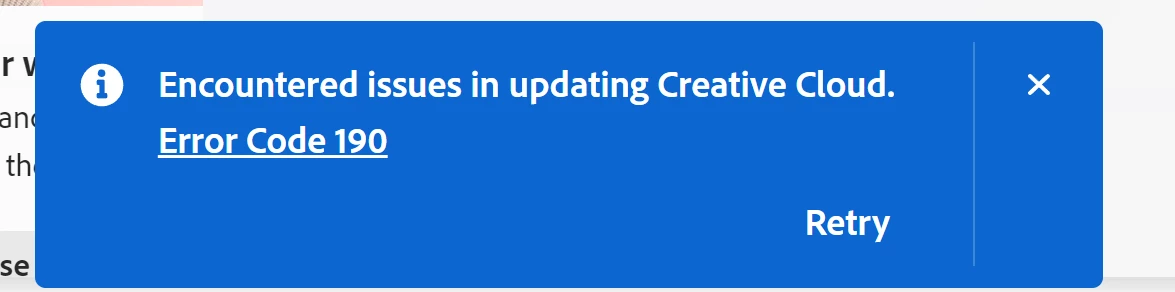
Creative Cloud error 190 when updating.

  • July 21, 2026
  • 6 replies
  • 102 views

Yesterday, my beta version was updated to 27.10 m 3610, and since then, every time I launch Creative Cloud, I get a message saying I need to update it, and then error 190 occurs.

I've tried it on two different PCs, and the error is the same. I've also uninstalled and reinstalled Creative Cloud, but the error persists.

My system is a fully updated Windows 10, and I'm enrolled in the ESU. Aside from that, all my other subscribed applications launch correctly, including Creative Cloud.
Edición    Windows 10 Pro
Versión    22H2
Instalado el    ‎18/‎10/‎2024
Compilación del sistema operativo    19045.7548
 

...

    6 replies

    Jeff_A_Wright
    Community Manager
    Community Manager
    July 23, 2026

    @onazole and others, thank you for your detailed post. Please see 

     where this same error is being discussed. I have requested information from the original poster regarding the contents of the log file. I recommend subscribing to this active discussion about the recent Error 190 on Windows 10 2H22.

    Sekorts
    Participant
    July 23, 2026

    Same here, I did have a windows update stuck for a while, but just did and I'm on the latest version and receiving the same error 


    CShubert
    Community Manager
    Community Manager
    July 23, 2026

    Hi all, a couple things to check if you are seeing this error:

    Error 190 generally indicates that the app does not meet the system requirements for installation or update. You can find Adobe’s troubleshooting article here:

    Please also review the current Photoshop desktop system requirements here:

    To help confirm whether this is a requirements-related issue on your machine, please check your Windows version:

    1. Press Win + R
    2. Type winver
    3. Press Enter
    4. Note the Windows version and OS build shown in the dialog

    If your system does not meet the current requirements listed on the Photoshop technical requirements page, updating Windows may resolve the issue.

    If your system already meets the listed requirements and you still see Error 190, please reply with:

    • Your exact Windows version and OS build
    • Your exact Photoshop Beta version/build
    • Whether the same issue occurs on more than one machine

    That will help us investigate further.

    Thanks,

    Cory - Photoshop Product Manager

    onazole
    onazoleAuthor
    Inspiring
    July 23, 2026

    All that information is already included in the bug report I made, of course including the Windows version and the beta version.

    Please check them.

    Participant
    July 23, 2026

    Thanks for answering. I’ve already checked the above and I confirm that my device meets the minimum requirements for both. I’m having this issue with Creative Cloud Desktop App. Haven’t encountered an issue with Photoshop so far.

    My computer runs Windows 10 Home 22H2, OS Build 19045.6466
    I use only one computer.

    Bob Ulius
    Known Participant
    July 22, 2026

    Same here. Just started.


    Participant
    July 22, 2026

    Just today, Creative Cloud desktop app is returning Error Code 190 as soon as it starts with a red exclamation mark alerting that an update has failed. As per the following https://helpx.adobe.com/download-install/apps/system-requirements/creative-cloud-desktop-app-system-requirements.html the desktop app requires “Windows 10 (64-bit) version 1903 and later.”

    My computer runs Windows 10 Home 22H2, so it should be good.

    I also checked and verified that Compatibility Mode is OFF for this app, as I have learned that it may cause some issues if activated.

    How to get this issue resolved?


    Participant
    July 22, 2026

    I have the same issue on Windows 10 Home 22H2. It just popped up without me changing or installing/uninstalling anything on my PC