


Creative Cloud has stopped working
For quite some time now have I struggled with the Creative Cloud application.
Whenever an update is available and I try to install it everything seemingly goes normal, until the progress bar gets near 90%, then it just closes the window. The Creative Cloud background process will keep running and will be hogging resources, but the installation never seems to finish, longest time I have waited on it has been 9 hours. When I tell my computer to restart there is no pop-up telling me a process is still running and needs to be closed or anything.
Once I have restarted my computer immediately a pop up appears which reads "Creative Cloud has stopped working".
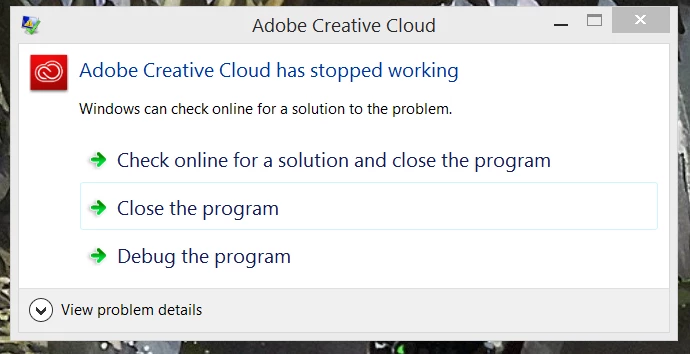
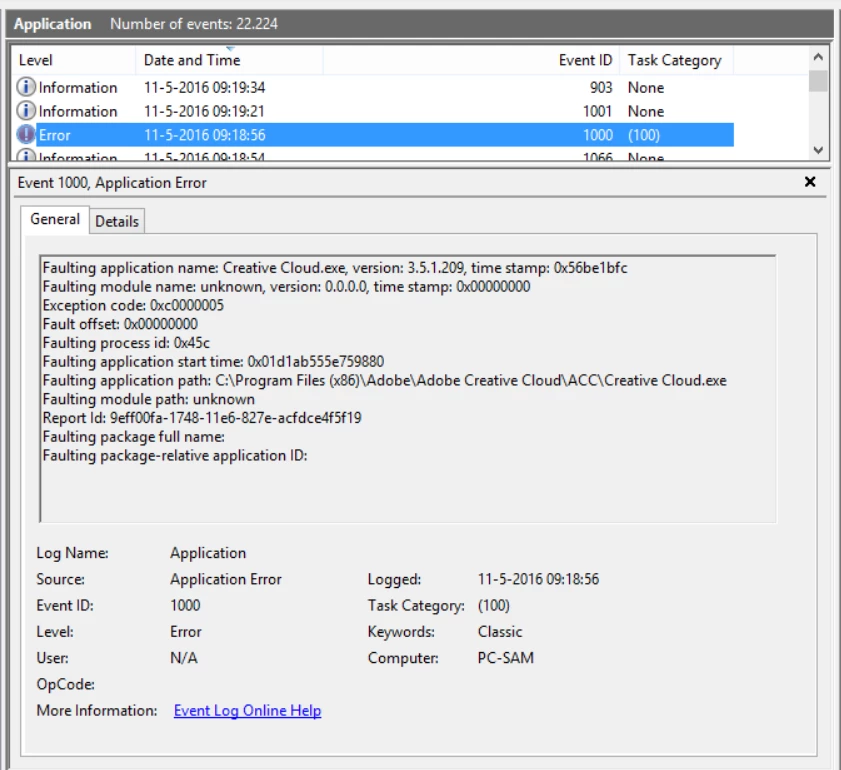
When I click to view problem details I get the following information:
Problem signature:
Problem Event Name: BEX
Application Name: Creative Cloud.exe
Application Version: 3.5.1.209
Application Timestamp: 56be1bfc
Fault Module Name: StackHash_5861
Fault Module Version: 0.0.0.0
Fault Module Timestamp: 00000000
Exception Offset: PCH_09_FROM_ntdll+0x0003C9EC
Exception Code: c0000005
Exception Data: 00000008
OS Version: 6.3.9600.2.0.0.768.101
Locale ID: 1043
Additional Information 1: 5861
Additional Information 2: 5861822e1919d7c014bbb064c64908b2
Additional Information 3: 1318
Additional Information 4: 13181ae637ac2592fac0ca2dd662cdcc
In the past I have worked around this by using the CCcleaner tool, removing it with control panel does not work, and then reinstalling everything, but it'd rather fix the problem instead of having to spend an entire day reinstalling all of my Adobe programs whenever Adobe decides to update Creative Cloud.


 AdChoices