
Question
Creative Cloud in Activity Monitor Preventing Sleep
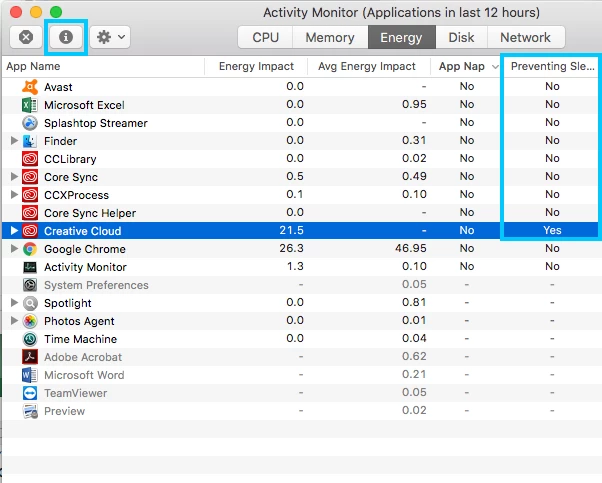
Several weeks ago I noticed my computer wasn't going to sleep. I checked System Preferences -> Energy Saver and no issue. Then I went to the Activity Monitor -> Energy and saw that in the column labeled "Preventing Sleep" that "Creative Cloud" had "Yes" (see picture below). Not sure if it's ok to click on "Creative Cloud" then click on the "i" at the top of the screen then click "Quit" then "Force Quite"
To get to Activity Monitor, click on the finder -> Applications -> Utilities -> Activity Monitor


 AdChoices