
Participant
June 11, 2018
Answered

Creative Cloud installation 43% error

  • June 11, 2018
  • 2 replies
  • 1823 views

Hello everybody,

Last week i had to reinstall the creative cloud launcher, because there was a problem updating it. Now every time i try to install it, the installation wizard freezes at 43%. There is no error message it just stops at 43%. I tried some things i found on the internet (reinstall, creativecloudcleaner, start in secure mode) but nothing worked so far.

I am using Mac OS X El capitan on an iMac late 2007

I would really appreciate it if we could find a solution together.

Joe
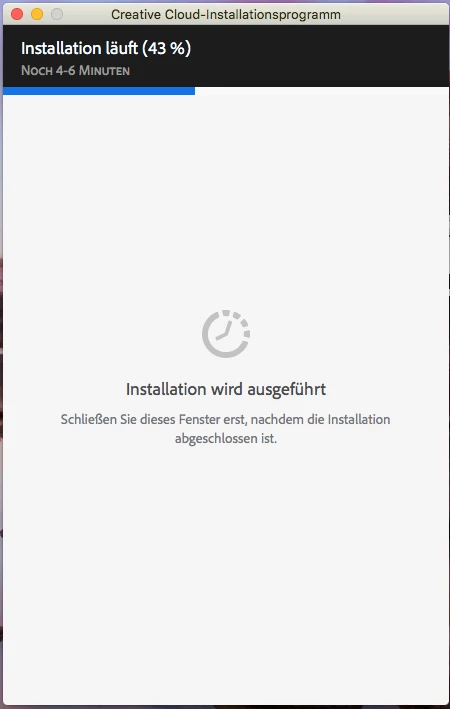
This topic has been closed for replies.
Correct answer kglad

using a browser that allows popups and cookies,  contact adobe support during pst business hours by clicking here and, when available, click 'chat', http://helpx.adobe.com/x-productkb/global/service-ccm.html

2 replies

Participant
June 19, 2018

Same problem - no solutions have worked so far - shame Adobe!

kglad
Community Expert
kgladCommunity ExpertCorrect answer
Community Expert
June 19, 2018

using a browser that allows popups and cookies,  contact adobe support during pst business hours by clicking here and, when available, click 'chat', http://helpx.adobe.com/x-productkb/global/service-ccm.html

Participant
November 6, 2019

Diligently followed all instructions to uninstall everything CC from my PC. No joy.  Then spend three and a half hours online with 2 agants from Adobe Chat Support - only success they managed was to Downlaod and Install Creative Cloud Desktop App via DDL.
This issue has been persistent for over a year and still no solution from Adobe.  Time for me to cancel my subscription.

kglad
Community Expert
Community Expert
June 11, 2018

1) sign out of CC

2) close all cc programs

3) reopen CC and sign in

4) begin download again

Participant
June 14, 2018

I tried all of the above. The next step I took was a "Safe Start."

Re-downloaded the CC Installer.

Froze at 43%.

Next suggestion, please.

kglad
Community Expert
Community Expert
June 14, 2018

uninstall everything cc including preferences, https://helpx.adobe.com/creative-cloud/help/uninstall-remove-app.html

then uninstall the cc desktop app, https://helpx.adobe.com/creative-cloud/help/uninstall-creative-cloud-desktop-app.html

clean your computer of cc files per http://www.adobe.com/support/contact/cscleanertool.html

restart your computer (don't skip this)

reinstall the cc desktop app, https://creative.adobe.com/products/creative-cloud.

if you're unable to install the cc desktop app at this stage, use an administrator account (solution 3 here, https://helpx.adobe.com/creative-cloud/kb/creative-cloud-missing-damaged.html)

use the desktop app to install your cc programs/trials