Participant
October 27, 2018
Answered

Creative Cloud Installation error P206

  • October 27, 2018
  • 2 replies
  • 7469 views

Hi, I tried more than a hundred times to install Adobe Creative Cloud on Windows 10 and even checked all the possible solutions online but I didn't find how to fix this!

Why do I have this error that sends this P206 error code? And how do I fix it?

This is the screenshot of the error:
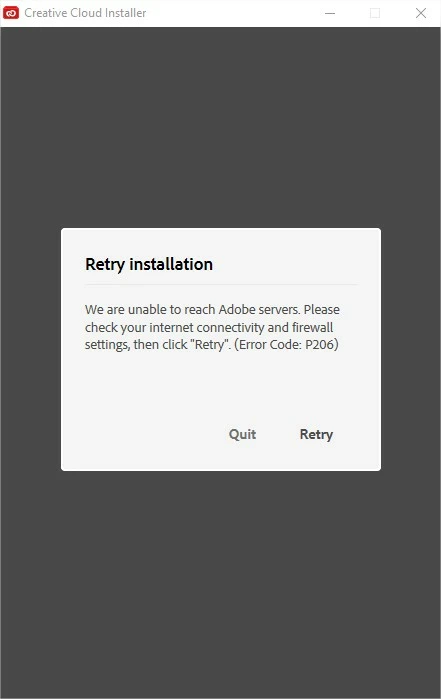
Thanks for your help!

This topic has been closed for replies.
Correct answer Jeffrey_A_Wright

Joed91269639, if you can please answer the questions asked by Brucgov, in post #1, it would help us to provide additional suggestions.

You are also welcome to contact our support team at Contact Customer Care for direct assistance with resolving Error P206.

2 replies

Participant
November 8, 2018

Hi, Thanks for your answer!

I tried all the solutions in those links before and tried them now again but it doesn't help.

At this point I don't know how to fix it!

Thanks

Jeffrey_A_Wright
Jeffrey_A_WrightCorrect answer
Legend
November 8, 2018

Joed91269639, if you can please answer the questions asked by Brucgov, in post #1, it would help us to provide additional suggestions.

You are also welcome to contact our support team at Contact Customer Care for direct assistance with resolving Error P206.

Govardhan.V
Participating Frequently
October 27, 2018

Personal Internet connection or Corporate Enterprise managed network?

Have you tried with the solution listed in the below links ?

Resolve connection errors with Adobe Creative Cloud and Creative Suite applications

Unable to reach Adobe servers

Try to download and install ACC desktop app from direct link :

Download Creative Cloud desktop app