Inspiring
January 23, 2017
Answered

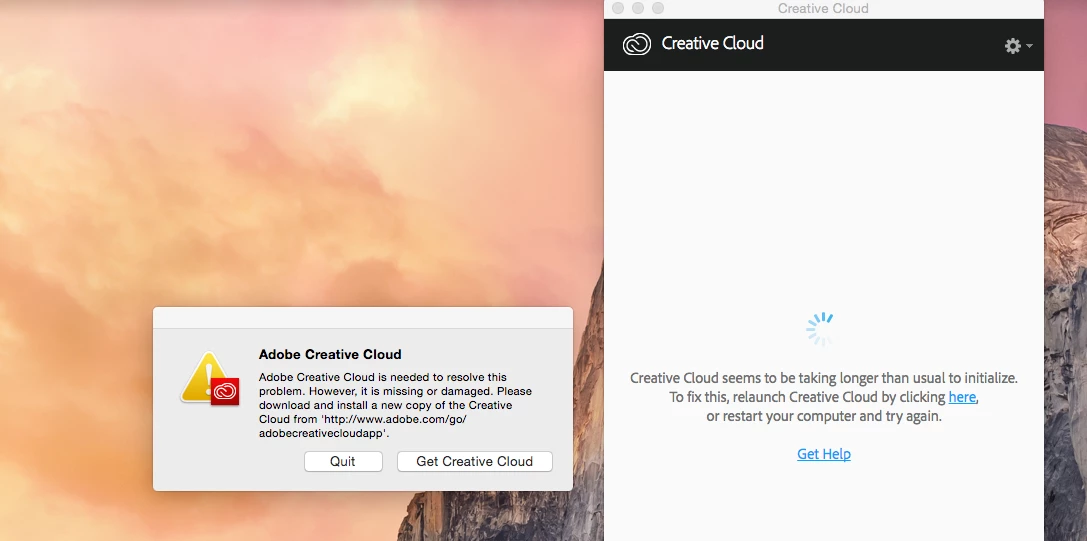
Creative Cloud is taken too long to initialize. It's missing or damaged.

  • January 23, 2017
  • 1 reply
  • 974 views

Hi there,

MAC Mini Late 2010, OS X 10.10.5, 8 GB RAM, 256 Gb SSD.

A week ago it started When openning my computer Creative Cloud desktop app it returns me an error message, see attached.

I tried to download Creative Cloud app and reinstall it again. It does not work at all.  Even worst. After I reinstalled the CC desktop app the application opened bbut it didn't connect. Few minutes later my computer started to work poorly> It took centuries to open an Adobe application. Even my mouse was moving slowly with interruptions.

I had to close my MAC and restart it again for all aplications to work properly. BBut, CC desktop app still does not working.

Any ideas?

Sebastian
This topic has been closed for replies.
Correct answer kglad

uninstall the cc desktop app, https://helpx.adobe.com/creative-cloud/help/uninstall-creative-cloud-desktop-app.html

clean your computer of cc files per http://www.adobe.com/support/contact/cscleanertool.html

restart your computer (don't skip this)

reinstall the cc desktop app, https://creative.adobe.com/products/creative-cloud.

1 reply

kglad
Community Expert
kgladCommunity ExpertCorrect answer
Community Expert
January 23, 2017

uninstall the cc desktop app, https://helpx.adobe.com/creative-cloud/help/uninstall-creative-cloud-desktop-app.html

clean your computer of cc files per http://www.adobe.com/support/contact/cscleanertool.html

restart your computer (don't skip this)

reinstall the cc desktop app, https://creative.adobe.com/products/creative-cloud.

Participating Frequently
February 14, 2017

Thank you. It worked. Unfortunately, Adobe application starts smelling like a Windos OS: Windows detected you move the mouse. Please restart Windows.

Now, Adobe can add a new message: Adobe Creative Cloud has been updated. Please delete all your files and reinstall them from scratch.

Great job guys.

kglad
Community Expert
Community Expert
February 14, 2017

you're welcome.