


edraconus
Participant
September 7, 2023
Question

Creative Cloud keeps trying to install apps to the wrong drive

  • September 7, 2023
  • 1 reply
  • 586 views

Even though it's supposed to install on the C: drive it keeps trying to install on my F: drive which is for system backups and has very little memory. 
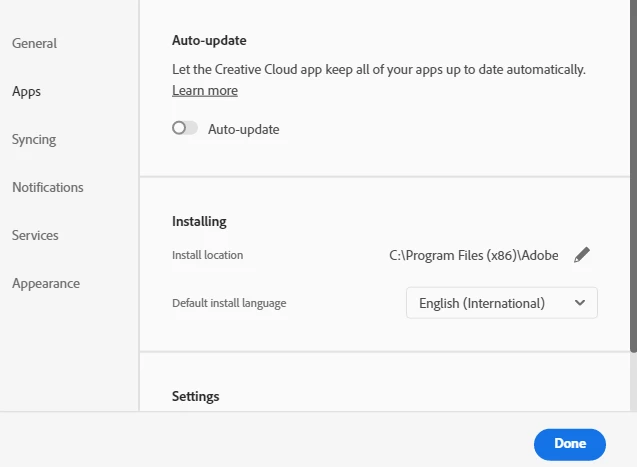
All the apps I used were on the C: Drive with half now showing as uninstalled even though they are still there and can be launched by going into the files and clicking on the app icon. When trying to install them again it keeps trying to put them on the F: drive.

This topic has been closed for replies.

1 reply

kglad
Community Expert
Community Expert
September 7, 2023

try a reasonable (ie, 64 bit supporting) c drive location like C:Program Files\Adobe


============================================================

in the future, to find the best place to post your message, use the list here, https://community.adobe.com/

p.s. i don't think the adobe website, and forums in particular, are easy to navigate, so don't spend a lot of time searching that forum list. do your best and we'll move the post if it helps you get responses.


<"moved from using the community bugs">


edraconus
edraconusAuthor
Participant
September 7, 2023

Done that didn't work. Had Adobe look at it they said its fixed but still doing it with two apps


kglad
Community Expert
Community Expert
September 7, 2023

show your install location.
