


Gerhard_Draws
Known Participant
May 26, 2026
Question

Creative Cloud licence keeps breaking when I open something on my 2nd machine

  • May 26, 2026
  • 6 replies
  • 38 views

So I’ve been having this annoying issue for a long time now where this box pops up saying “Are you the only person using your Adobe account?” and the only option I have is to change my password. Again. 

But I’m working on 2 machines; my workstation and a macbook pro for capturing footage etc. I’m allowed to use it on 2 machines.
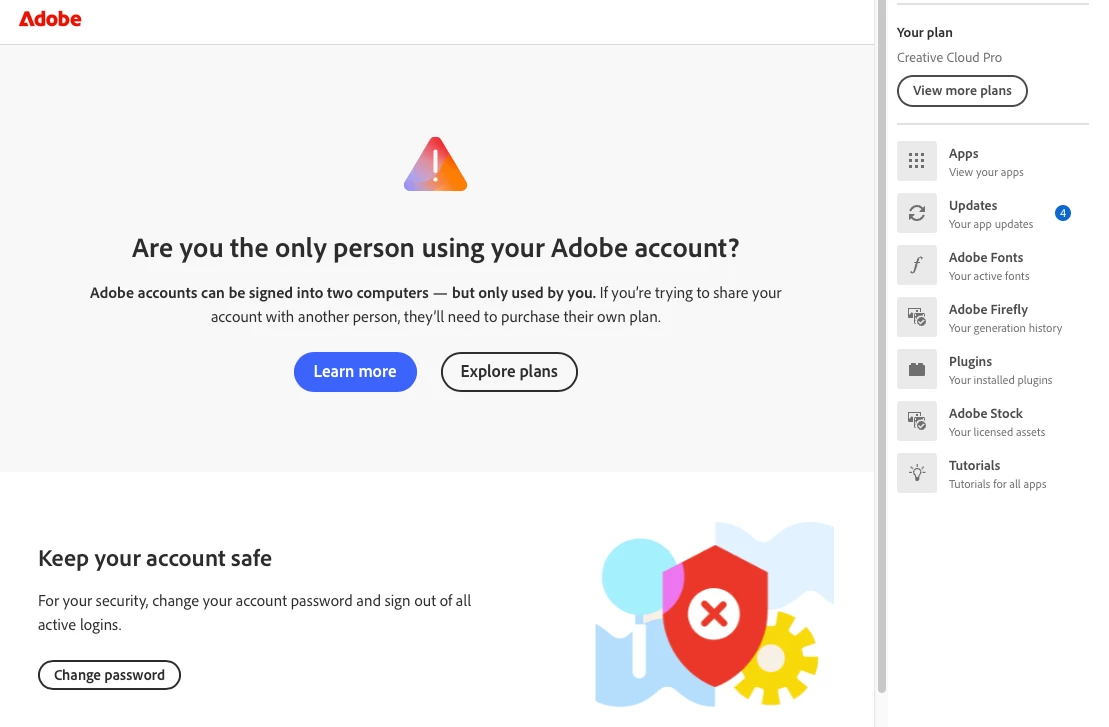


I spent a long time with someone from Technical support to try and fix this and they said I should just de-activate my laptop and sign in again. This didn’t work.

It’s super annoying. The popup appears at the most in-convenient times. Today I was working on a photo for an hour, cleaning up then this thing pops up and I couldn’t do anything. Couldn’t save my work, nothing. I lost the entire session!

More, this popup appears off-window somehow. I can only see it if I click the mission control button, then I see it hovering above my one desktop but I can’t click or touch it. So I have to force-quit Photoshop to be able to do anything.

    6 replies

    kglad
    Community Expert
    Community Expert
    May 27, 2026

    @Gerhard_Draws 


    you shouldn’t have to sign out of either of your two computers.  but once you hit this problem you should go to your account page and sign out of all computers listed.  then enable 2fa, if it’s not already enabled.


    then sign back into your computers.


    p.s. this issue may be triggered by someone else trying to use your adobe id.

    Gerhard_Draws
    Known Participant
    May 27, 2026

    Thanks, I’ve done that and I have changed my password already… it’s just a pain because it doesn’t allow you to use a password you might already have used… which makes it flipping impossible to remember these things. Ugggg I’ll keep trying thanks. 

    I’ll also try using a password app… just so fed up with new apps….

    Gerhard_Draws
    Known Participant
    May 27, 2026

    Hi everyone. Thanks I will try that. I do find it super annoying though because I’m double checking that I’m not running the app on both machines at the same time. Yesterday for example I only opened a pdf with Acrobat on the laptop then it did this. And it broke my file. 

    So does adobe expect you to completely sign out of creative cloud every time?? 

    I use my macbook to capture footage that I then transfer to my workstation to edit and comp. Sometimes I have to do this for the whole day on a shoot. So how would that work??? I’m still not using the same app on both machines. I’m using After Effects on the workstation and Photoshop on the macbook. This is pretty standard stuff. It was always fine in the past and now suddenly it’s a problem??

    Come on Adobe. It’s already bad that you’re diving on the AI boat and screwing all creatives, now we’re supposed to fork out more money to do things we’ve always been doing? 

    Nancy OShea
    Community Expert
    Community Expert
    May 26, 2026

    I have seen other posts about this recently. 


    Adobe forces a password reset when it detects suspicious activity, multiple simultaneous logins, or security token errors. To stop this loop:
    1. Sign out of all devices: Go to your Adobe Online Account Page, navigate to the Security & Privacy tab, and sign out of all active devices to clear any conflicting sessions.
       
    2. Update Creative Cloud: Ensure your desktop application is running the latest version.
       
    3. Use a Password Manager: If this is an ongoing security glitch, some users have bypassed it by resetting the password 5 times, which allows you to set your original password again on the final try.


    Hope that helps.


    Nancy O'Shea— Product User & Community Expert
    Jeff_A_Wright
    Community Manager
    Community Manager
    May 26, 2026

    Thank you for posting, ​@Gerhard_Draws.


    I am sorry for any confusion you have encountered with managing your access to our services. As suggested by ​@D Fosse you will want to use the service on only one device at a time. Please see https://helpx.adobe.com/download-install/apps/licensing-activation/activate-deactivate-apps/install-apps-number-of-computers.html for more information on how to utilize your subscription on two different computers.


    Please update this public discussion thread, if you have any additional questions.

    D Fosse
    Community Expert
    Community Expert
    May 26, 2026

    First off, just to get it out of the way - what that message says is that you’re not allowed to run the two installations simultaneously. Only one of them can be open at a time.


    But I assume you know that. So what I would do is first sign out/back in to the CC desktop app. You say you’ve done that, but do it again. Do it from the CC desktop app, not from the application.


    If it still comes up, uninstall/reinstall on both machines, clear preferences.


    You can check activation status here in your Adobe account:


    Trevor.Dennis
    Community Expert
    Community Expert
    May 26, 2026

    I can see that would be super annoying.  Try Google with: creative cloud signs out mid session  and either read the Ai Summery or click on the Ai Mode tab.