
Participant
November 5, 2016
Answered

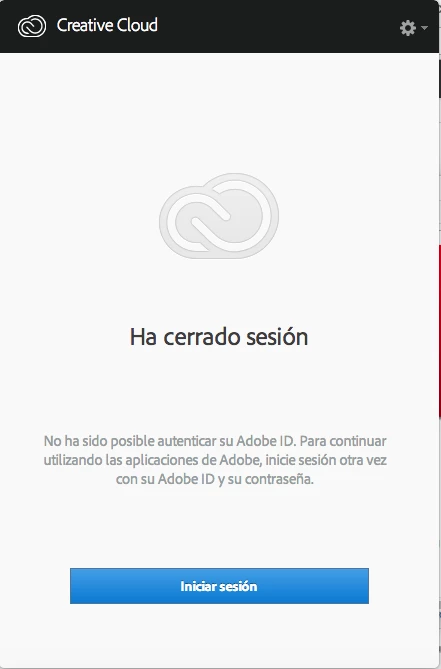
Creative Cloud no me permite iniciar sesión, sale el mensaje "Ha cerrado sesión"

  • November 5, 2016
  • 1 reply
  • 3114 views

El aplicativo de Creative Cloud falló hoy, estaba trabajando normal y reinicie el equipo y dejo de funcionar, no me abre ningún programa, cada vez que intento abrir uno me dice que "Se necesita Adobe aplication manager para solucionar este problema. Sin embargo está dañado o no se encuentra" le doy en obtener aplication manager y me manda a descargar de nuevo el CC, lo descargo, desinstalo el anterior, lo instalo nuevamente y sigue fallando, ya incluso borre el contenido de la carpeta OOBE pero la falla persiste, a continuación dejo una imagen del problema que sale, no me deja pasar de ahí.
This topic has been closed for replies.
Correct answer kglad

sign out and then back in to your cc desktop application using the same adobe id used to pay for your subscription:  http://helpx.adobe.com/creative-cloud/kb/sign-in-out-creative-cloud-desktop-app.html

1 reply

kglad
Community Expert
kgladCommunity ExpertCorrect answer
Community Expert
November 5, 2016

sign out and then back in to your cc desktop application using the same adobe id used to pay for your subscription:  http://helpx.adobe.com/creative-cloud/kb/sign-in-out-creative-cloud-desktop-app.html

Participant
December 19, 2017

Excuse me. I have the same problem, but I've tried all what you did, but anything changed. I can't undertand how I can reconnect to my apps.

kglad
Community Expert
Community Expert
December 19, 2017

uninstall everything cc including preferences, https://helpx.adobe.com/creative-cloud/help/uninstall-remove-app.html

then uninstall the cc desktop app, https://helpx.adobe.com/creative-cloud/help/uninstall-creative-cloud-desktop-app.html

clean your computer of cc files per http://www.adobe.com/support/contact/cscleanertool.html

restart your computer (don't skip this)

reinstall the cc desktop app, https://creative.adobe.com/products/creative-cloud.

if you're unable to install the cc desktop app at this stage, use an administrator account (solution 3 here, https://helpx.adobe.com/creative-cloud/kb/creative-cloud-missing-damaged.html)

use the desktop app to install your cc programs/trials