

ACrosby
Known Participant
November 9, 2019
Answered

Creative Cloud Not Deleting Old Version

  • November 9, 2019
  • 2 replies
  • 1177 views

Hello,
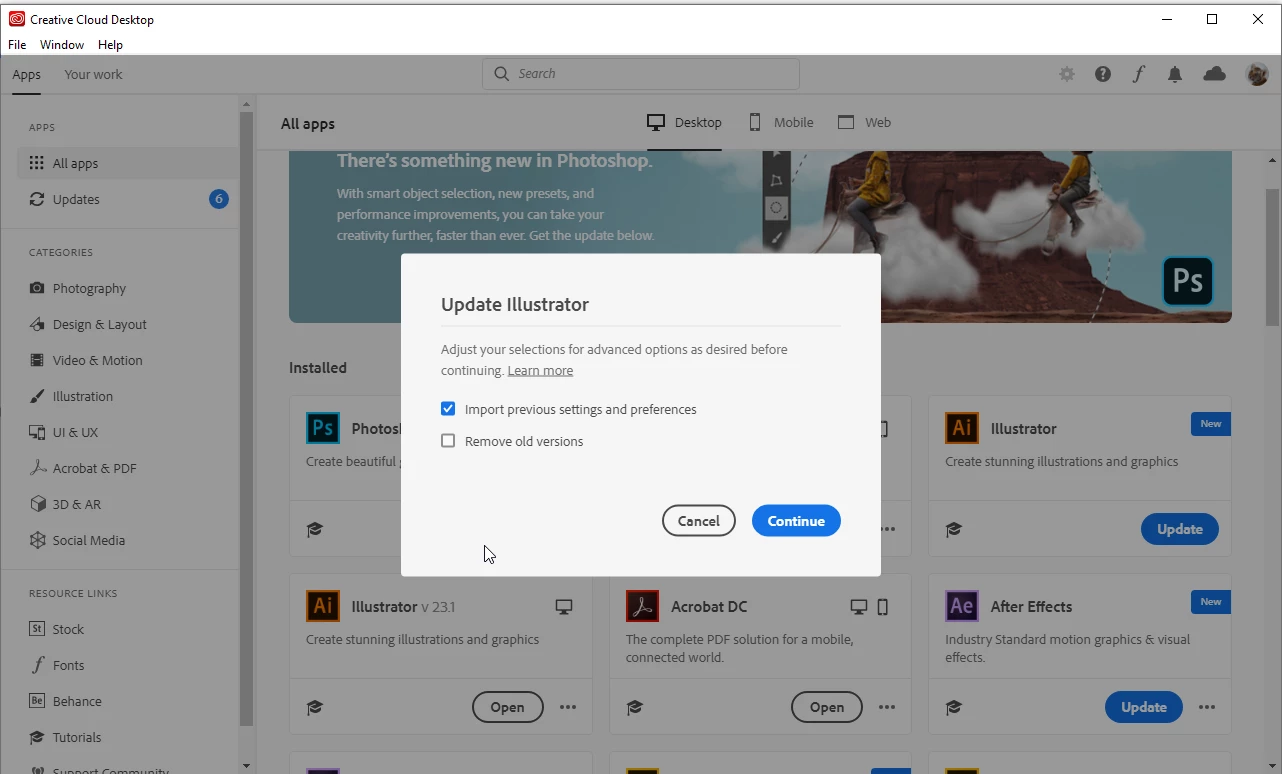
It was my understand that by allowing the Creative Cloud App to automatically download new versions of software, that it would overwrite/remove the older versions in the process.

I just noticed that I have new AND old versions of several of my Creative Cloud apps installed on my PC.

I don't want to take up all my disc space with these older version.

Is this a bug or something in my settings I need to tend to?
This topic has been closed for replies.
Correct answer

Hi

As far as I'm aware this was changed because a lot of people complained about having their previous versions removed, the option is deselected by default, if you have enough space it's always a good idea to keep the previous version installed as Adobe are known for releasing new versions that have some bugs

2 replies

Nancy OShea
Community Expert
Community Expert
November 9, 2019

I like to keep old versions until I'm certain I won't need them again.  Especially now that we no longer have access to legacy programs from our Desktop App.   If hard disk space is an issue, consider getting a bigger computer.   For some apps, I have versions going back to 2014.


When you're ready to uninstall, use your OS and the Adobe CC Cleaner tool.

https://helpx.adobe.com/creative-cloud/kb/cc-cleaner-tool-installation-problems.html


Nancy O'Shea— Product User & Community Expert
Correct answer
November 9, 2019

Hi

As far as I'm aware this was changed because a lot of people complained about having their previous versions removed, the option is deselected by default, if you have enough space it's always a good idea to keep the previous version installed as Adobe are known for releasing new versions that have some bugs