
Answered
Creative Cloud not recognizing with installed Apps
Hi there,
I have reinstalled/updated Windows (from 8.1 to 10), and I have my Adobe Creative Cloud apps installed in a different drive (D:\). I am trying to sync or detect the already installed apps to Cloud desktop app with no avail.
Is there a way for me to link/detect/sync the installed apps (AE,PR,LR,PS), without having to re-install them again and lose all my plugins and custom settings ? I have on going projects.
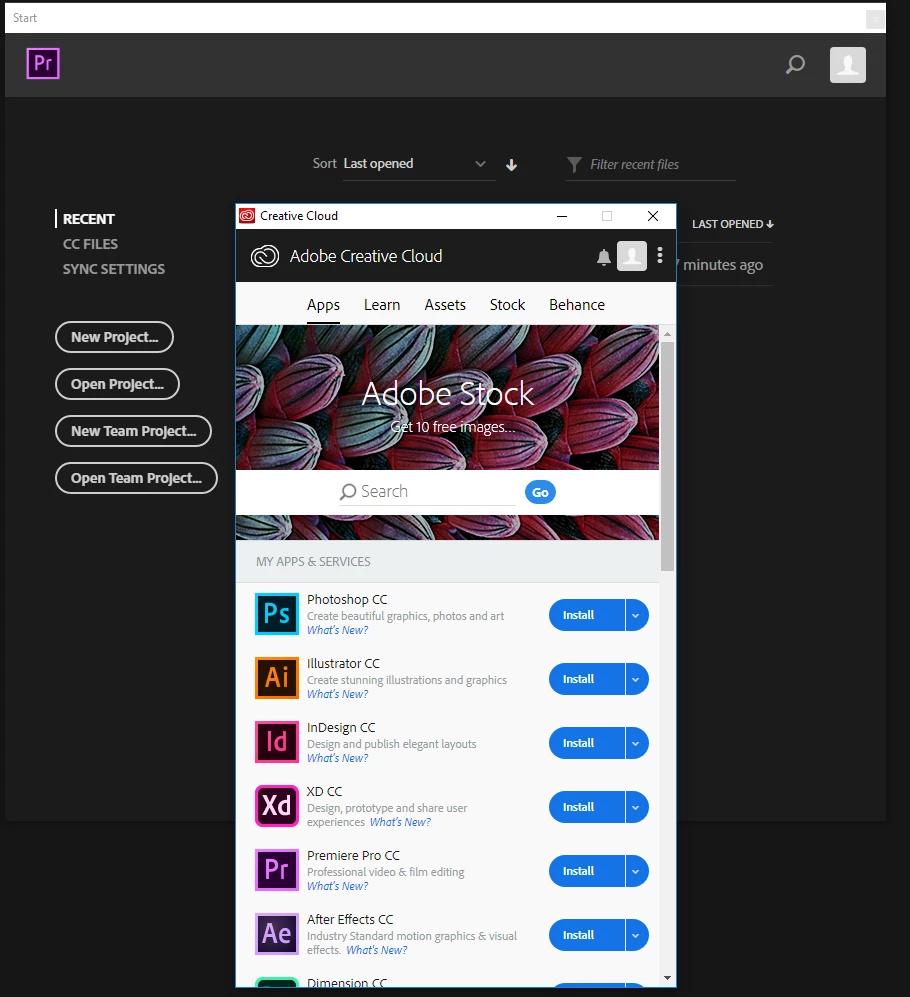
You can see from the attached screenshot that I have Premier running in the background and the Desktop App not detecting it.
I have tried re-installing the Desktop app and run update from Help> Update in Premier.
Any help will be appreciated. Thanks.



 AdChoices