


Participant
September 23, 2023
Answered

Creative_Cloud_Set-Up wont run.

  • September 23, 2023
  • 2 replies
  • 1764 views

This is pretty frustrating. I had creative cloud and some apps installed on my pc with a subscription through my job. After leaving that job I uninstalled the apps and creative cloud. (idk why, i know its a nightmare uninstalling these programs). Now months later I want to install creative cloud again and get my own plan.

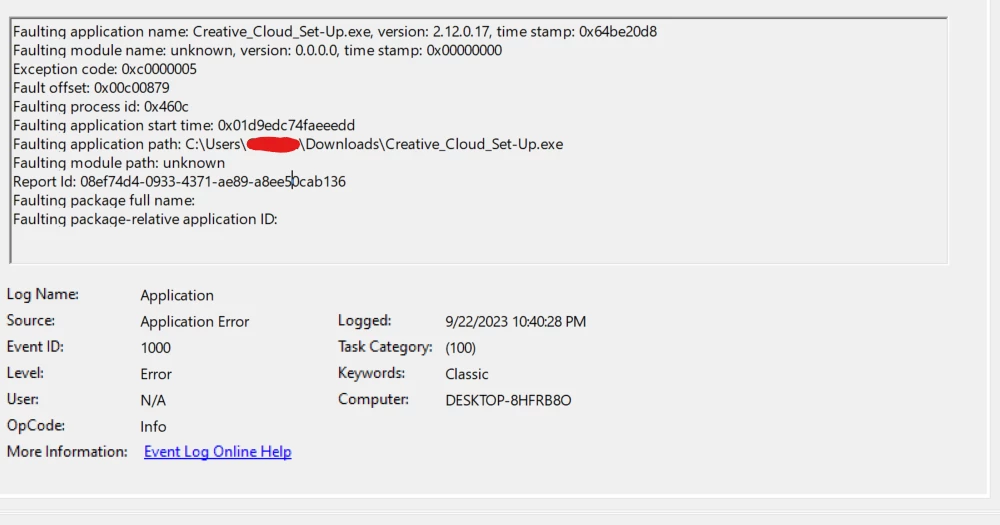
When i try to run the CC installer (Creative_Cloud_Set-Up.exe) nothing happens. I dont even get a splash screen, nothing. i checked my pc's app logs and saw this unknown error. i have had other CC issues before and literally had to reinstall windows to fix them... i really dont feel like reinstalling windows.

I have tried many things, the uninstaller, the clean up tool. different things i have read in forums and nothing has worked. I would like some help solving this issue.


Now to put Adobe on blast really quick.
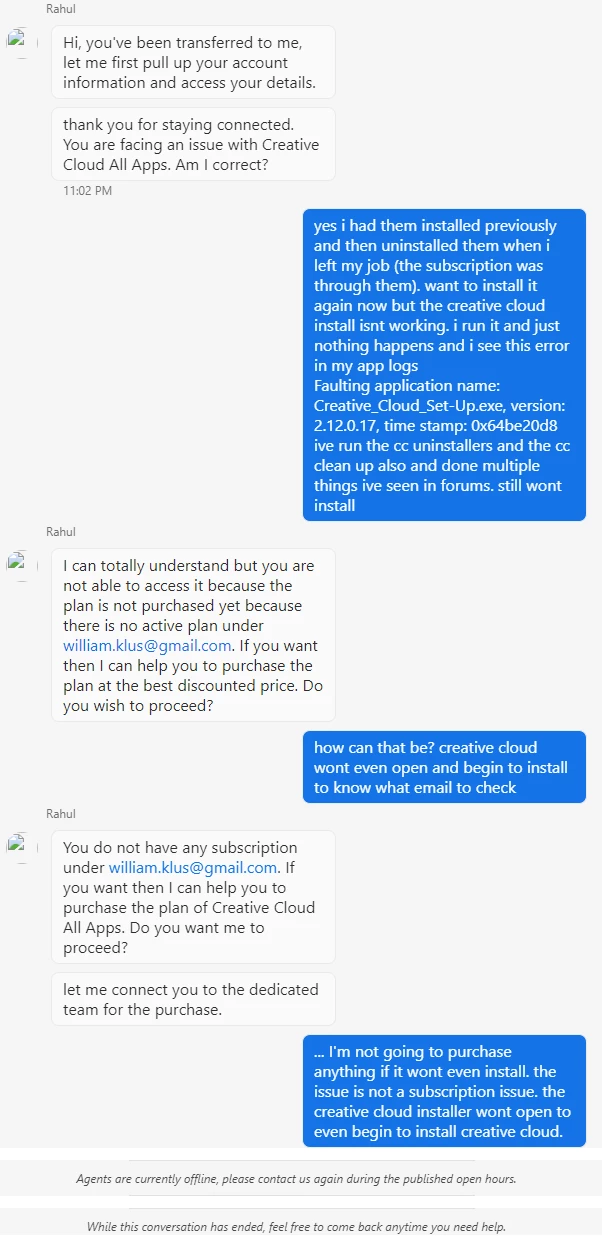
I tried reaching support through the chat and it was frustratinglly usless. they ignored my issue and just kept pushing me to pay for a plan. telling me the issue is somthing that i know its not. The issue is not that i dont currently have a plan. The creative cloud program wont even begin to install, for me to even give my email. i told 2 people this when being transfered around. this didnt not stop the last person from ignoring what i said and trying to transfer me to purchasing. where the chat just ended anyway. Why would i pay for a product thats not working ontop of not getting help to get it to work?



This topic has been closed for replies.
Correct answer Peru Bob

Try downloading and installing from here:


https://helpx.adobe.com/download-install/kb/creative-cloud-desktop-app-download.html


Make sure to install with an administrator account.

2 replies

kglad
Community Expert
Community Expert
September 23, 2023

assuming nothing cc is currently installed:


clean your computer of cc files per http://www.adobe.com/support/contact/cscleanertool.html

check for, and if available, update your os

if windows is your os, repair all ms visual c++ versions that can be repaired (use google if you don't know how to do this)

if windows is your os update your ms visual c++, if it can be updated (use google if you don't know how to do this)

restart your computer (don't skip this)

reinstall the cc desktop app using the "alternative download links" at the bottom of the page at https://helpx.adobe.com/download-install/kb/creative-cloud-desktop-app-download.html

use the desktop app to install your cc programs/trials

NOTE: win 11 users that have trouble with the latest win 10 installer often have success with the older win 10 installer.

Peru Bob
Community Expert
Peru BobCommunity ExpertCorrect answer
Community Expert
September 23, 2023

Try downloading and installing from here:


https://helpx.adobe.com/download-install/kb/creative-cloud-desktop-app-download.html


Make sure to install with an administrator account.

Participant
September 24, 2023

thank you. downloading "Windows 10 version 1903 and later (64-bit)" worked for me