
MBTIM
Participant
October 9, 2018
Answered

Creative Cloud subscription fake expired problem
  • October 9, 2018
  • 1 reply
  • 224 views

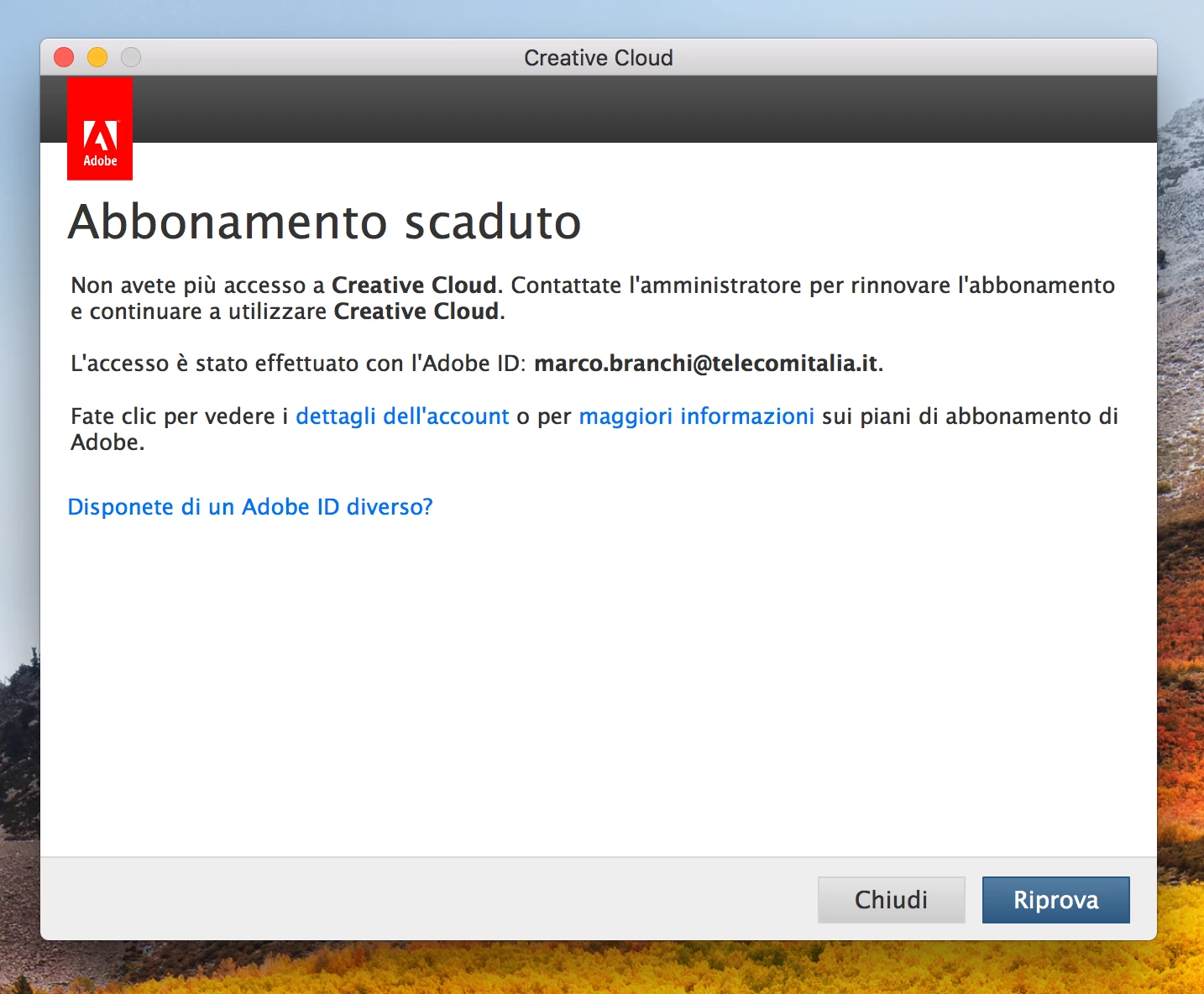
I have an active Creative Cloud enterprise subscription, some day ago, when I try to open the Creative Cloud applications, the following screen appears:

Translate: "subscrition expired"

I push "Riprova" (Try Again), and it appears this screen:

translate: "Thanks, subscription is now active, continue to use the product"

I push "Continua" (Go on), but it reappears the first screen and it go in loop.

Could you help me please.

Thanks

Marco

This topic has been closed for replies.
Correct answer Ned Murphy

Contact support - For the link below click the Still Need Help? option in the blue area at the bottom and choose the chat or phone option...

Make sure you are logged in to the Adobe site, have cookies enabled, clear your cookie cache.  If it fails to connect try using a different browser.

Creative Cloud support (all Creative Cloud customer service issues)

https://helpx.adobe.com/contact.html?step=CCSN_membership-account-payment_change-or-upgrade-your-membership

1 reply

Ned Murphy
Ned MurphyCorrect answer
Legend
October 9, 2018

Contact support - For the link below click the Still Need Help? option in the blue area at the bottom and choose the chat or phone option...

Make sure you are logged in to the Adobe site, have cookies enabled, clear your cookie cache.  If it fails to connect try using a different browser.

Creative Cloud support (all Creative Cloud customer service issues)

https://helpx.adobe.com/contact.html?step=CCSN_membership-account-payment_change-or-upgrade-your-membership