
Participating Frequently
July 31, 2020
質問

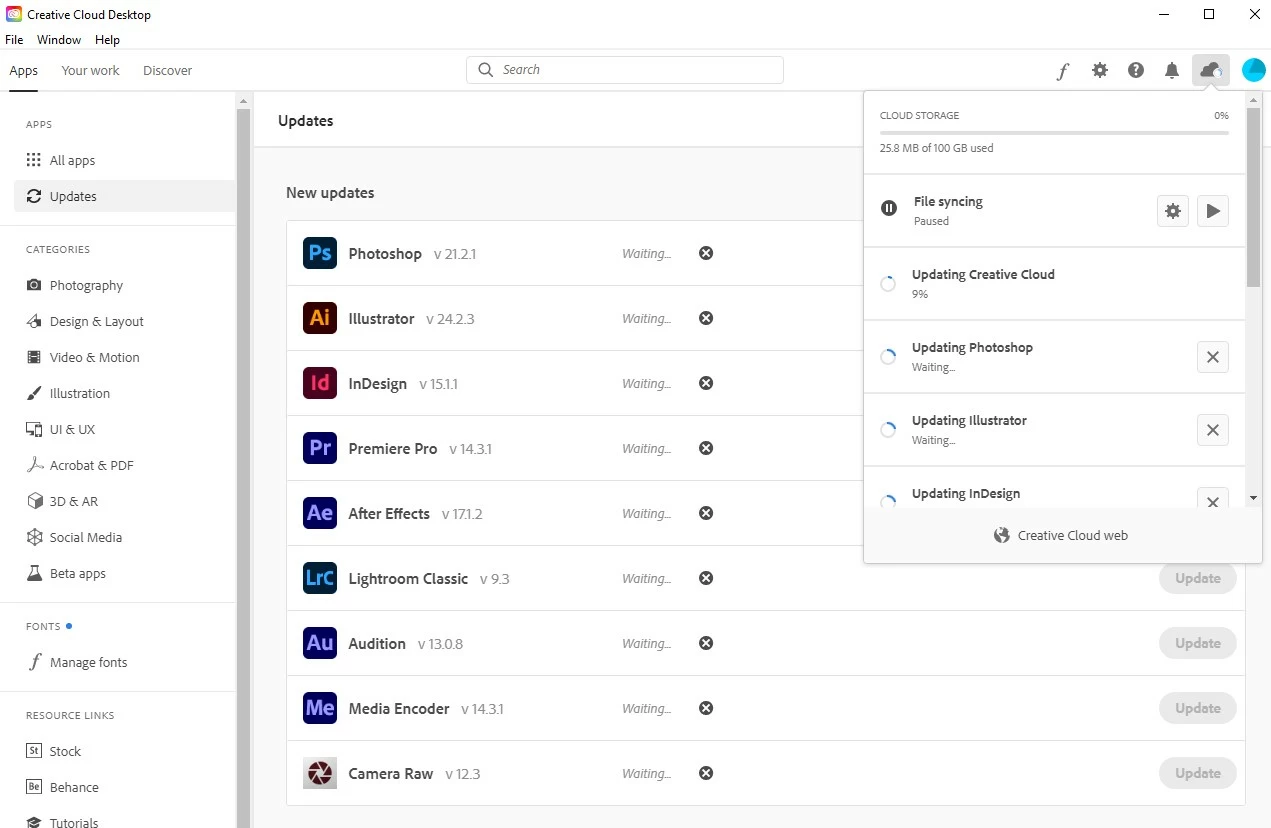
Creative Cloud update stuck at 9%, all other apps stuck at "Waiting"

  • July 31, 2020
  • 返信数 2.
  • 1139 ビュー

I was away for six weeks using a different computer, and when I got back to my home Windows 10 machine I tried to update my Adobe apps. For the last few hours Creative Cloud has been stuck at 9% and all other apps say "Waiting...":
 

Things I've tried:

  • Restarted my computer
  • Ended all Adobe processes and reopened CC
  • Downloaded the official uninstaller and followed the instructions here
  • Uninstalled CC using a 3rd party uninstall app (IObit Uninstaller) and re-downloaded CC from the Adobe website
  • Lit candles and held a seance to commune with the Adobe spirit world
  • Paid a priest $25 to splash holy water on my monitor


Nothing worked. Please advise.

このトピックへの返信は締め切られました。

返信数 2

Peru Bob
Community Expert
Community Expert
July 31, 2020

See here:
https://helpx.adobe.com/creative-cloud/kb/creative-cloud-desktop-app-installation-stuck.html
https://helpx.adobe.com/creative-cloud/kb/stop-responding-downloading-apps.html
https://helpx.adobe.com/creative-cloud/kb/troubleshoot-install-logs-cc.html
https://community.adobe.com/t5/get-started/updating-adobe-creative-cloud-stuck-at-39/m-p/10916241?page=1
https://helpx.adobe.com/creative-cloud/kb/creative-cloud-app-doesnt-open.html
I had a similar issue.

Make sure that you have all Windows updates that are available.

The one thing that was causing it for me, believe it or not, was that I needed to do a clean installation of the latest Studio graphics driver from the NVIDIA website. After doing that and restarting, all was OK.

deus_ex_felis作成者
Participating Frequently
July 31, 2020

PLEASE do not suggest that I draw Shantanu Narayen's face on my floor with charcoal sticks, I won't go there again.