


Participant
September 16, 2013
Answered

Creative cloud updates

  • September 16, 2013
  • 1 reply
  • 715 views

My desktop creative cloud app is showing all my apps as up to date when they're not. I'm still on Photoshop 14.0 while my colleague is on 14.1. I've tried logging in and out of my account, uninstalling and reinstalling the creative cloud app, deleting preferences etc. I can't update from within the apps themselves as this option is greyed out. Why is it not updating?
    This topic has been closed for replies.
    Correct answer Romsinha-9KMEUt

    Hi flitch56789,

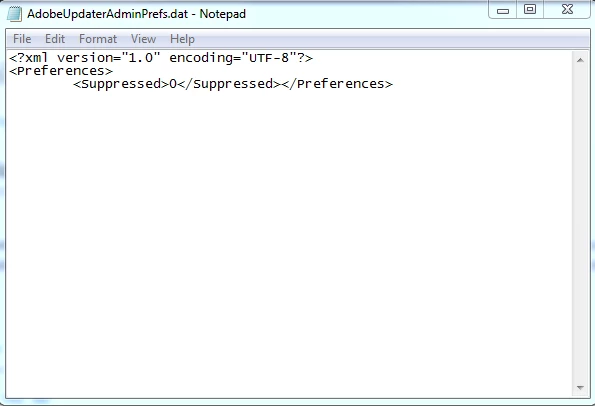
    Please navigate to C:\Program Files (x86)\Common Files\Adobe\AAMUpdaterInventory\1.0\AdobeUpdaterAdminPrefs.dat open in notepad and change the value from 1 to 0.

    Launch the software/Go to help and select updates.

    Regards,

    Romit Sinha

    1 reply

    Romsinha-9KMEUt
    Adobe Employee
    Romsinha-9KMEUtCorrect answer
    Adobe Employee
    September 16, 2013

    Hi flitch56789,

    Please navigate to C:\Program Files (x86)\Common Files\Adobe\AAMUpdaterInventory\1.0\AdobeUpdaterAdminPrefs.dat open in notepad and change the value from 1 to 0.

    Launch the software/Go to help and select updates.

    Regards,

    Romit Sinha

    Participant
    September 17, 2013

    Hi Romit

    I'm on a mac. Where do I find the admin prefs file on a mac?

    Romsinha-9KMEUt
    Adobe Employee
    Adobe Employee
    September 17, 2013

    On Mac the location is: <Startup Disk>/Library/Application Support/Adobe/AAMUpdaterInventory/1.0/AdobeUpdaterAdminPrefs.dat.