


NatDeroxL7
Participant
March 31, 2021
Question

Creative Cloud Window Strange Colors

  • March 31, 2021
  • 2 replies
  • 426 views

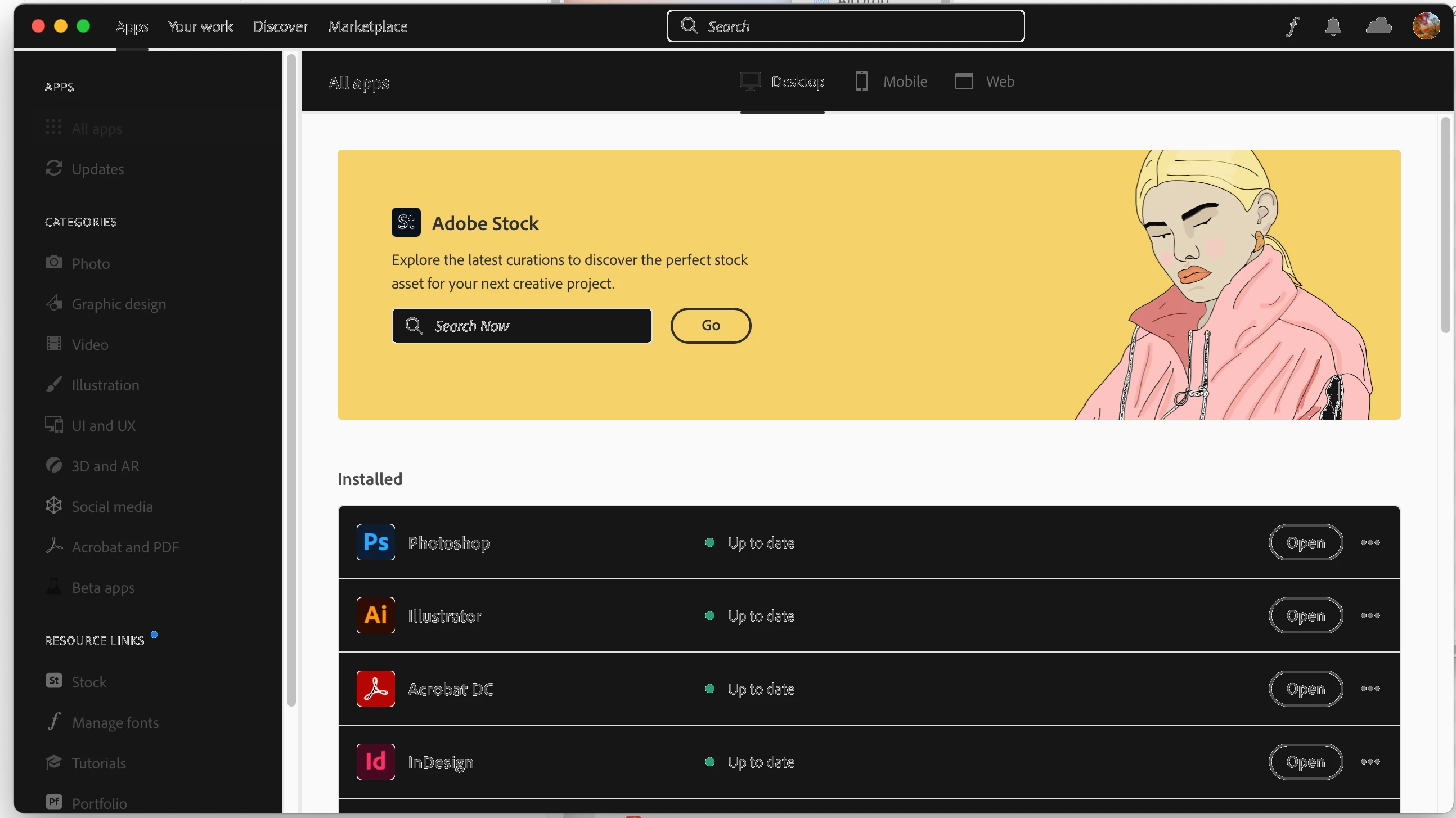
My user interface is inverted/has strange colors. I'm running Mac OS 11.2.3, 2020 iMac with the AMD Radeon Pro 5700 XT 16 GB. I have tried repairing Adobe Creative Cloud and completely uninstalling/reinstalling it. No change. Any idea how to get my user interface back to looking normal?


This topic has been closed for replies.

2 replies

Nancy OShea
Community Expert
Community Expert
March 31, 2021

Looks to me like your Mac is using Dark Mode setting.  Turn it off.

https://9to5mac.com/2020/12/01/dark-mode-on-mac-big-sur-more/


1. Open CC Desktop App.
2. Click your Avatar (top right image) > Preferences > General tab > Settings. Select "Always keep Creative Cloud up to date."
3. Click on your Avatar again.
4. Sign-out of Creative Cloud.
5. Close all apps.
6. Restart your computer.
7. Open CC Desktop app.
8. Click your Avatar.
9. Sign-in with your paid ID and password.


Nancy O'Shea— Product User & Community Expert
kglad
Community Expert
Community Expert
March 31, 2021

reset the cc app:  make sure it's in the foreground, then press:

Win: Ctrl + Alt + R
Mac: Cmd + Opt + R

NatDeroxL7
Participant
March 31, 2021

I gave that a try, it seems like it still has the same issue.  I attached a screen recording.  It is possible I have some Mac OS setting somewhere that is messing with it?

kglad
Community Expert
Community Expert
March 31, 2021

i don't know.


i've seen one other report of that problem.  it seems so minor to me, i'm not sure if it's worth searching for a solution.  i recommend waiting for the next update and see if that fixes the problem.