


Inspiring
November 3, 2023
Answered

Creative Cloud won't let me login/repeated successful logins fail/works on other mac user account

  • November 3, 2023
  • 2 replies
  • 1869 views

I lost my logic board and had to reinstall everything on my Macbook Pro. I created one user account which allows me to successfully login to Creative Cloud and use all Adobe apps perfectly. But that user account has some glitches with other software. So I created a 2nd user account on the Mac and am trying to use my Creative Cloud app there. It just keeps asking me to login over and over and won't let me use any apps.


My account is current. I've tried connecting my Facebook and Apple accounts for login, but while all of them login successfully, I always end up at the same place: with the attached notice.
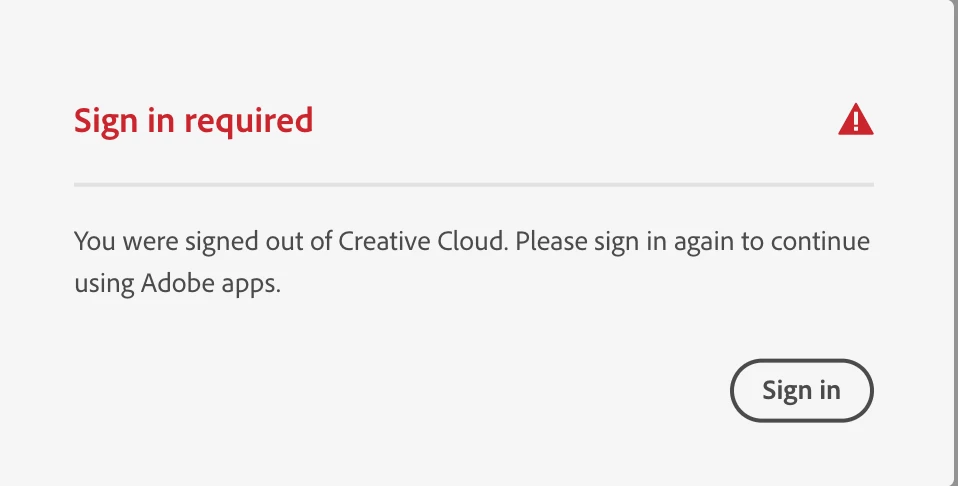
 

I've tried removing entries in the hosts file (there weren't any). I've also tried editing keychain access. (couldn't find either of the files referenced in my keychain)


I just tried reinstalling the Creative Cloud app, but it gave this error:
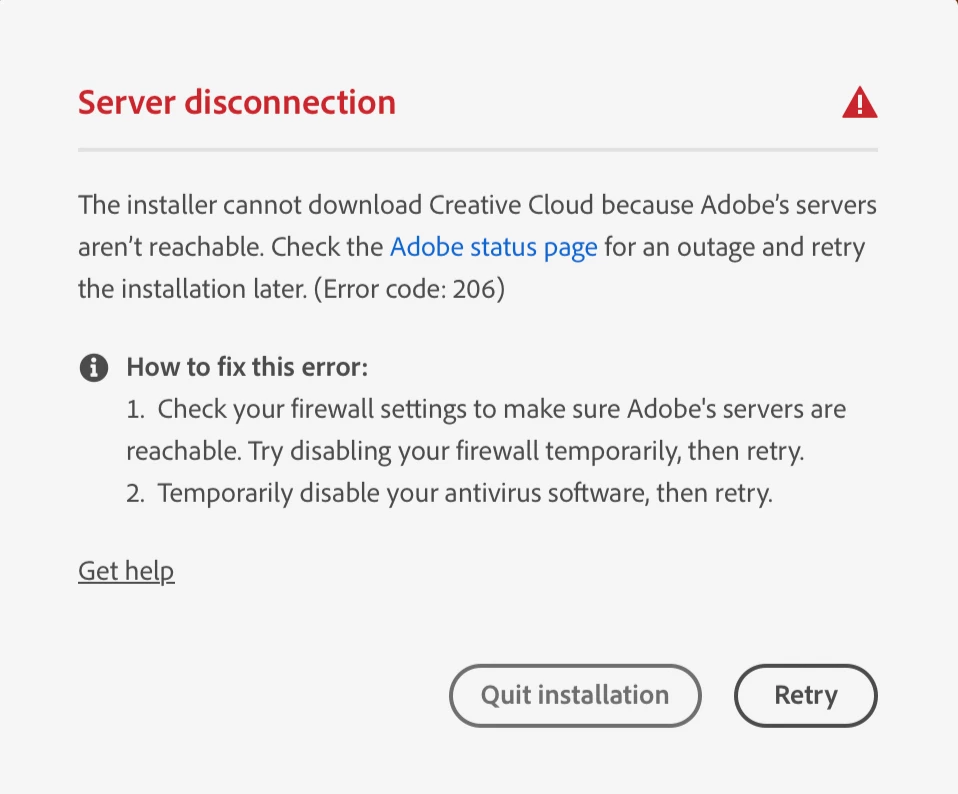
 

Please don't suggest to uninstall and reinstall all my CC apps. I just spent a month getting my computer working while traveling for over a month. Trying to find a place to plugin with fast enough wifi to download huge apps was really hard. (Long story.)


And again — it's working perfectly on my other user account.


(Why not use the first Mac user account instead? Because there are complex issues on that account with other software. I'm hoping to delete it.)


Thanks ahead of time!

Greg

This topic has been closed for replies.
Correct answer Gregory32866445z3f7

https://helpx.adobe.com/creative-cloud/kb/troubleshoot-download-install-logs.html#error206


Thanks, I looked at that help doc before and none of them apply. I'm on Mac (no Windows). I have no antivirus software. I'm on various wifi networks (same on all) and have no Firewall set up. And again — it works on my other user account.

And lo and behold, after a full reinstall, it works better on that other user account (not my main Mac user account). I've decided to try and make that my main account. I'm moving over all my data today. I finally fixed Apple Mail which wasn't functioning on that account and got all my email accounts working. Seems easier to just stick with that than try to crack this obscure issue.


Anyhow, thanks kglad for all your suggestions. I really appreciate the time and knowledge you offered! It's still a mystery, but at least I went down all the rabbit holes and don't feel like I've neglected anything obvious.

2 replies

kglad
Community Expert
Community Expert
November 4, 2023

reset the cc desktop app by making sure it's in the foreground, then press:

Win: Ctrl + Alt + R
Mac: Cmd + Opt + R


if that fails, repair per https://helpx.adobe.com/download-install/kb/creative-cloud-install-stuck.html


if that fails and you have windows, open your control panel > add/remove programs > cc desktop app > repair

if that fails, uninstall using the correct uninstaller from https://helpx.adobe.com/creative-cloud/help/uninstall-creative-cloud-desktop-app.html#sa_src=web-messaging and then reinstall using*


if that fails, do a clean cc install carefully following each applicable step:

uninstall every cc app including preferences per https://helpx.adobe.com/creative-cloud/help/uninstall-remove-app.html

then uninstall the cc desktop app, again using the correct uninstaller per https://helpx.adobe.com/creative-cloud/help/uninstall-creative-cloud-desktop-app.html#sa_src=web-messaging

clean your computer of cc files per http://www.adobe.com/support/contact/cscleanertool.html

check for, and if available, update your os

if windows is your os, repair all ms visual c++ versions that can be repaired (use google if you don't know how to do this)

if windows is your os update your ms visual c++, if it can be updated (use google if you don't know how to do this)

restart your computer (don't skip this)

reinstall the cc desktop app using the "alternative download links" at the bottom of the page at https://helpx.adobe.com/download-install/kb/creative-cloud-desktop-app-download.html

use the desktop app to install your cc programs/trials

NOTE: win 11 users that have trouble with the latest win 10 installer often have success with the older win 10 installer.

Inspiring
November 8, 2023

Thanks so much for the ultra-thorough response Kglad. I really appreciate your expertise.


I tried the Cmd + Opt + R reset (I'm on Mac), but no change.


I then tried the repair you mention, but no change. I do one successful login after another, and each time it immediately tells me to login again.


Which means I'm facing a full reinstall of the whole CC. This is a bit harsh after struggling with this for over a month and having reinstalled just two weeks back. That was after working for weeks (while camping) to find a coffee shop with plugins and fast internet where I could take up a whole table for hours without upsetting the staff. I'm currently living in a house in a jungle without internet, so using a 5G hotspot with a monthly data limit. The idea of using 1/3 of my monthly limit to reinstall once again is a bit daunting... But it sounds like it has to be done.

Anyhow, I'll take it on tomorrow and find out how it goes. I'll report back then...

kglad
Community Expert
Community Expert
November 8, 2023

thank you for the update.

Inspiring
November 3, 2023

ps: I also tried the Limited Access Repair tool. It didn't find anything to repair.

Inspiring
November 3, 2023

I also went into my account on adobe.com and logged out of all sessions to see if somehow it was flagging me for too many logins. It didn't help.

Inspiring
November 3, 2023

One clue is that I can't seem to access the Adobe Activation Servers mentioned in this support page. When I click on the test link, I only see one Adobe logo, not two as the article suggests in step 1.