


TheLithiumKid
Known Participant
September 5, 2017
Answered

Creative cloud wont sign in

  • September 5, 2017
  • 2 replies
  • 439 views

hi

im new to creative clould, i have downloaded the creative cloud app,

but when trying to sign im i get this error " unable to reach adobe servers, please check your firewall settings"
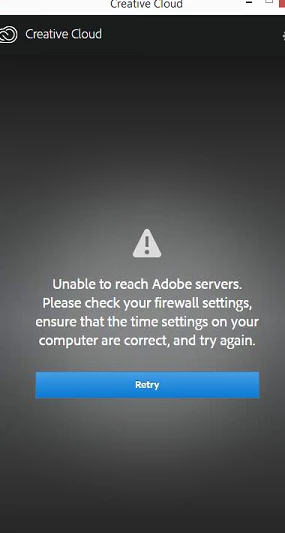
having tried the solutions suggested, i still cannot logon.

any ideas on how to fix it, is there a URL or web address that i need to allow through web titan?

Machine in windows 8.1,on a domain.

a support rep tried a few things, but it came to nothing, so i have a €700+ piece of software that i can't use.

terrific...

thanks

This topic has been closed for replies.
Correct answer kglad

confirm that you can connect to the secure adobe servers.

for help with that and other common secure adobe.com connection problems read, http://helpx.adobe.com/x-productkb/policy-pricing/activation-network-issues.html

2 replies

John T Smith
Community Expert
Community Expert
November 7, 2021

TLS 1.2 is now required to connect https://helpx.adobe.com/x-productkb/multi/eol-tls-support.html
-http://helpx.adobe.com/x-productkb/policy-pricing/activation-network-issues.html
-on Windows be sure to do the EASYFIX.MSI in step 2 of the 1st link

kglad
Community Expert
kgladCommunity ExpertCorrect answer
Community Expert
September 5, 2017

confirm that you can connect to the secure adobe servers.

for help with that and other common secure adobe.com connection problems read, http://helpx.adobe.com/x-productkb/policy-pricing/activation-network-issues.html

peterp71202749
Participant
November 7, 2021

This thread reports as "SOLVED" How is this solved in any way. I am having the same problem on a Mac. At one point I get a "No internet connection" message. Why? Instead of sending peopkle to yet another page to navigate try providing a solution here. That would be service and support. Thank you,