April 13, 2017
Answered

creative suite CS6 failure to initialise

  • April 13, 2017
  • 2 replies
  • 370 views

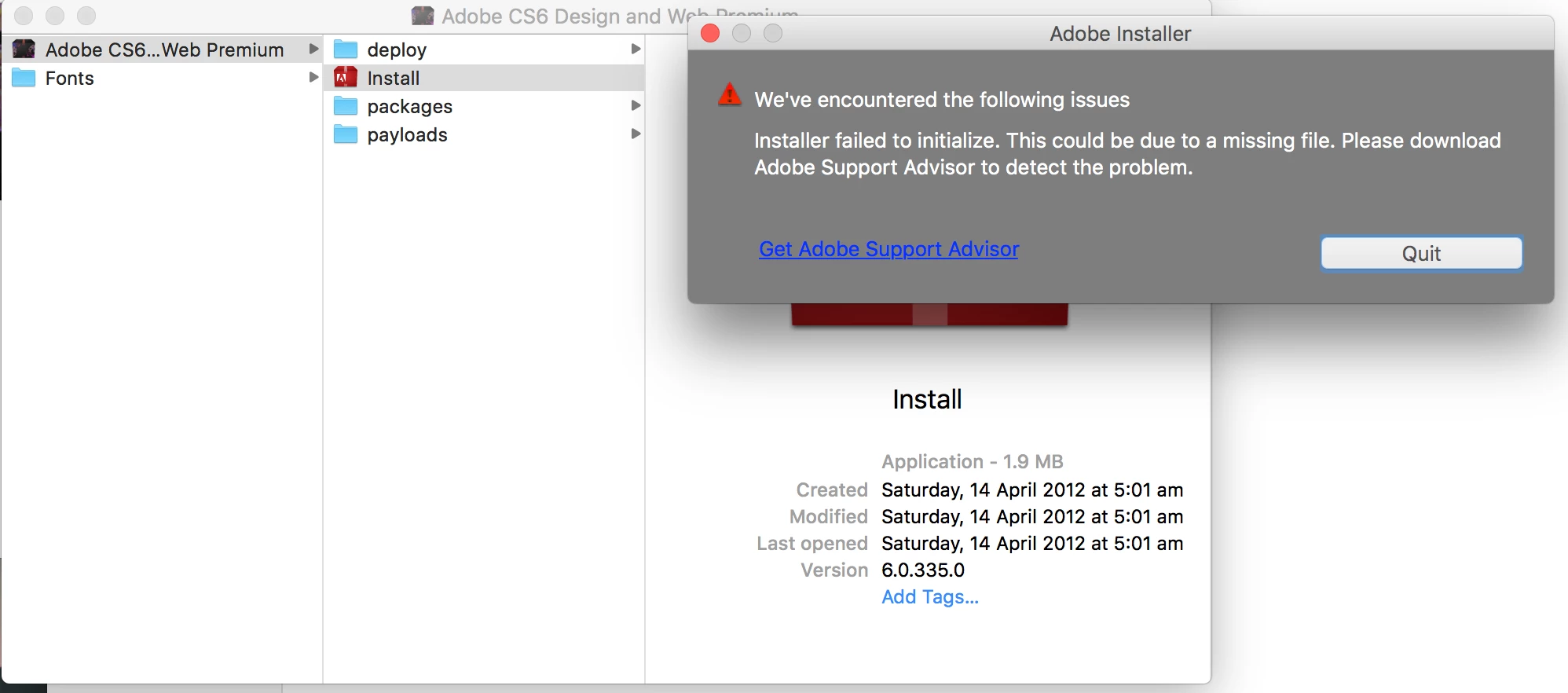
I bought the CS6 creative suit early 2016 (before the creativecloud took over), however since then my laptop sustained water damage and got completely wiped because of that. Right now I am just trying to reinstall the suite but am finding it very difficult to do so. I have tried downloading the suite from the adobe website more than 5 times but there is always an error when I press on install. Below is a screenshot of the message that popped up. Obviously I followed the instructions and tried to get adobe support advisor BUT that has also been discontinued and I cannot download that anymore... PLEASE HELP!!!!
This topic has been closed for replies.
Correct answer mooirood

This helps: Installing Creative Suite on macOS 10.12 (Sierra)

2 replies

mooiroodCorrect answer
Participant
April 13, 2017
John T Smith
Community Expert
Community Expert
April 13, 2017

When you ask a question you need to provide some basic information

-Forum quick start https://forums.adobe.com/docs/DOC-5601

Mac or Windows, and EXACTLY which version of the operating system?

Recent Mac AND Windows operating systems have been known to cause "odd" problems

Are you using a computer Administrator account with full read/write permission?

CS6 and earlier programs have not been tested and will not be updated for Mac El Capitan/Sierra

-which means that you try to use CS6 and earlier at YOUR risk of having problems due to Apple updates

-Adobe has a fix to Apple's problem of not maintaining backward compatibility in El Capitan/Sierra

--several help links inside this message https://forums.adobe.com/thread/2301916

-also install OLD Java runtime if needed https://support.apple.com/kb/dl1572?locale=en_US

An idea that MAY work to install and/or run old programs in Windows 10... works for some, not for others

-RIGHT click the program icon or EXE and select a compatibility mode in the pop up option window

-or Run as Administrator http://forums.adobe.com/thread/969395 to assign FULL Windows permissions may help... says Encore, but sometimes required for ALL Adobe programs (this is NOT the same as using an Administrator account)

-or more on permissions https://forums.adobe.com/thread/2293598

NOTE - Win10 anniversary update version 1607 has caused MAJOR problems with old programs, so the above may not work

-Notice http://www.computerworld.com/article/3157369/windows-pcs/new-windows-10-build-is-a-monster-update.html

April 13, 2017

It was because of the new macOS Sierra, sorry for not clarifying. Also I've entered in my serial number however it says that it is invalid, would this be due to the fact that I've previously installed it on this laptop and have used the serial number at that time? If so how do I fix this?

John T Smith
Community Expert
Community Expert
April 13, 2017

When you have a non-functioning computer and can't deactivate a serial number

BE SURE TO ONLY ASK FOR ACTIVATION SUPPORT TO ADJUST YOUR ACTIVATION COUNT

Adobe ID and registration support (non-CC) http://helpx.adobe.com/x-productkb/global/service-c1.html

Invalid License http://helpx.adobe.com/creative-suite/kb/error-serial-number-valid-product.html

-and more help in http://helpx.adobe.com/creative-suite/kb/invalid-serial-number-cs4.html