Answered
Crooked Apps tab in Creative Cloud app
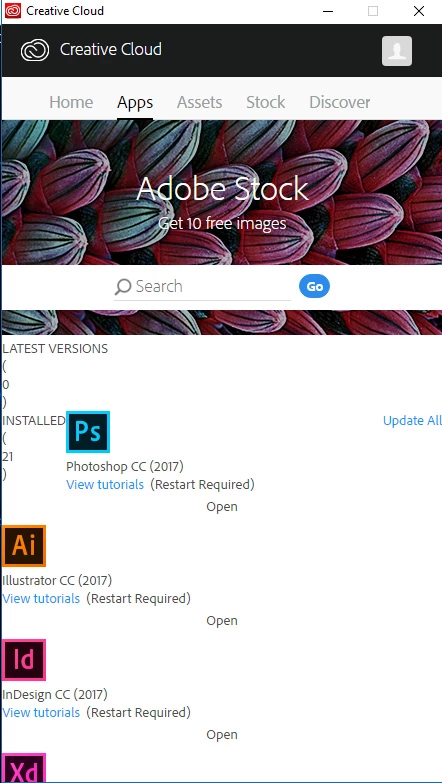
This is what my app page looks like since the last CC update. Is anyone else experiencing the same thing?
I have reinstalled and tried all the fixes and still nothing

This is what my app page looks like since the last CC update. Is anyone else experiencing the same thing?
I have reinstalled and tried all the fixes and still nothing
(Branched out as a new discussion)
Hi Knarfappaz,
As you have mentioned you have tried almost all the basic troubleshooting steps to resolve the "Apps Tab" issue however it remains the same, i would recommend you to try the complete cleanup of Adobe Creative Cloud desktop app and then retry the installation and see if that resolves the issue, follow the steps given here to perform the cleanup: Photoshop Installation Failed Photoshop Installation Failed
After this use the following link to Download Creative Cloud desktop app.
Already have an account? Login
Enter your E-mail address. We'll send you an e-mail with instructions to reset your password.
 AdChoices