



CS3 is a dead program
After running CS3 on my new computer (PC) since April 2017, I've had the program since 2007 I started getting the "You must reactivate to use this product" message in November and after contacting support and was told to ignore it, it counted down for a few days and I can no longer use the product.
After checking back with support I was instructed to go through the forums for help, I was instructed to request a new serial number and got one from Adobe, but upon uninstalling and reinstalling CS3, I was not prompted to put in the new serial number. I was then instructed to delete the AdobePCD file on my computer and did so. I was never prompted to put in the new serial number the original "You must reactivate to use this product" message came back as if I had done nothing.
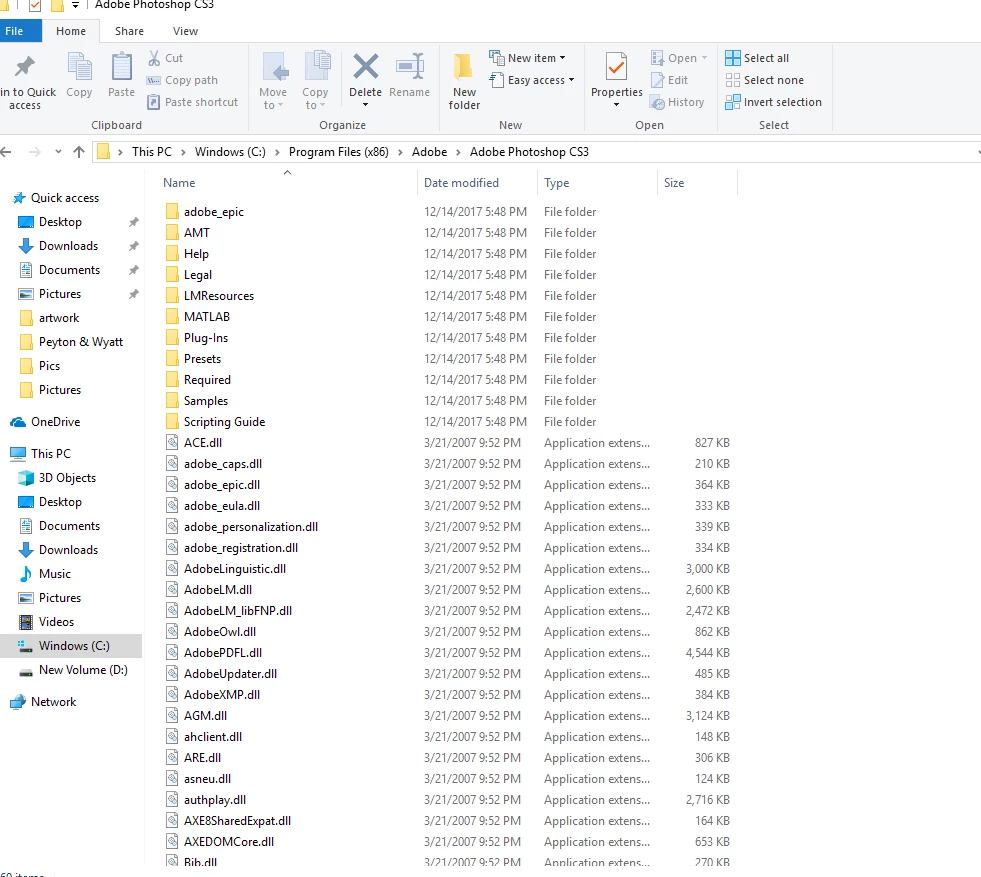
I have read through the instructions for CS3 Reactivation and done each step. After posting in a few other discussions I was told again I need to delete the cache.db file. There is no cache.db file. After uninstalling it again and reinstalling to try again the AdobePCD folder no longer appears in the files. I've done this 8 times now. I noticed some of the files are dated 3/21/2007. Another thing I noticed is it states in the instructions I need to click on two file links (file 1 of 2 and file 2 of 2) but under English - Windows there is only one file listed. Anyone have any more suggestions?? I am so frustrated trying to figure this out.
 AdChoices