Participant
August 19, 2022
Answered

CS3 : "never reactivate" disappeared

  • August 19, 2022
  • 3 replies
  • 303 views

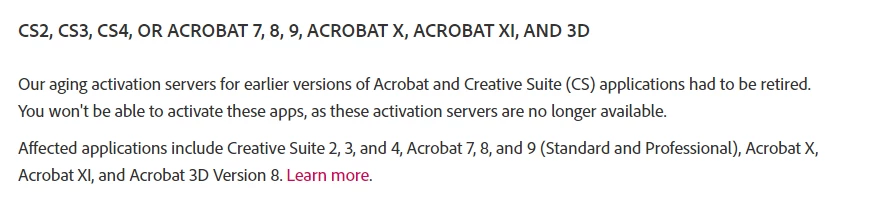
Some years ago I bought, used, the CS3 Design Premium set, and after finding that the activation server is no longer available got the special version represented by a new validation key and 2 files that had to be folded together in some way I can't now recall.  Some page, I suppose the one headed "Activation", offered me the option of "never activate" (or perhaps "never register", I don't remember now) and that worked as expected.


I've reinstalled several times since first buying the software, and all has gone well.  Since I used to write software for a living, my server-of-all-work uses a triple-mirrored ZFS system to preserve file integrity.


Now I'm trying to reinstall CS3 Design Premium again after a hardware failure.   I moved XP, W7, and W8.1 to different partitions on a single disk (I own W10, but abominate it).  I successfully reinstalled and reactivated CS3 under XP, and tried to do the same under W7 (32 bit).  The install succeeds, and the key validates.   But when I try to find "never activate", it fails to appear. I think I've looked everywhere.  I tried the trick of disconnecting from the inet (my isp is Spectrum, so I disconnected the coax coming in), but that didn't help.  So I'm stuck.


Help?

This topic has been closed for replies.
Correct answer kglad


3 replies

Participating Frequently
August 20, 2022

I haven't installed Design Premium, but I have installed Design Standard. For that, you need three things - a self-extracting archive containing the main program suite (in my case ADBESTPPCS3_ESD1_WWE.exe), another (probably optional) containing documentation/'goodies' (for CS3 DS this is STPPCS3_Cont_WWE.exe), and the key. These must be the special versions you got from Adobe when they were still providing activation-free replacements - the installers on the original DVDs are now useless, as is the original key, so don't try any of this without the new versions. I think, incidentally, that everyone with a specific version of the suite (like Design Standard for Windows) got the same installers and the same replacement key.


Once you've extracted the archives, you can run the installer from one of the extracted folders ('Setup.exe') and should be asked to provide the key, unless it's a system you have previously installed CS3 on, in which case it may remember the key. I don't recall a 'never activate' setting, but there is a Help->Registration->Never Register button. I've only done this recently under W10, on a system where the activation-free version had previously been installed, and it went smoothly (the key was remembered, and I wasn't asked to activate).


If you still have activation issues, some troubleshooting guides were posted at the time. Here is one from user micheleu92425197 - some of the steps may still be relevant, though obviously you can no longer use the support pages (steps 1-4) and must already have the installers:


"Okay, we have the solution working here:

The problem is that the old serial number remains on the PC in a common file even after removing CS3.

Here is what worked for us:

1. Go to Adobe support page, key in CS3 activation. It will bring up the page on Activation or Connection error.

2. Sign in with Adobe login or create one.

3. It will ask for your CS3 serial number.  Key it in.  The page will respond with a new CS3 serial number.

4. Note the links further down this page for installing the new CS3.

5. Close out of CS3 and out of any browsers.

6. Go to control panel and de-install CS3 completely.

7. When this is finished, use File Explorer to find the AdobePCD folder in the c:Program Files (x86)/Common Files/Adobe folder. Delete this AdobePCD folder. This is the one that has the old serial number that is preventing the new activation and it is not deleted by de-installing CS3.

8. Now click on each of the two file links (file 1 of 2 and file 2 of 2) noted above on the CS3 install page. These will spawn a loader program which you must accept and will take quite a quite a while to load. In the middle of the first load, a box will open noting a missing AdobePDF.dll file. Use the browse button and find the file at c:Windows/sysWow64/ Once you have chosen this path, click okay.  The first file load will complete, then click on file 2 of 2 and let it load.

9. Once the loads complete, open CS3. This time it will ask for the new serial number obtained from the Adobe website above. Key it in as noted.

10. Open CS3 again.  It will bring up a box to register. Click on "Never Register." Now you are done.


I have opened and used CS3 several times since the above procedure.  There is no longer an activation request.  So far, every function is working with Windows 10 (even if the program is not certified for Win10.)


I hope this will help someone avoid the hours I spent yesterday loading and reloading."


You may also have to remove the cache.db file:

https://community.adobe.com/t5/download-install-discussions/cs3-temporary-activation-has-expired-message/m-p/9426415#M150018


And in some cases the cleaner tool might be useful:

https://helpx.adobe.com/uk/creative-cloud/kb/cc-cleaner-tool-installation-problems.html

kglad
Community Expert
kgladCommunity ExpertCorrect answer
Community Expert
August 19, 2022


John T Smith
Community Expert
Community Expert
August 19, 2022

All traces of CS3 have been removed by Adobe


As far as I know, the 'special, non-activation' version came with a different serial number (or no serial number at all?) and it did not try and activate online... since the activation server is GONE