
Participant
January 22, 2019
Answered

CS3 reactivation solution DOES NOT WORK

  • January 22, 2019
  • 1 reply
  • 1019 views

I have invested hours into investigating why my CS3 (which I have used for over a decade without problems) is suddenly unusable after I put my hard drive in a new computer.  It continues to give the same error message, even though I have returned it to the original device.  I have followed the instructions provided by Adobe to generate a new serial number, uninstall the old version (which was CS3), download the "new" file, and after installing it, I am experiencing EXACTLY the same situation as I was before. I can understand not offering troubleshooting on in-depth issues, but it's not acceptable for your product to just stop working with no explanation as to why.  Hundreds of people are asking why this is happening.  If you don't have an answer, don't waste my time by having me invest a ton of time into following your instructions.

Here is the message I received before AND after following Adobe's solution.
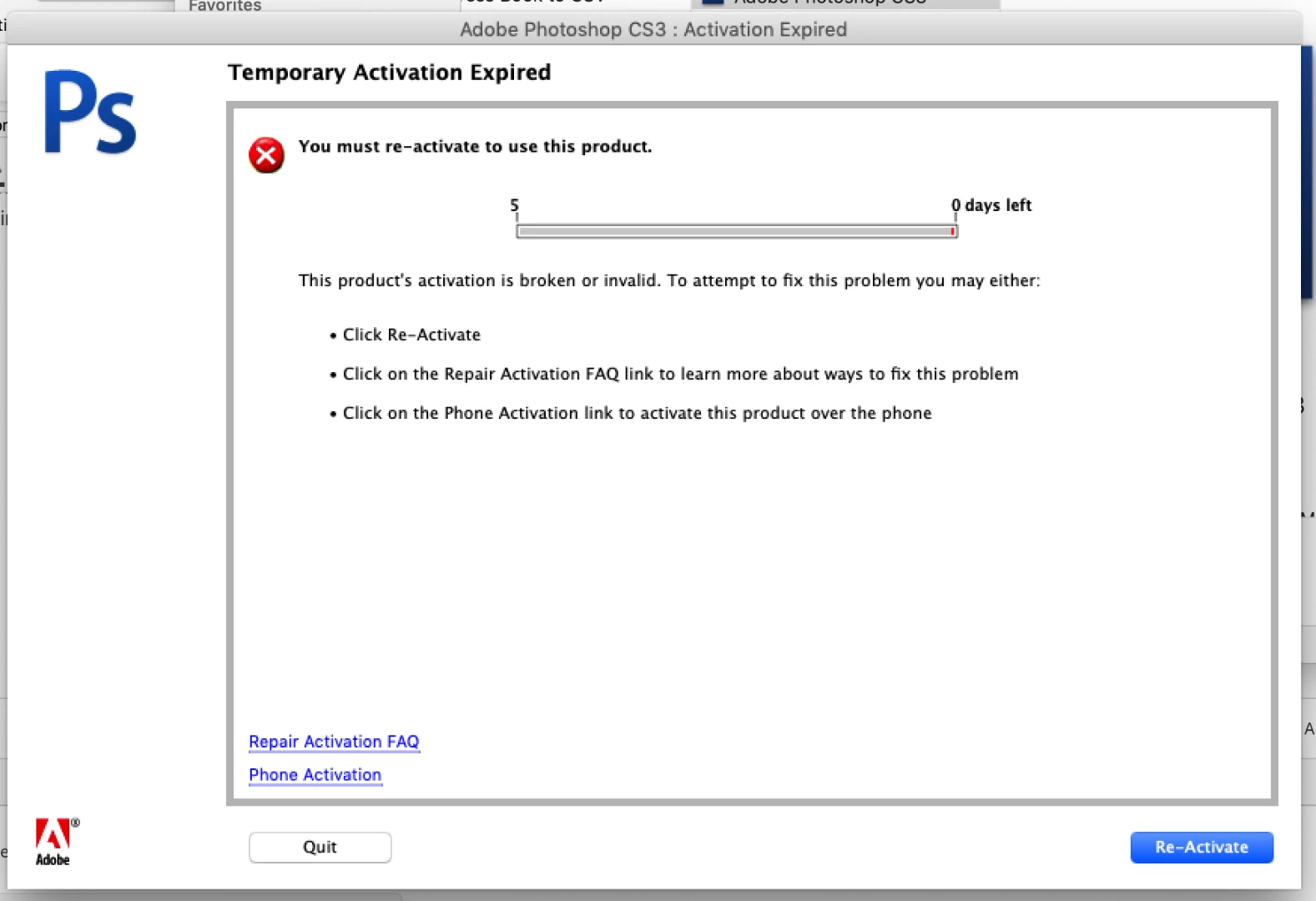
This topic has been closed for replies.
Correct answer Test Screen Name

So, I'm going to be more condescending, if that's what it takes. Because we can't know what you've done unless you tell us.

The key problem is that the original app has left some licensing stuff behind and you have to get rid of it before the new app will work. Did you find and delete the cache.db file? As described in Resolve "temporary activation expired" error for CS3 and Acrobat 8

1 reply

John T Smith
Community Expert
Community Expert
January 22, 2019

CS3 and Acrobat 8 activation server is retired see reply #1 https://forums.adobe.com/thread/2372929

-you MUST use the special serial number AND the special installer you download, not your originals

-above includes a link to get the special version AND links to help with activation problems

-more information on activation problems with the new version https://forums.adobe.com/thread/2385900

anjaba2Author
Participant
January 22, 2019

Please don't be condescending.  I've already stated that I've followed all of the instructions, used the new installer.  Did you read ANYTHING or just take a 2-second look at the image?

John T Smith
Community Expert
Community Expert
January 22, 2019

As I said in my message... both links I provided have information on activation problems... did you click both links and work through the steps that were provided?