
stefghlv
Participant
December 1, 2017
Answered

CS4 Design Premium won't accept a confirmed valid serial number

  • December 1, 2017
  • 4 replies
  • 2229 views

Hi!

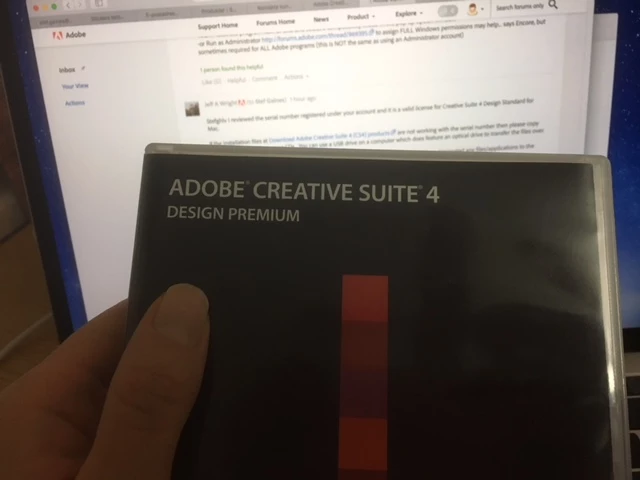
I have Adobe CS 4 Design Premium and I'm changing computers. My new computer doesn't have a CD-slot so I downloaded the installation from

Download Adobe Creative Suite 4 (CS4) products

I manage to download the program and open the installation, but when I enter my serial number, a red X-mark appears next to the boxes. And when I'm pressing "next" a sign says "Invalid Serial Number". The serial number is on my purchased box.

I have reached out to the Adobe Support and they have confirmed that my serial number is valid, and they have connected it to my account.  But it still doesn't mark as valid when I'm trying to install the program.

I was told to try asking here, so I hope there is some answers.
This topic has been closed for replies.
Correct answer Jeffrey_A_Wright

I find the registration strange since this is what the CD-disk says. But I'm going to see if I can find a way to copy the files from the CD to my current computer. Thank you. I'll reply on how it went as soon as I get the chance!


My apologies for the confusion Stefghlv and John.  I was looking at the product description and not the decoded product.  The description is listed as STDS which decodes to Design Premium CS4 for Mac.

The language code though is unique to the installation media you have Stefghlv.  You can copy the installation files using any Mac with an optical drive.  You will then want to store the copy files in a safe location in case you need them again.

4 replies

John T Smith
Community Expert
Community Expert
December 1, 2017

You say "I have Adobe CS 4 Design Premium"

Jeff says "valid license for Creative Suite 4 Design Standard"

That goes back to the issue of downloading the installer that matches your serial number

stefghlv
stefghlvAuthor
Participant
December 1, 2017

Yes, it is valid.

That is correct. I should have mentioned that I found that usual error when I first started googling about this. Hence I have made sure that there is no mismatches (even tried a different region just to be sure). But sadly, that doesn't seem to be the problem in this case.

Thank you anyway.

John T Smith
Community Expert
Community Expert
December 1, 2017

Put this in the 'grasping at straws' category, but...

Two ideas that MAY work to install and/or run old programs in Windows 10

-RIGHT click the program icon or EXE and select a compatibility mode in the pop up option window

-or Run as Administrator http://forums.adobe.com/thread/969395 to assign FULL Windows permissions may help... says Encore, but sometimes required for ALL Adobe programs (this is NOT the same as using an Administrator account)

John T Smith
Community Expert
Community Expert
December 1, 2017

Invalid Serial Number https://forums.adobe.com/thread/2359923

-Problems with software validation https://forums.adobe.com/thread/2273259

Also, did you download the installer that exactly matches your serial number?

-ie, the Master Collection installer will not work with any other Suite or individual program's serial number

kglad
Community Expert
Community Expert
December 1, 2017

assuming you're using a valid adobe serial number (6 groups of 4 numbers), you have a mismatch between your installation file and serial number.  ie, you can have a valid serial number, but if it's for program A and your installation file is for program B, you will see an invalid serial number message.

common mismatches are language/region (eg, serial number is for western europe and installation file is eastern europe), platform (eg, serial number is for a mac and installation file is win), license type (eg, education vs enterprise vs individual).

and one of the most common is using a program installation file with a suite's serial number. eg, using a cs6 suite serial number with a photoshop cs6 installation file.  that won't work even though photoshop is included in that suite.  you must use the (correct) suite's installation file (and you can choose to only install one program from the suite).

here's official info about that error,  http://helpx.adobe.com/creative-suite/kb/error-serial-number-valid-product.html