
CS4 re-installation problems (Mac)
I'm having problems re-installing my CS4 "Design premium" software (Mac OSX. No problems using Photoshop, InDesign or Illustrator but I had the seldom need to use Acrobat 9 Pro and upon launching I was asked for my admin username/password, then an installation window for entering the serial number which for some reason was rejected. I'm 100% sure I have the correct serial number as it's the one I got when I purchased the package and used for installing everything in one go.
So after several attempts I decided to remove Acrobat and re-install it again. Same problem.
Then I ran the Adobe license recovery tool without that helping either. Finally I gave in and decided to clean up everything related to CS4, so I ran the Adobe CC cleaner tool (will also work with CS4) which effectively removed those CS4 apps. I did notice several Adobe folders here and there on my drive so I manually deleted those. Now I can't even get the CS4 installer to wrok properly. When I run it I see the following window appear briefly:

then quickly followed by this error message:
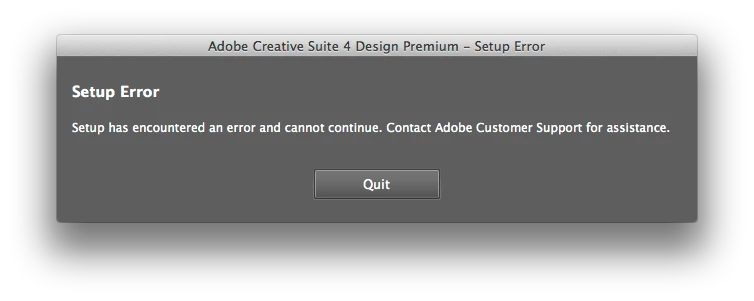
Next, I tried installing CS4 from the admin account which failed as well.
Finally I created a brand new and different admin account but I got the very same result.
Could the problem be files that are left over in some hidden location I haven't looked inside? I've used this software on the very same Mac with the very same OS version (10.9.5) so it can't be a compatibility problem. Neither is the installation software the issue as I have the original installation DVDs, so I'm really at loss. I've also read similar postings in this forum but without any proper solutions offered. Suggestions?
Edit: I also downloaded the stand-alone Photoshop CS4 and tried to install that but got the exact same "Checking system profile" followed by the "Setup error" messages above.
 AdChoices