
Participant
October 19, 2013
Answered

CS6 Hi Resolution Screen User Interface Problems

  • October 19, 2013
  • 6 replies
  • 5571 views

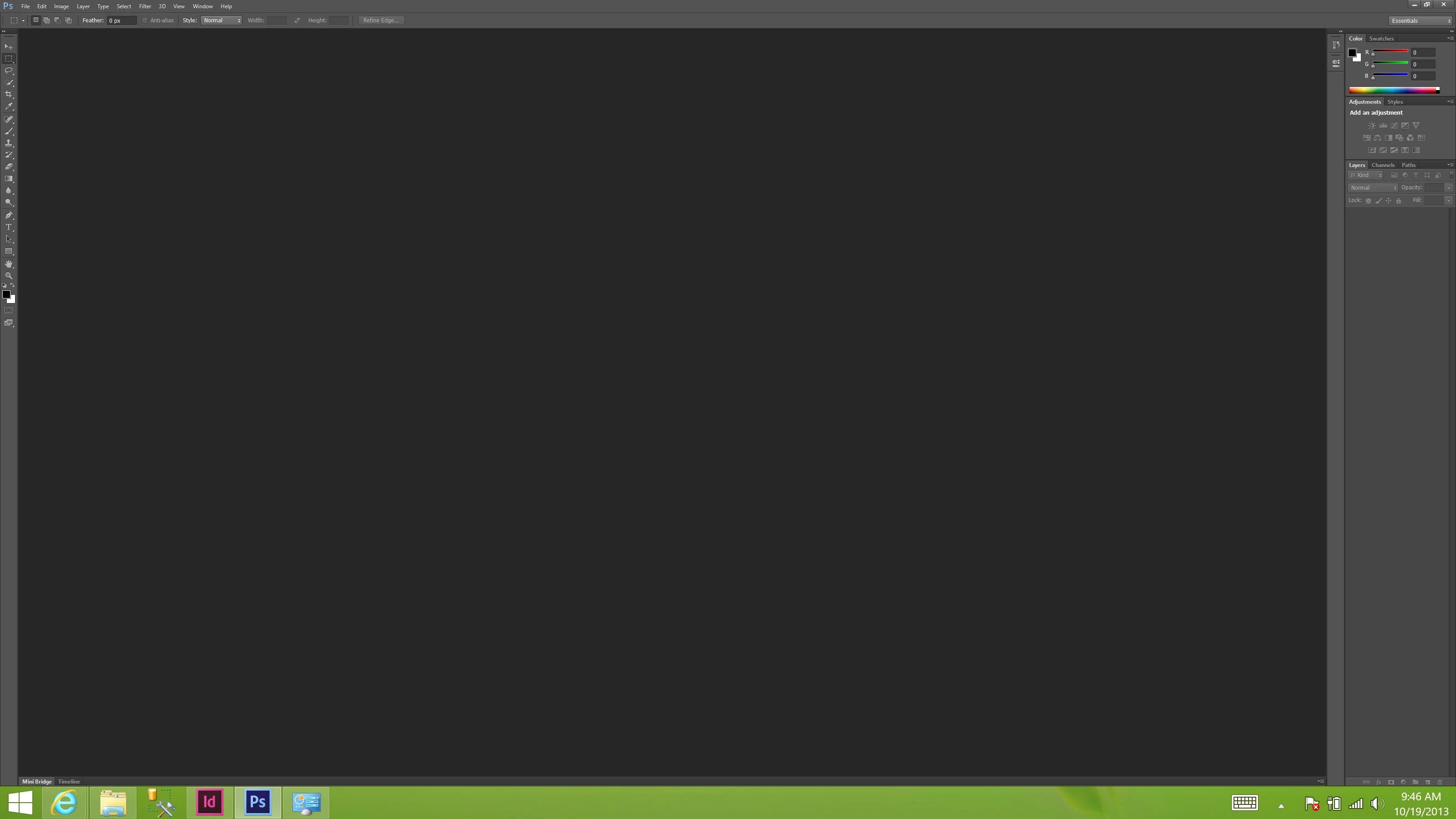
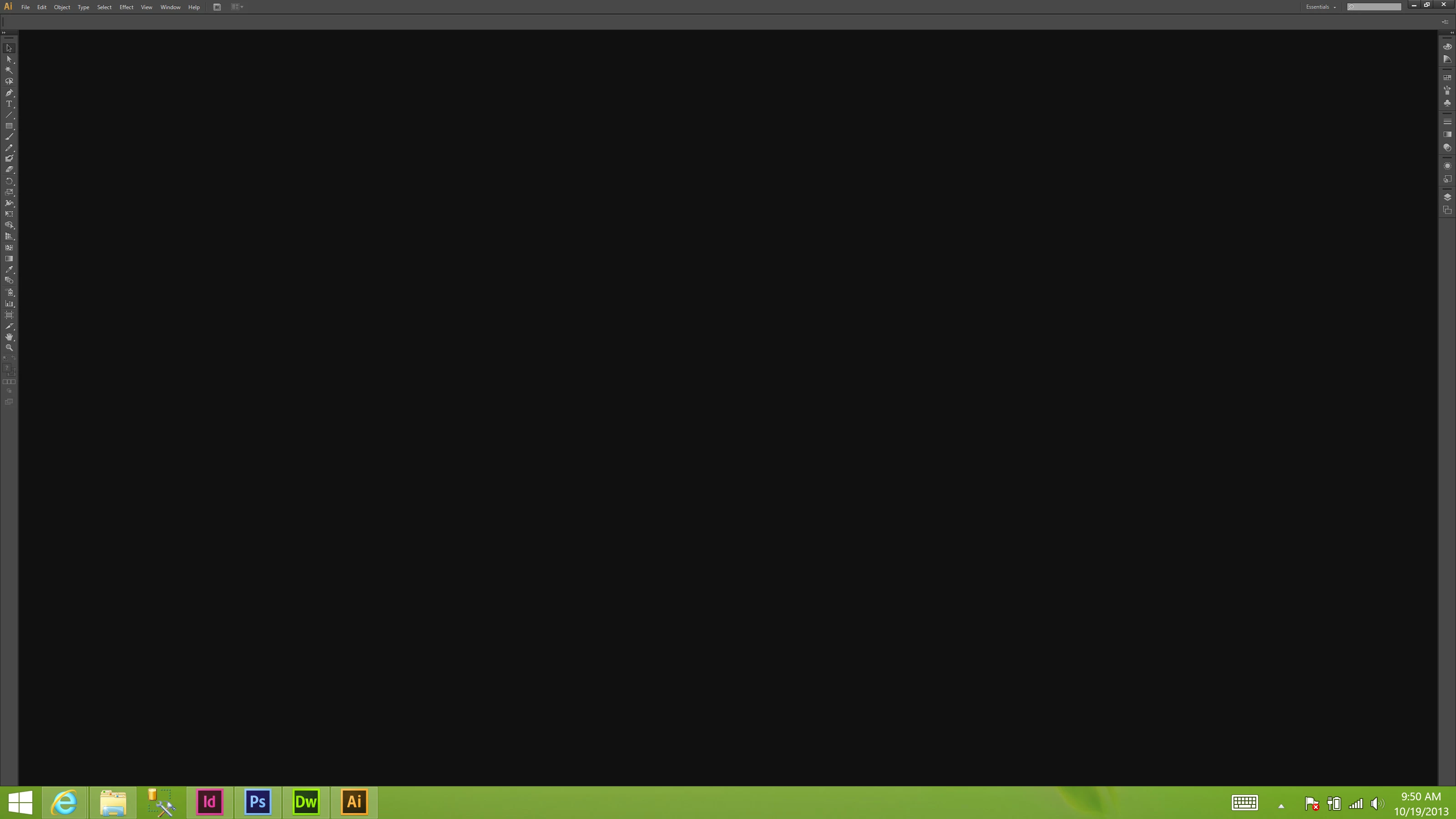
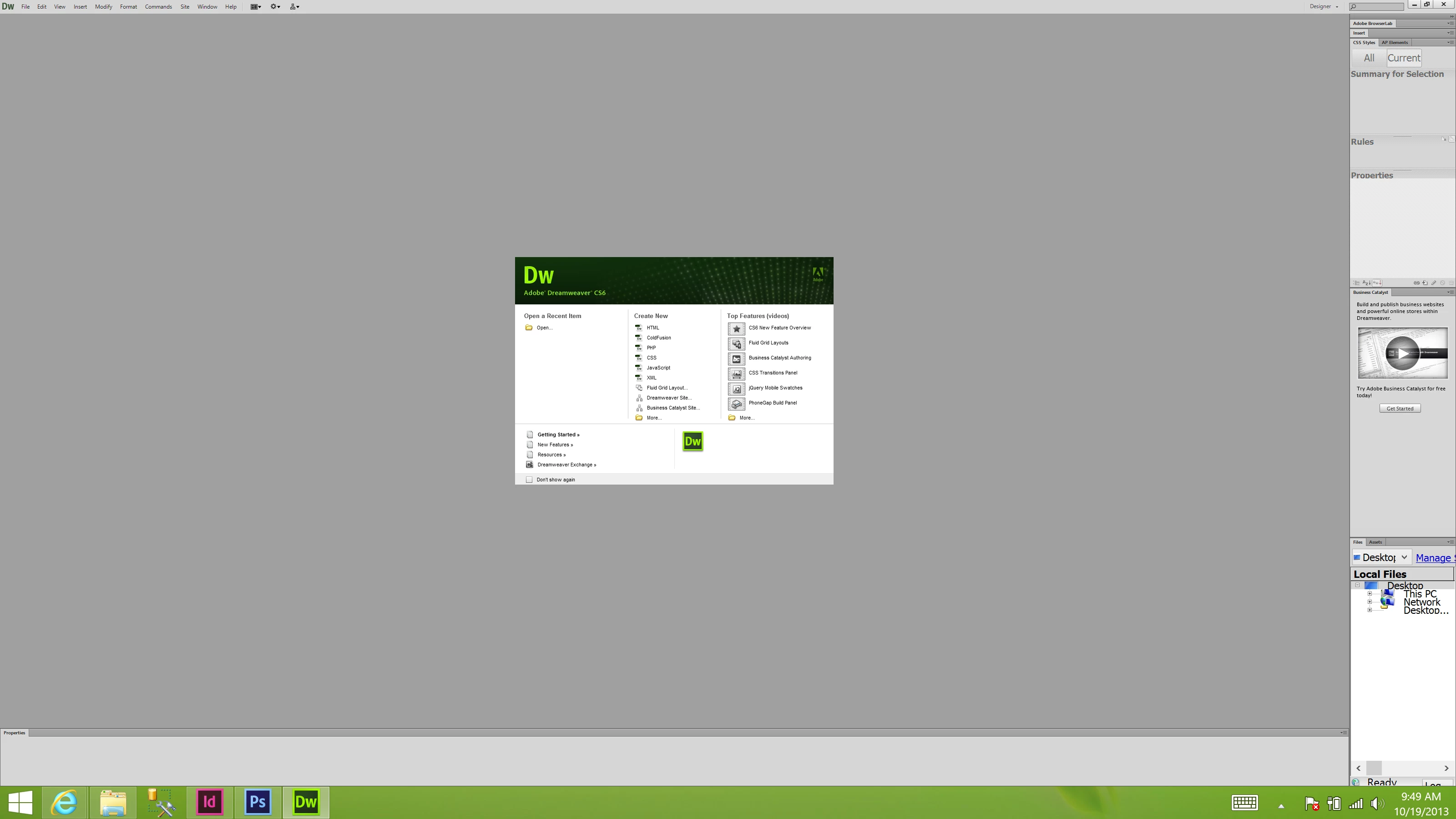
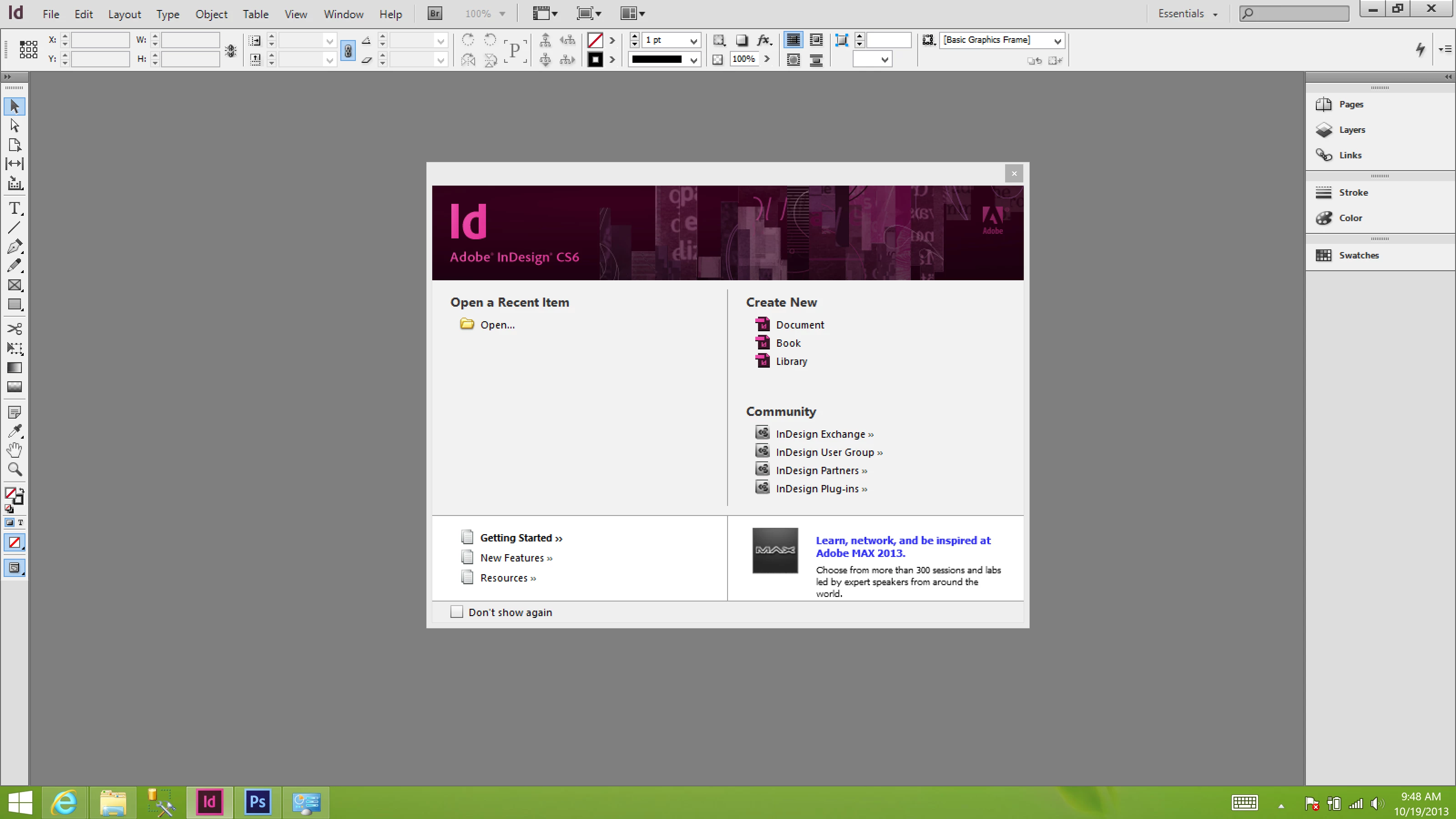
I have a new Lenovo Yoga 2 laptop which has a native resolutions of 3200 x 1800. When I install the CS6 suite on this laptop, the user interfaces are too small to be seen.

Here are some screen shots. Oddly enough, inDesign is the only application that looks proper.

Photoshop
Illustrator
Dreamweaver
InDesign
I've tried to find a solution to this but I can only come up with "Retina" based fixes... Have you guys made these fixes for PC users?

This topic has been closed for replies.
Correct answer Mylenium

CS6 doesn't have any high-DPI support on Windows.

Mylenium

6 replies

Participant
June 5, 2020

I also tried Dan's Windows registry fix but it didn't work for me.

More recently he also has posted an updated version with a new Windows native fix at "App Scaling on High DPI Displays (FIX 2019)" but it seems buggy.


The Windows native technique works for some but apparently not for all situations.

  • The main working file window was tiny and stuck floating at the top left corner of the workling area outside of the tab.

  • To fix this I changed the ”Override high DPI scaling behavior’ in the program Properties to "System" (without ”Enhanced” option) and it seemed to make everything look correct

however... 

  • While the UI sizing seemed correct with this fix & most of the functions appear to work, sadly, there are a few which it appears that it breaks. 
    • Shape Tool: When I try to create a Rectangle with the Shape tool Photoshop now gives an error message that says "Could not use the rectangle tool because of a program error". (see below)


Has anyone else encountered this and found a fix it?

Nancy OShea
Community Expert
Community Expert
June 5, 2020

CS6 hasn't been updated since it came out in 2012.  And it will never be updated because it's discontinued.  No longer sold or supported.


MODERN OPTIONS:
Photoshop Elements 2020 (approx $100, no subscription needed)
https://www.adobe.com/products/photoshop-elements.html

Creative Cloud Photography Plan (approx $10/month for 1 year subscription)
https://www.adobe.com/creativecloud/photography.html

Creative Cloud All Apps Plan (31 + apps & services)
https://www.adobe.com/creativecloud/plans.html


Nancy O'Shea— Product User & Community Expert
janus_gringer
Participant
September 21, 2016

  1. Press  Windows Button + R, type “regedit”, and then click OK.
  2. Navigate to the following registry subkey:
    • HKEY_LOCAL_MACHINE > SOFTWARE > Microsoft > Windows > CurrentVersion > SideBySide
  3. Right-click, select NEW > DWORD (32 bit) Value
  4. Type PreferExternalManifest, and then press ENTER.
  5. Right-click PreferExternalManifest, and then click Modify.
  6. Enter Value Data 1 and select Decimal.
  7. Click OK. Exit Registry Editor.

download and replace this file in the same directory as your executable. All of the ones listed above are are in pretty straight forward locations like

C:\Program Files\Adobe\Adobe Photoshop CS6 (64 Bit)\Photoshop.exe

or

C:\Program Files (x86)\Adobe or C:\Program Files\Adobe

http://www.danantonielli.com/wp-content/uploads/manifestfiles/photoshop.exe.manifest

http://www.danantonielli.com/wp-content/uploads/manifestfiles/fireworks.exe.manifest

http://www.danantonielli.com/wp-content/uploads/manifestfiles/illustrator.exe.manifest

http://www.danantonielli.com/wp-content/uploads/manifestfiles/dreamweaver.exe.manifest http://www.danantonielli.com/wp-content/uploads/manifestfiles/illustrator.exe.manifest

br

janus

Participant
April 21, 2015

I have the same computer and have patiently waited for the fix.... what a waste of time!!! This is absolutely incredible that a company that wants to compete in the graphic software market will not support resolutions which are rapidly becoming the standard... ADOBE your non-support is an absolute disgrace to your customers that spend money on your software....

Participant
July 25, 2014

Is this problem still unresolved?  I have the same issue, and it seems incredible that Adobe will not fix it with an update.  They have fixed it in their Creative Cloud suite, but why should I pay 19.99 a month when I already shelled out big bucks for the program?  Does anyone know a get-around solution?

Participant
August 1, 2014

Hi,

I have the same problem using a Dell XPS 15 with 3200x1800 and Win8.1.

Mainly I work with Premiere Pro CS6 and CC. The scaling disaster arises in both cases.

I tried to contact Adobe but didn' receive an answer yet.

Best regards from Germany

Mike Wilken

Participant
August 31, 2014

My understanding is that Adobe fixed the problem for Apple products, but has no intention whatsoever to fix Windows for CS6.  They are forcing people to purchase CC. 

Participant
April 12, 2014

Is this still the case? I have just bought my new Vaio with a  hidpi screen output

  • 2880 x 1620 and my PS Elements is now useless as i cant see the toolbars/menus?
Jeffrey_A_Wright
Community Manager
Community Manager
April 14, 2014

Yes Darrensplace Creative Suite 6 has not received any additional updates to add this feature.

Mylenium
MyleniumCorrect answer
Legend
October 19, 2013

CS6 doesn't have any high-DPI support on Windows.

Mylenium