Participant
August 9, 2015
Répondu

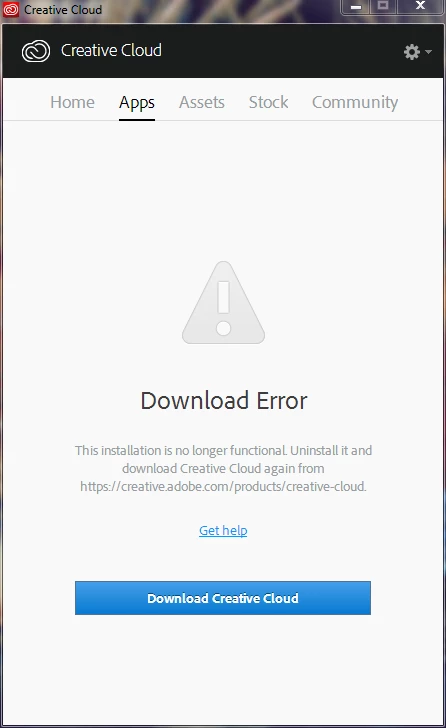
Do you know the solution to download apps from AAM (Adobe App Creative Manager last version)?

Hello everyone, how's going?

Look, the issue that I have consist in dowloading the programs (Apps) from the AACM desktop version.

This started to happen after the last update of the AACM.

I already tried all the solutions from Adobe Support:

Downloading the last version 3 times from the Adobe Page. App Version: Creative Cloud 2.2.0.129

Uninstalling and Reinstalling

AdobeCC Cleaner Tool

I also have taken all the steps of this post.

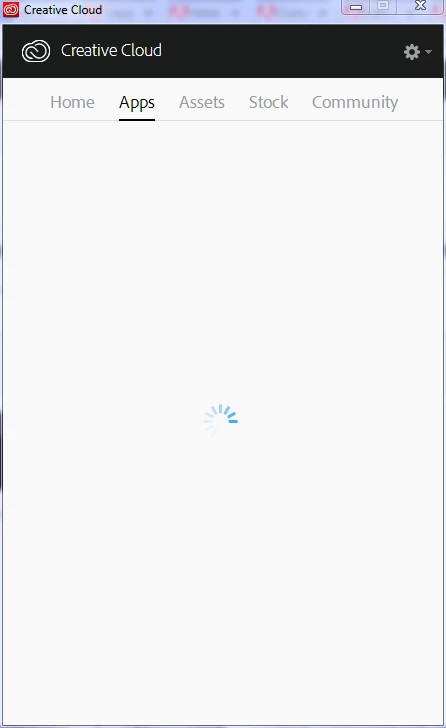
Issue: CC Desktop application does not open or shows a spinning progress wheel.

App doesn't open | Progress wheel spins continually 

but I am still stuck in this annoying situation.

If you have any idea please keep me posted.

See you.
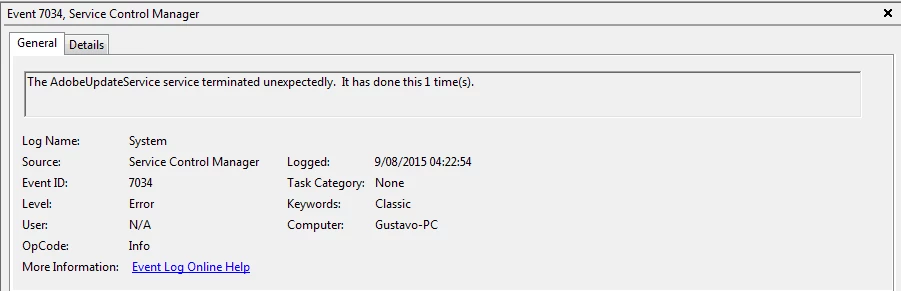
This was the event that I found in windows, this is not the first time.
Ce sujet a été fermé aux réponses.
Meilleure réponse par Govardhan.V

Also make sure LAN settings is set to detect settings Automatically , it is very important :

1)Open Control Panel and then click on the option "Network and Internet" .

2)Click on Internet options, click on 'Connections' tab.

3)In the 'Connections' tab, select 'LAN' settings, you will be able to view the Local area network settings box.

4)Check the box-"Automatically Detect Settings" and then "uncheck" all the other check boxes like 'Use automatic configuration script', 'Use a proxy server' , Bypass proxy server' ,then click on ok button .

5)Click on "LAN settings" button again , make sure "Automatically Detect Settings" is the only option selected, keep the LAN properties window open and try to load Apps list.


Note :

For Uninstallation if  you face any issue , you may use CC uninstaller :

https://helpx.adobe.com/content/help/en/creative-cloud/kb/Error_Code_2_failed_update/_jcr_content/main-pars/download_0/f…

2 commentaires

Govardhan.V
Govardhan.VRéponse
Participating Frequently
August 9, 2015

Also make sure LAN settings is set to detect settings Automatically , it is very important :

1)Open Control Panel and then click on the option "Network and Internet" .

2)Click on Internet options, click on 'Connections' tab.

3)In the 'Connections' tab, select 'LAN' settings, you will be able to view the Local area network settings box.

4)Check the box-"Automatically Detect Settings" and then "uncheck" all the other check boxes like 'Use automatic configuration script', 'Use a proxy server' , Bypass proxy server' ,then click on ok button .

5)Click on "LAN settings" button again , make sure "Automatically Detect Settings" is the only option selected, keep the LAN properties window open and try to load Apps list.


Note :

For Uninstallation if  you face any issue , you may use CC uninstaller :

https://helpx.adobe.com/content/help/en/creative-cloud/kb/Error_Code_2_failed_update/_jcr_content/main-pars/download_0/f…

Participant
August 9, 2015

Thanks mate,

Finally, I checked the LAN Settings and completed the process of uninstalling and reInstalling.

After all of that I restarted my laptop and just now the app window of AAM is displayed.

You're legend, see you.

Govardhan.V
Participating Frequently
August 9, 2015

Splendid, Glad that I was able to Assist you

You are most welcome .

Govardhan.V
Participating Frequently
August 9, 2015

Did you checked Hosts file ?

Participant
August 9, 2015

Hi bloke, do you mean the logs file located in this address?

C:\Users\AppData\Local\Adobe\Creative Cloud Libraries\Logs

Keep me posted.

Govardhan.V
Participating Frequently
August 9, 2015

1)Navigate to C:\Windows\System32\drivers\etc and look for file named hosts inside etc folder.

2)Copy the hosts file to Desktop and open the same with notepad.

Check whether you can see any Adobe related entries inside Hosts file like 127.0.0.1 activate.adobe.com.......etc??