
Participant
Nov 11, 2019 9:11 PM UTC
Question

Download Creative Cloud Problem

Dear All,


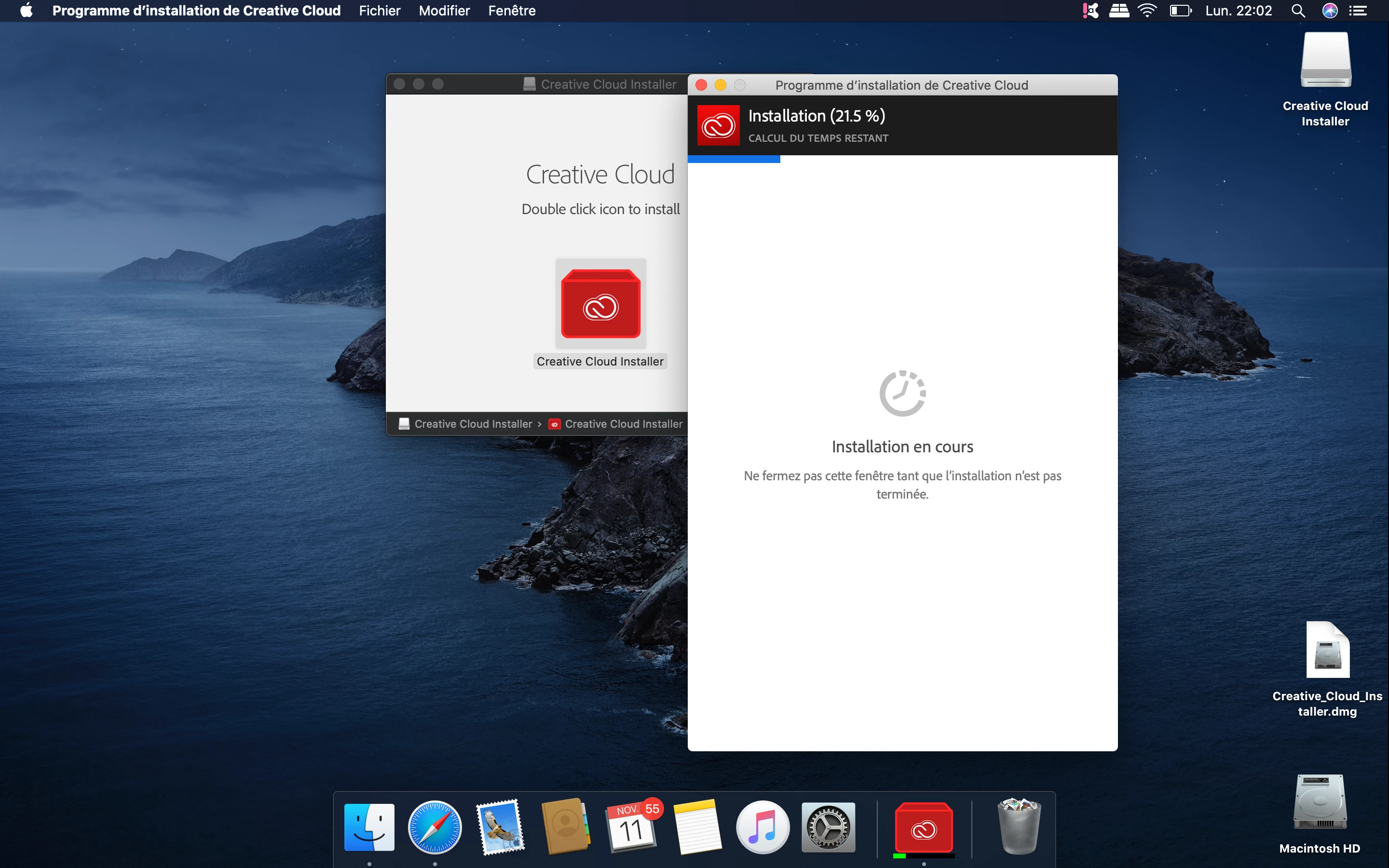
I install OS Catalin 10.15.1 on my Mac Book, I'm not able to download creative cloud. 
The download process is blocked at 21,5% 
I need help, because I need to work on Indesign and Photoshop as soon as possible.

Thanks for your help and support 
This topic is closed to new replies. Start a new post to keep the conversation going.

3 replies

Jeffrey_A_Wright
Legend
Nov 11, 2019 10:44 PM UTC

Aerobatic36, sorry you are facing installation errors while updating the Adobe Creative Cloud desktop application.  Please download and run the CC Cleaner Tool from https://helpx.adobe.com/creative-cloud/kb/cc-cleaner-tool-installation-problems.html.  If you continue to face errors then please implement the solutions listed in https://helpx.adobe.com/creative-cloud/kb/creative-cloud-missing-damaged.html.

Translate
Participant
Nov 11, 2019 10:57 PM UTC

I'm totally blocked because the installation of CC Cleaner Tool is also blocked by the new version of OS CATALINA : They said that the software must be update and to contact the developper... (screen copy attached). 
I don't understand that a great brand as Adobe can have this kind of problem after an update of OS.
I'm waiting for your help. 

Translate
Jeffrey_A_Wright
Legend
Nov 11, 2019 11:18 PM UTC

Thanks. Aerobatic36 for the screenshot.  That error message is occurring due to Gatekeeper for macOS.  Please see https://support.apple.com/en-us/HT202491 for information on how you can open applications that were not downloaded through the Apple App Store.

Translate