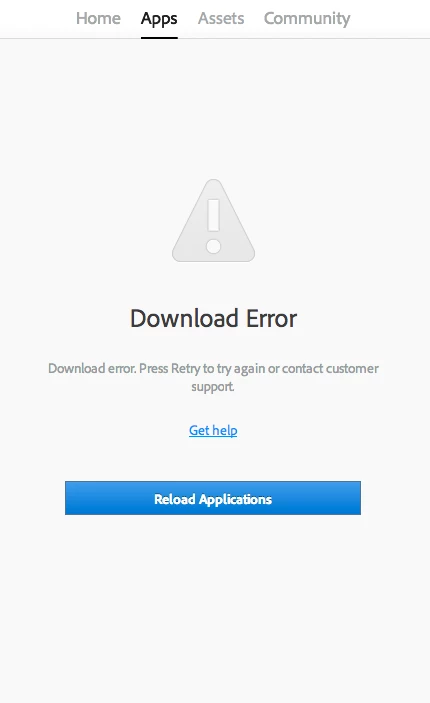
This topic has been closed for replies.

3 replies

elio_freire
Participating Frequently
April 9, 2015

I would make a clean as something for sure went wrong.

This is something that you can solve easily, gives a little bit of work but this solution will for sure work.

Solution : Delete manually all Adobe programs and folders, without no exception the following folders:

For a MAC machine:

/Applications/Adobe*

/Applications/.AdobePatchFiles

/Applications/Utilities/Adobe*

/Library/Application Support/Adobe*

/Library/Application Support/FLEXnet Publisher/

/Library/Preferences/com.adobe*

/Library/Preferences/FLEXnet Publisher/

/Users/[user]/Library/Application Support/Adobe*

/Users/[user]/Library/Caches/Adobe*

/Users/[user]/Library/Caches/com.adobe*

/Users/[user]/Library/Preferences/Adobe*

/Users/[user]/Library/Preferences/com.adobe*

For a WINDOWS machine:

/ Program Files / Common Files / Adobe / Adobe PCD
/ Program Files / Common Files / Adobe / caps
/ Program Files / Common Files / Adobe
/ backup

1.1. Is necessary that you reboot your computer.

1.2. Run in your computer the Adobe CC cleaner tool (step number 3 of the following link:)

Use the CC Cleaner Tool to solve installation problems | CC, CS3-CS6

1.3. Is necessary that you reboot your computer.

1.4. Now download, Adobe creative cloud, from the following link:

Creative Cloud Help | Creative Cloud for desktop

1.5. Is necessary that you reboot your computer.

1.6. Open the Download you Made "Adobe Creative Cloud" and you should be able to begin the session with your e-mail (Adobe ID) ans install the App's and use it in trial for 30 days.

I hope I've helped You with my answer.

Regards

Sumit Singh7733893
Participating Frequently
April 9, 2015

Hi Timothy,

Please refer the following help article on the problem.

Creative Cloud Help | Download Error in Apps tab of Creative Cloud Desktop Application

Hope this helps.

Regards,

Sumit Singh

Mylenium
Legend
April 9, 2015

Nobody can tell you anything without proper system info or other technical details. Start by reviewing this:

Sign in, activation, or connection errors | CS5.5 and later, Acrobat DC

Mylenium

Participant
April 9, 2015

I have checked through the 'troubleshooting and connectivity issues' list. I am connected to the internet (obviously).
I think it might have something to do with my account..
I'll just call adobe.

Thank you for your reply.