



Error 145 updating CC, in Assets section
Hi there!
Since 2 days ago I see a small red point in my “Creative Cloud” icon (Mac top bar, working with OS Sierra 10.12.6)
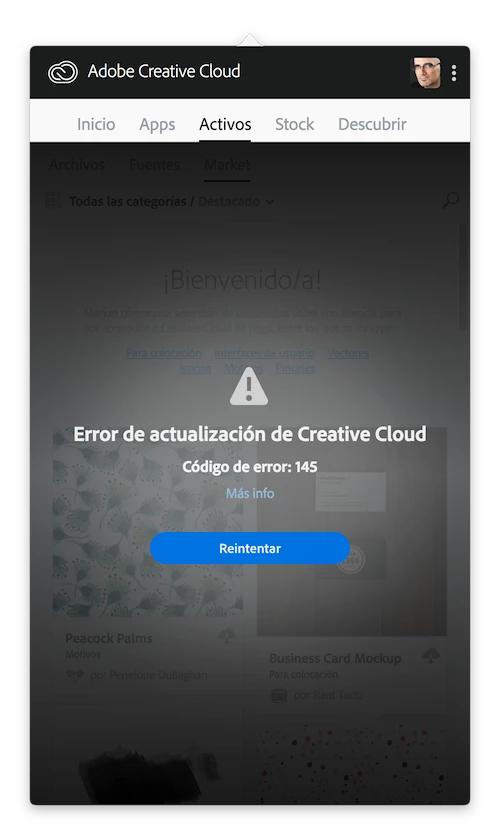
Inside the “Activos” section (suppose is “Assets” in English) I see this message:
“Error de Actualización de Creative Cloud” (Creative Cloud Updating Error)
And then: Error Code: 145
Looking at Install.log (inside Library/Logs/Adobe/Installers/…) I see this info:
-------------------------------------- Summary --------------------------------------
- 2 fatal error(s), 0 error(s), 1 warnings(s)
FATAL: Error (Code = 145) executing in command 'MoveDirectoryCommand' for package: 'CoreSync-mul', version:2.4.3.114
FATAL: Error occurred in install of package (Name: CoreSync-mul Version: 2.4.3.114). Error code: '145'
WARN: Destination path is file or already used "/System/Library/CoreServices/DiskImageMounter.app/Contents/Resources/ro.lproj/MainMenu.strings/CoreSync"
-------------------------------------------------------------------------------------
To be honest: I have no interest at all in “Assets” section. I only want that all my Apps (Photoshop, Illustrator, Premiere and After Effects) works fine. And all them plays right.
But I'm a bit worried that maybe this is a sign of other problems…
Any suggestion to fix that?
Thanks for your support! 🙂
 AdChoices