


arthurv68896315
Participant
July 30, 2017
Answered

Error 16

  • July 30, 2017
  • 1 reply
  • 733 views

Hello,

Today I heard about "Adobe Animate CC" and I wanted to give it a try, when I installed "Creative Cloud" and started to install "Animate CC" I just needed to open it to start a new trial.

So I got this message:
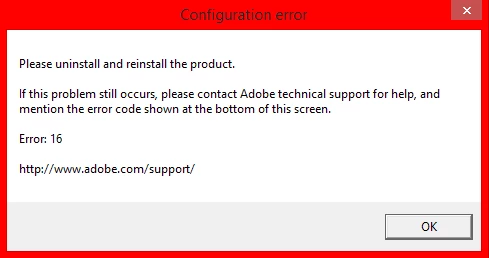
So I did as it said, I reinstalled "Animate CC" and then... The same message appeared with this hint coming with it:

I never even was able to open it, and when I came to "Home" Tab it told me it started the Trial, but... I don't understand why this happened...

So I'm still confused about Error 16 and about the "Trial Expired" message.
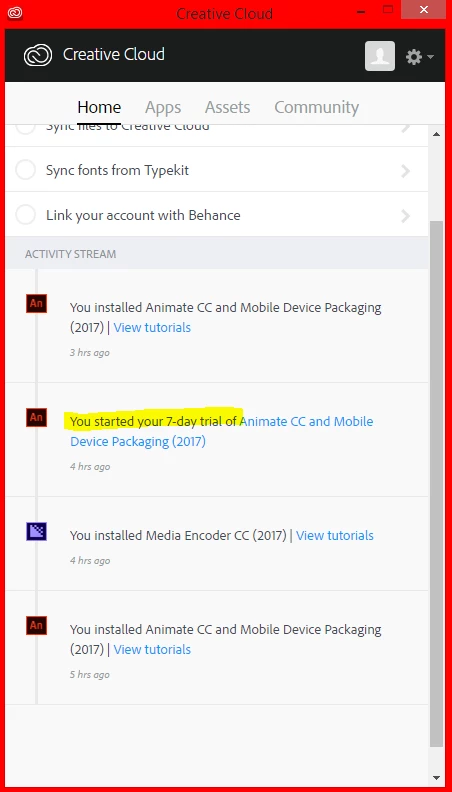
The first one (5hrs ago) was the first try, as it downloaded "Media Encoder CC" with it, even though I don't know why, probably just an add-on.

It took about an hour to install, and I opened the app and it said I started me 7 day trial.

Until I had to reinstall, which comes the last try.

Any help, please?

I really want to try this, and see if I should purchase it (Because trying on your own is the best instead of watching a video)

As of said again, I have no idea how a trial got expired if I just started it...?

This topic has been closed for replies.
Correct answer Jeffrey_A_Wright

I thought maybe I could chat to the customer service... :/


Arthurv68896315 what happens when you click on the link to contact our chat support at Contact Customer Care​?  Are you not being given the opportunity to chat with a member of our support team on this computer?  If so then please try a different web browser. 

If you continue to face difficulties then you may want to consider backing up any critical documents and files and restoring your installation of Windows.  If you are unable to adjust file permissions, in multiple user accounts, nor establish a chat session, then there may be larger issues with the current installation of Windows Arthurv68896315.

1 reply

arthurv68896315
Participant
July 31, 2017

I also tried the Configuration error in Adobe Creative Cloud and it did not work, atleast I had one step not working, I don't have the "Owner" Tab at the Advanced Security Settings Window.

Could that be the problem?

Jeffrey_A_Wright
Community Manager
Community Manager
July 31, 2017

Arthurv68896315 from your description it sounds like the current User account does not have sufficient access to the SLStore and Adobe PCD folders.  If you are unable to correct this in the current User account then please create a new local administrator account on the computer and open Animate CC 2017 in the new account.

Complete information on how to set up a new local administrator account can be found at https://helpx.adobe.com/x-productkb/global/create-local-administrator-account-windows.html.

arthurv68896315
Participant
July 31, 2017

Hello,

I created a local account according to the link, signed into it and signed into Adobe Cloud.

The Problem still occurs, as it is the same exact problem.