Ah I remove OOBE first like what you wrote and removed, then before Application manager is updated the OOBE file become exist, I tried to remove OOBE or rename it but It's difficult.
Sorry for the delayed response .
If you still facing same issue , it is better to try with new Admin account or Hidden Admin account.
Note :
Once you delete OOBE folder , new OOBE folder will created again.
---------------------------------------------------------------------------------------------------------------------------------------------------
You can simply enable Hidden Admin account and try steps mentioned in the link I provided again.
If you wish you may enable Hidden Admin account by following below steps :
Follow below steps carefully :
WINDOWS 10
[ It might look different on your comp , I had enabled Cortana that's it.]
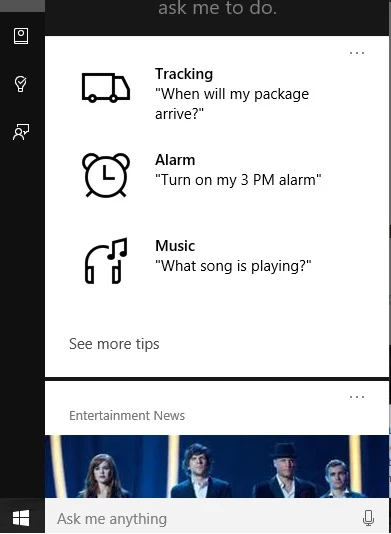
In the Windows search text box type as CMD , it will provide search results :
Important : Right click on " Command Prompt" option and select " Run as Administrator" option .
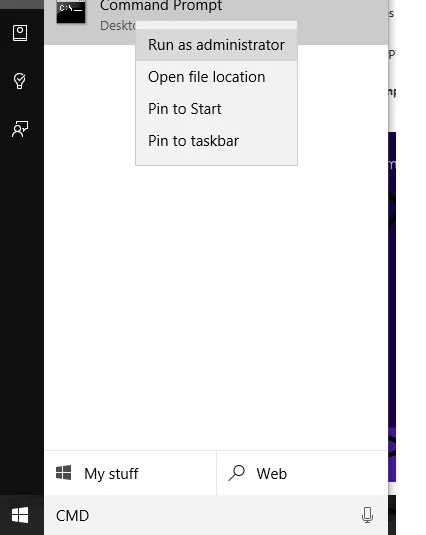
It will open Command Prompt window in elevated mode.
Step 2)
Now copy below command then right click on Command Prompt black screen window and select Paste option and press Enter key.
net user administrator /active:yes
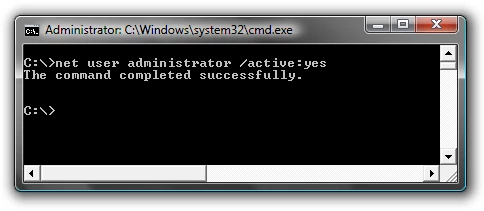
You should see a message that the command completed successfully.
Step 3)
Restart the computer and login to user account named " Administrator" and then try again.

Note :
To disable Hidden Admin account you can follow above same steps and use below command .
net user administrator /active:no
 AdChoices