
Question
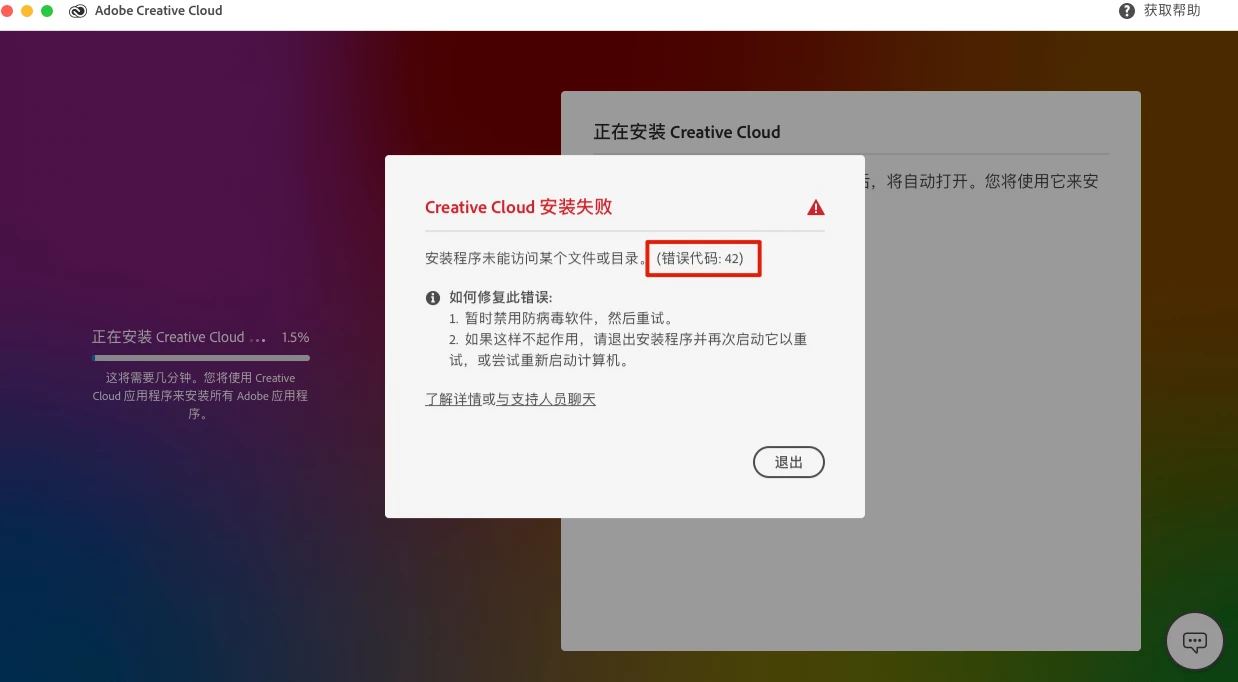
Error #42 when install Creative Cloud on macOS Big Sur
After I upgrade my Macbook Pro to Big Sur(11.0.1), I CANNOT upgrade apps in creative cloud. So I uninstall it and download the latest version, but always got error #42.
I did search the community but seems no method about this problem on a Mac.
Could someone share the way to resolve this? Thanks a lot!


 AdChoices