
Participant
July 21, 2015
Question

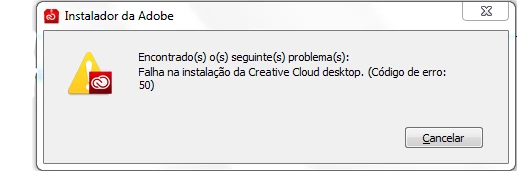
Error 50 code

  • July 21, 2015
  • 3 replies
  • 232 views

Hello!

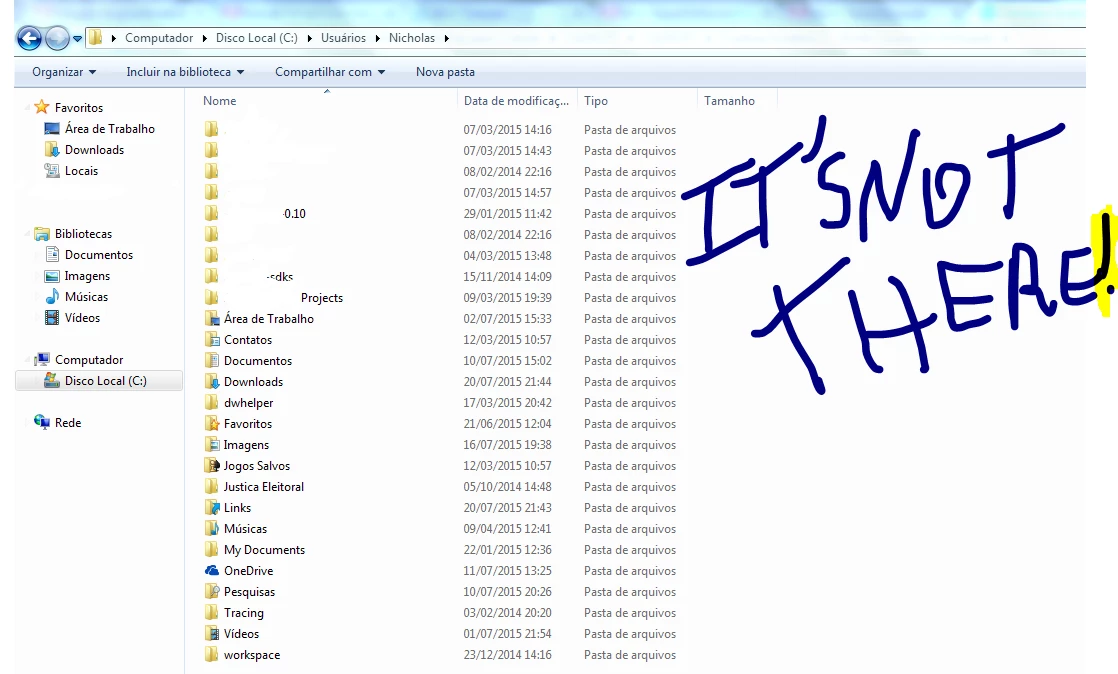
I'm trying to solve the problem installing Creative Cloud Desktop, whenever I install it,gives error 50. I use Windows 7 Ultimate 32 and 64-bit. Every time I install gives error 50. I don't know what else to do! Also AppData folder does not appear in my User folder. What I do?
This topic has been closed for replies.

3 replies

Govardhan.V
Participating Frequently
July 21, 2015

Error code 50 , you may try with steps below :

End all Adobe processes from Task Manager .

Step 1 :

Open C:drive and navigate to C:\Program Files (x86)\ " Common Files" \Adobe.

Open Adobe folder and delete folders named Adobe Application Manager and OOBE.

Step 2:

Navigate to C:\Program Files (x86)\Adobe.

Open Adobe folder and if present delete Adobe Creative Cloud folder. [**important]

Unable to delete , rename it .

Step 3 :

Press Windows button (located between Ctrl and Alt buttons) along with R button together at a time , you will get a run command window.

Type in below command and hit 'Enter' key.

appdata

Then navigate to Local>Adobe.

Open Adobe folder and delete folders named AAMUpdater and OOBE.

Step 4 :

Make sure Adobe Creative Cloud is not listed under Control Panel > Program and Features. list.

Then try to install Creative Cloud application .

Participant
July 21, 2015

Hello,

When I went to install, he had given error and had installed, but when I open and installed upgrading, HE'S GONE! AND NOW?

Govardhan.V
Participating Frequently
July 21, 2015

Appdata folder :

Press Windows button (located between Ctrl and Alt buttons) along with R button together at a time , you will get a run command window.

Type in below command and hit 'Enter' key.

Appdata

It will Should open Appdata folder.

Ned Murphy
Legend
July 21, 2015

Error Code 1: "Failed to install" | Creative Cloud Desktop : https://helpx.adobe.com/creative-cloud/kb/failed-install-creative-cloud-desktop.html