Participant
Jun 12, 2024 9:02 PM UTC
Question

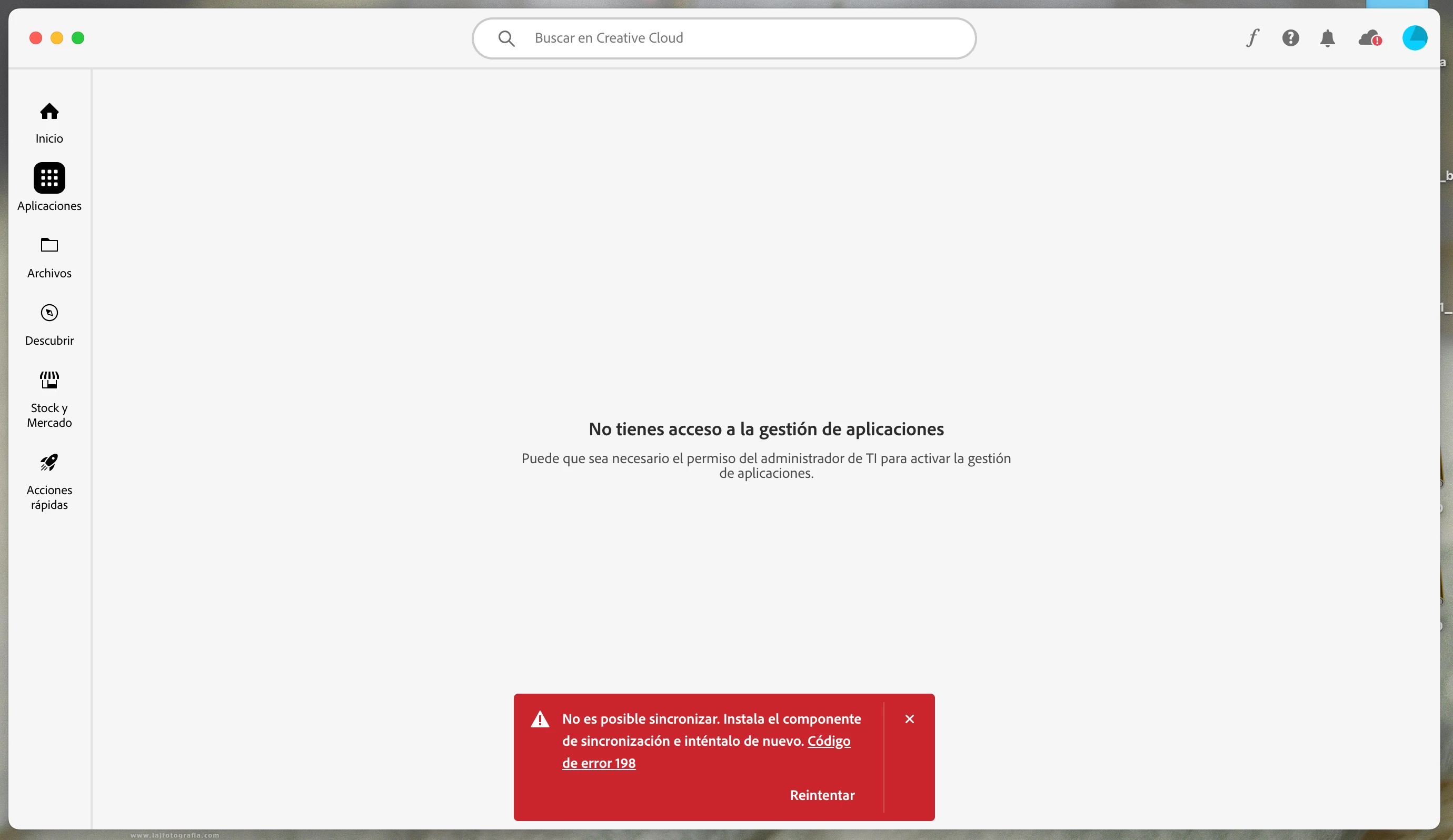
Error de actualización


Buenas tardes,


no he podido instalar ningún programa, he desinstalado e instalado creative cloud y nada.


    This topic is closed to new replies. Start a new post to keep the conversation going.

    3 replies

    gupta shivangi
    Legend
    Jun 13, 2024 1:10 PM UTC

    Hi @Luis Alberto38009516qig4,

    In addition to the steps suggested by @kglad, please try the steps listed in this article: https://helpx.adobe.com/creative-cloud/kb/troubleshoot-download-install-logs.html#error198

    Let us know if it helps.

    Regards,

    Shivangi

    Translate
    kglad
    Community Expert
    Community Expert
    Jun 12, 2024 11:37 PM UTC

    reset the cc desktop app by making sure it's in the foreground, then press:

    Win: Ctrl + Alt + R
    Mac: Cmd + Opt + R


    if that fails, repair per https://helpx.adobe.com/download-install/kb/creative-cloud-install-stuck.html


    if that fails and you have windows, open your control panel > add/remove programs > cc desktop app > repair

    if that fails, uninstall using the correct uninstaller from https://helpx.adobe.com/creative-cloud/help/uninstall-creative-cloud-desktop-app.html#sa_src=web-messaging and then reinstall using*


    if that fails, do a clean cc install carefully following each applicable step:

    uninstall every cc app including preferences per https://helpx.adobe.com/creative-cloud/help/uninstall-remove-app.html

    then uninstall the cc desktop app, again using the correct uninstaller per https://helpx.adobe.com/creative-cloud/help/uninstall-creative-cloud-desktop-app.html#sa_src=web-messaging

    clean your computer of cc files per http://www.adobe.com/support/contact/cscleanertool.html

    check for, and if available, update your os

    if windows is your os, repair all ms visual c++ versions that can be repaired (use google if you don't know how to do this)

    if windows is your os update your ms visual c++, if it can be updated (use google if you don't know how to do this)

    restart your computer (don't skip this)

    reinstall the cc desktop app using the "alternative download links" at the bottom of the page at https://helpx.adobe.com/download-install/kb/creative-cloud-desktop-app-download.html

    use the desktop app to install your cc programs/trials>

    if that fails, you probably have a corrupt user account. google your os and how to create a new one.

    Translate
    kglad
    Community Expert
    Community Expert
    Jun 12, 2024 9:26 PM UTC

    in the future, to find the best place to post your message, use the list here, https://community.adobe.com/

    p.s. i don't think the adobe website, and forums in particular, are easy to navigate, so don't spend a lot of time searching that forum list. do your best and we'll move the post (like this one has already been moved) if it helps you get responses.


    <"moved from using the community bugs">
    Translate
