johnl72784227
Participant
December 28, 2017
Answered

Error U44M1P7: Can't apply Extension Manager CS6 update | Mac OS

  • December 28, 2017
  • 3 replies
  • 744 views

I have followed all the instructions - i deleted install manager and tried to download it from Adobe site...got this error message which takes me back to where i started.
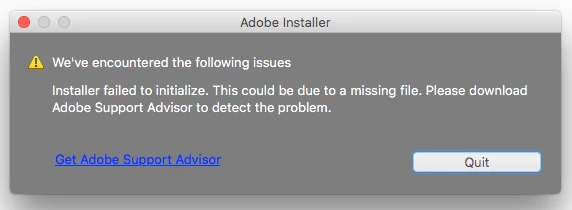
I keep getting notice an update is available for my photoshop CS6 extension..but nothing works.

    This topic has been closed for replies.
    Correct answer johnl72784227

    I fixed the problem by reinstalling Photoshop 6 from my disk.

    3 replies

    johnl72784227
    johnl72784227AuthorCorrect answer
    Participant
    January 30, 2018

    I fixed the problem by reinstalling Photoshop 6 from my disk.

    December 31, 2017

    I am never able to complete installation on updates of CS6.  I have spent the last half day trying to resolve problem.  Tried the Cleaner and uninstall my copy.  Now can't update for sure because it no longer resides on my computer.  I was told to get hold of perpetual licensing team but have no idea how to do this.  Could someone please contact me.  I am running High Sierra so i probably need the thread above but didn't find it until after uninstalling CS6. 

    John T Smith
    Community Expert
    Community Expert
    December 31, 2017

    CS6 is 4+ years old and no longer supported by Adobe

    If the workaround link I provided works to let you reinstall CS6, you need to install updates manually

    At some point in the past (I don't know the exact date) Adobe "merged" the original update manager into the Cloud update manager, which means you are no longer using your original update manager

    I have read some messages that the latest (Cloud) updater sometimes doesn't work with old programs... Try installing your updates manually

    Updates start here and select product, read to see if you need to install updates in number order, or if the updates are cumulative for the individual product http://www.adobe.com/downloads/updates/

    December 31, 2017

    Thank you John for your reply on New Year's Eve!  

    I don't see a full version of CS6 listed on updates page....they're that...just updates, apparently.  Since I uninstalled (inadvertently because I didn't know what I was doing) CS6, I need to completely install it first.  Is there a link?

    John T Smith
    Community Expert
    Community Expert
    December 28, 2017

    U44.. update error http://forums.adobe.com/thread/1289956 may help

    Also, CS6 and earlier programs have not been tested and will not be updated for Mac El Capitan or later operating systems

    -which means that you try to use CS6 and earlier at YOUR risk of having problems due to Apple updates

    -Apple did not maintain backward compatibility with old programs in El Capitan or Sierra

    --Adobe has a workaround to Apple's problem of not maintaining backward compatibility

    --READ HERE https://forums.adobe.com/thread/2301916 for an Adobe solution to installing old programs, including a link to installing the old Java runtime that is required